About board report templates
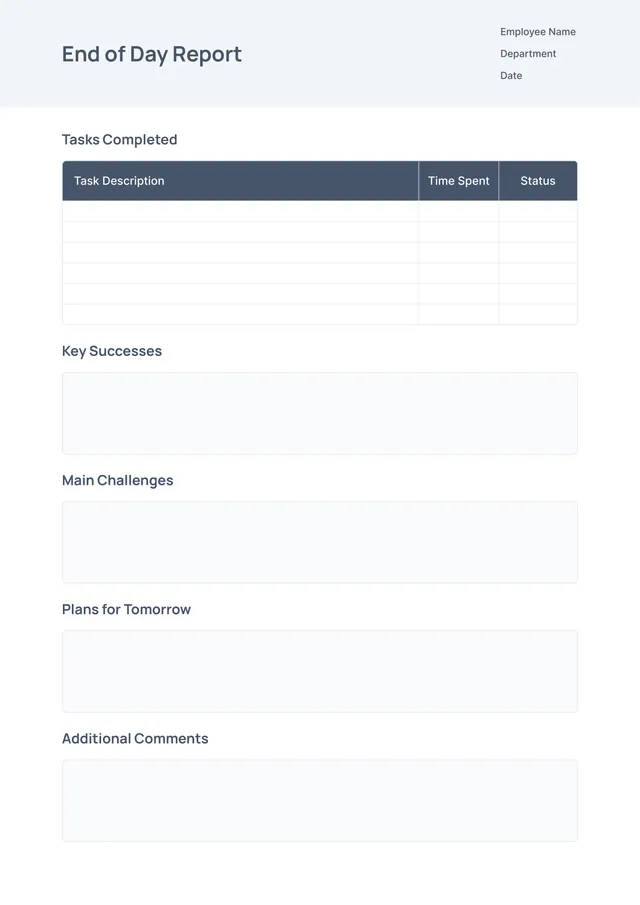
Board meetings often feel overwhelming, especially when you need to prepare reports. Our board report templates take away that stress, letting you focus on the core content. You get a draft with editable fields, which means you can tailor each report to your specific needs. A standout feature is the organization of the layout; it helps you present complex information clearly and effectively.
Think about how a well-structured report can save time and improve communication within your team. With our templates, you can go from a blank page to a polished report in no time. Each sample has been crafted considering the standard elements of board reports. We’ve analyzed the necessary fields and included them in ours, so you can hit the ground running with ease.
Download your first file for free. To continue using PDF Guru, choose one of our subscription plans.
Frequently asked questions
What is a board report template?

A board report template is a structured document that helps summarize key information for a board meeting. It usually includes sections like an agenda, financial updates, and project statuses. This template provides an outline for presenting important data clearly, ensuring that all relevant topics are covered effectively. By using a template, you can save time and deliver a consistent report to board members.
When should you use a board report template?
A board report template is helpful in various situations; consider using one for the following:
- Before quarterly and annual meetings to present financial performance
- When outlining strategic goals and progress reports
- After significant project milestones to share updates
- During regular check-ins with stakeholders to keep them informed
- Any time you need an editable document to capture insights and decisions.
What information is typically found in a board report template?
A board report template usually includes an agenda, meeting minutes, financial summaries, project updates, and key performance indicators. You can easily edit the template to add discussions from each department or strategic initiatives, providing a comprehensive overview for board members to analyze and make decisions.
How to edit a board report template?
- Click the 'Use Template' button to open the board report template in the PDF editor.
- Fill in the placeholder fields with the necessary information.
- Review and make any adjustments as needed.
- Once you're satisfied, click 'Done' to download your edited report.
- Your version will also be saved in your account for future reference.
Who can use a board report template?
Anyone needing to present board-level information can use a board report template. This includes business leaders, project managers, nonprofit directors, and team members preparing updates. Whether you’re a seasoned executive or someone new to reporting, these templates help streamline your documentation process and ensure clear communication.
Can I export the board report template to PDF or another format?
Yes, you can download the board report template in various formats, including PDF, Word, Excel, PowerPoint, PNG, and JPG. This makes it convenient for you to have a printable copy for your records or to share with others as needed.
How can I share my completed board report with others?
You can share your completed board report by downloading it to your device and sending it via email or any messaging app. Alternatively, you can share the link directly from your PDF Guru account with anyone you wish, making collaboration quick and simple.
What are some tips for writing an effective board report?
Keep your report clear and concise; focus on key points and findings. Use bullet points for easy reading, and include summaries for important sections. Legibly label sections, and present any visuals, like charts, alongside explanations. Lastly, proofread for errors to maintain professionalism.
How do I cancel PDF Guru?
You can cancel your active plan from your PDF Guru account settings, or contact support and ask them to cancel the subscription for you. Account access stays in place until the billing period you already paid for comes to an end.