Marriage Certificate Template
About marriage certificate templates
When planning a wedding, finding the right marriage certificate template can be stressful. Our template helps take away that worry by providing a clear, tailored format that fits your needs. You can easily enter your details and download a personal copy. One standout feature is the unique design options that allow you to personalize your marriage certificate, making it a wonderful keepsake.
If you're unsure about what information to include, our marriage certificate template offers both sample fields and blank spaces where you can fill in the necessary details. This means you have guidance while also having the freedom to make it your own. We’ve carefully analyzed common requirements and included many necessary fields, giving you a head start on this important document.
Download your first file for free. To continue using PDF Guru, choose one of our subscription plans.
Frequently asked questions
What is a marriage certificate template?

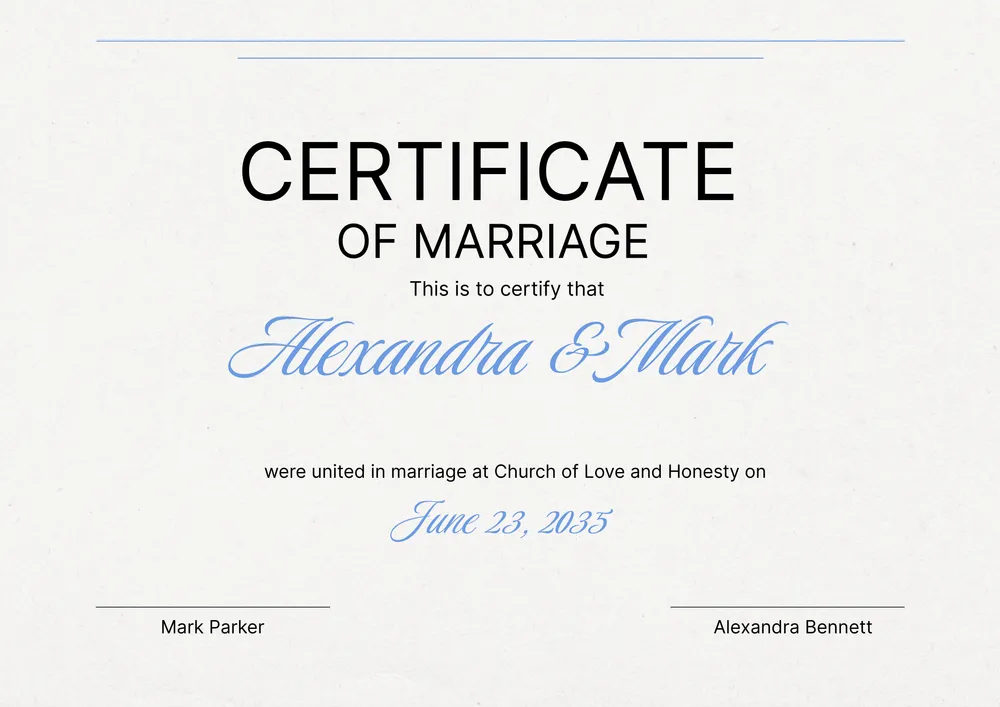
A marriage certificate template is a structured document you can fill out to officially recognize a marital union. It typically includes key information, such as names, dates, and signatures. The outline helps guide you on what details to enter, making it easier to create a valid certificate for your records. Once completed, you can download it for easy access or save it in your account for future needs.
When to use a marriage certificate template?
If you’re looking to simplify paperwork for your big day, people often consider using an editable marriage certificate template in various situations, such as:
- When planning a wedding ceremony
- To fulfill legal requirements after getting married
- To apply for name changes post-marriage
- If you need documents for personal records or family matters
What information is typically found in a marriage certificate template?
A marriage certificate template typically includes names of the couple, the date of the marriage, the location, signatures of witnesses, and an official seal or notary section. You can edit these fields to match your specific details for a valid record. It's an essential document for legal purposes.
How to edit a marriage certificate template?
- Click on 'Use Template' for the marriage certificate.
- The PDF editor will load with placeholder fields for you to fill out.
- Enter the required information in the appropriate fields.
- Review your entries for accuracy.
- Click 'Done' to save your changes and download the final certificate.
- Your edited version will also be saved in your account for future access.
Who might need a marriage certificate template?
You might need a marriage certificate template if you're planning a wedding, legalizing a partnership, or handling personal matters like name changes. It's also helpful for couples celebrating anniversaries or tracking family history; this template serves various purposes for all types of couples.
Can I download the marriage certificate template as a PDF or other formats?
Yes, you can download the marriage certificate template as a PDF or in other formats like Word, Excel, PowerPoint, PNG, and JPG. Once you finish editing the template, you’ll get a printable copy that meets your needs perfectly.
What should I know before filling out a marriage certificate template?
Before filling out a marriage certificate template, gather essential details like your names, dates of birth, and places of birth. You may also need to know your parent's names and places of their births, depending on local requirements; check your state's rules for specific information needed.
What are the common mistakes to avoid when filling out a marriage certificate template?
When filling out a marriage certificate template, avoid these common mistakes: don’t forget to check spelling, especially for names; make sure all details match your ID; leave no fields blank; and double-check the date and place of the ceremony. Accurate information is crucial for a valid document.
How do I cancel PDF Guru?
You can cancel your active plan from your PDF Guru account settings, or contact support and ask them to cancel the subscription for you. Account access stays in place until the billing period you already paid for comes to an end.