About table of content template
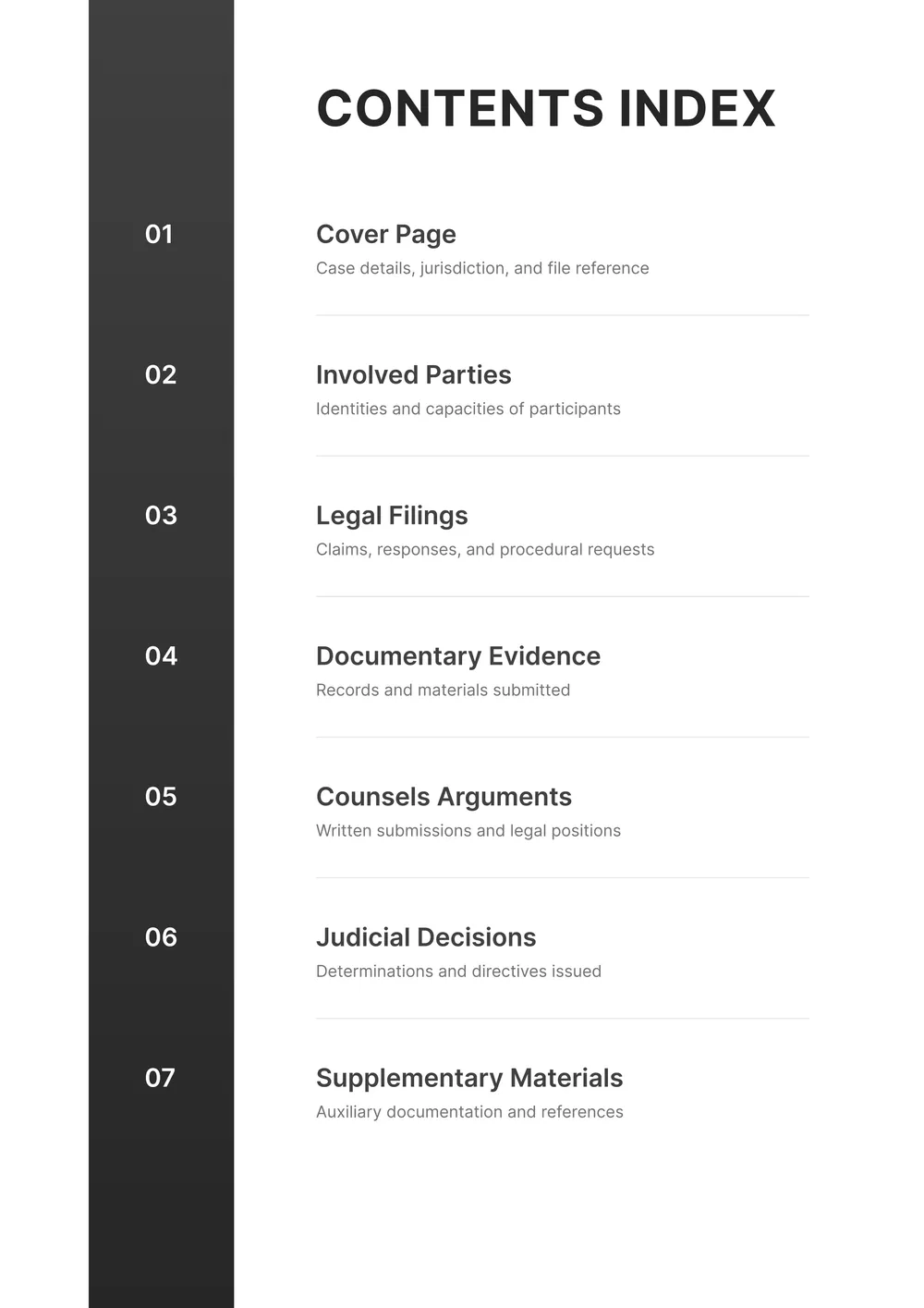
Creating a table of contents can feel overwhelming, especially when trying to make it clear and organized. With our table of content templates, you can easily input your data and see how everything fits together. Plus, you’ll enjoy the ability to customize it according to your needs, turning a complicated task into a hassle-free experience. You’ll find a sample layout that helps visualize your document’s flow.
Our templates are designed with you in mind. You can start with a blank format and add sections at your pace, giving you the control you need. The standout feature of these templates is the ability to save drafts. You can pick up right where you left off. We’ve analyzed the necessary fields for successful table of contents, and we’re confident our template includes many you might find beneficial.
Download your first file for free. To continue using PDF Guru, choose one of our subscription plans.
Frequently asked questions
What is a table of content template?

A table of contents template is a structured document that helps organize information in a clear outline. It typically includes headings and subheadings for various sections of a larger work, guiding readers through the material. This template allows you to fill in your specific content while maintaining an easy-to-navigate format, making it simple to locate different parts of your document.
When should I use a table of content template?
If you’re wondering when a table of content template will help, consider these moments:
- When organizing a lengthy report or document
- For coordinating project documentation due dates
- During course materials preparation for training sessions
- When you’re compiling meeting agendas or minutes
- Before submitting formal proposals or contracts
The editable template speeds up the process for any of these situations.
What items are typically found in a table of content template?
A table of contents template typically includes sections like: title page, acknowledgments, introduction, chapters, appendices, and index. You can edit the template to fit your needs by adding or removing sections as necessary, ensuring it aligns with the structure of your document or project.
How to edit a table of content template?
- Click 'Use Template' to open the table of contents template in the PDF editor.
- Fill in the necessary fields with your specific information.
- Adjust any sections as needed for clarity and presentation.
- Once finished, click 'Done' to download your edited content.
- Your updated version will also be saved in your account for future reference.
Who can use a table of content template?
Anyone needing to organize information can use a table of contents template: students creating reports, authors planning books, businesses drafting manuals, and event planners organizing schedules. It's helpful for anyone looking to make documents clear and easy to navigate, regardless of profession or purpose.
Can I download the table of content template as a PDF or in another format?
Yes, you can download the table of content template in multiple formats, including PDF, Word, Excel, PowerPoint, PNG, and JPG. The template is printable, allowing you to easily access it however you prefer. Just select your desired format before downloading.
How can I make my table of contents more effective?
To make your table of contents more effective, use clear headings and subheadings; keep them concise and descriptive. Organize them logically to reflect the document structure, and consider adding page numbers for quicker navigation. This helps readers find information faster without confusion.
What types of documents work best with a table of contents template?
Table of contents templates work best with longer documents like reports, academic papers, manuals, or ebooks. They help organize sections, making it easier to navigate through the content. You can use this template to enhance clarity and improve the reading experience for your audience.
How do I cancel PDF Guru?
You can cancel your active plan from your PDF Guru account settings, or contact support and ask them to cancel the subscription for you. Account access stays in place until the billing period you already paid for comes to an end.