Wedding Checklist Template
About the wedding checklist template
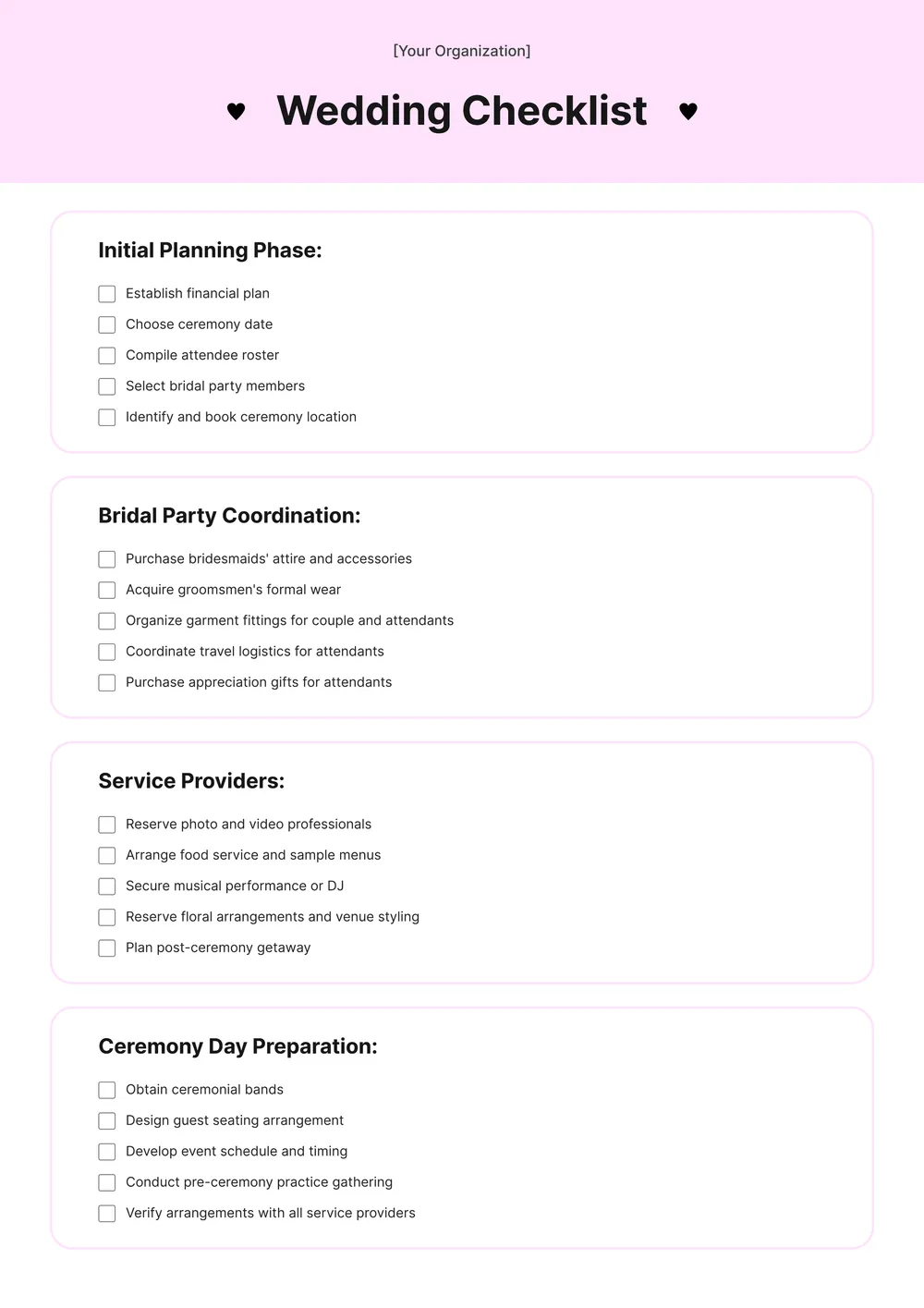
A wedding checklist is used to organize planning tasks for a wedding in a simple, trackable format. It helps couples, planners, and families keep an overview of bookings, deadlines, purchases, and day-of prep without losing track of small details.
Our template includes sections for planning tasks, deadlines, notes, and customizable checklist items. In the PDF Guru editor, you can tailor the checklist to a short engagement, a full wedding season timeline, a destination wedding, or a smaller ceremony plan.
Download your first file for free. To continue using PDF Guru, choose one of our subscription plans.
Frequently asked questions
What can I track with this wedding checklist template?

You can track bookings, deadlines, planning tasks, vendor follow-ups, purchase lists, and last-minute reminders. It helps keep the planning process visible instead of spread across messages, notes, and spreadsheets.
Can I customize the wedding checklist for different planning styles?
Yes. In PDF Guru you can add or remove tasks, rename sections, and tailor the checklist to a destination wedding, local event, minimalist ceremony, or more detailed wedding plan. The same template can support different planning styles and timelines.
Can I use this checklist for before-the-day and day-of tasks?
Yes. You can structure the checklist around both long-term planning and the final event-day tasks if you want everything in one place. You can also split it into sections by month, week, vendor type, or task category.
Can I download this wedding checklist template in different formats?
Yes. After editing the checklist in PDF Guru, you can export it as PDF, DOC, XLSX, PPTX, JPG, or PNG. This gives you a printable planning list, a digital copy for updates, and another version for sharing with a partner or planner.
How do I edit and print the wedding checklist template in PDF Guru?
Open the template in the PDF Guru editor and update the task list, sections, notes, and timing labels to match your planning process. You can add or remove checkboxes, adjust the layout, and review the checklist before saving. When it is ready, export it in the format you need and print or share it.
How do I cancel PDF Guru?
You can cancel your active plan from your PDF Guru account settings, or contact support and ask them to cancel the subscription for you. Account access stays in place until the billing period you already paid for comes to an end.