
What is Form 2848?
Form 2848, officially known as Power of Attorney and Declaration of Representative, is an IRS document that allows a taxpayer to authorize another individual — such as an accountant, enrolled agent, or attorney — to represent them before the Internal Revenue Service (IRS).
By filing this form, the taxpayer grants the representative permission to receive confidential tax information and communicate with the IRS on their behalf regarding specified tax matters, such as income tax issues. Form 2848 is commonly used when a taxpayer needs professional assistance handling IRS correspondence, audits, or negotiations.
What is Form 2848 used for?
Form 2848 is crucial for taxpayers who need to grant an individual authority to represent them before the IRS. Here’s what this form allows you to do:
- To appoint a qualified individual as your representative.
- To specify the tax matters for which representation is authorized.
How to fill out Form 2848?

- 1
Start by entering your name and address in the designated fields.
- 2
Fill in your taxpayer identification number (TIN).
- 3
Specify the type of tax, tax form number, and year(s) you're granting authority for.
- 4
Add the name, address, phone number, CAF number, and (if applicable) PTIN of your appointed representative.
- 5
Sign and date the form. If you plan to submit Form 2848 online through the IRS’s tools, you can use an electronic signature; if you mail or fax the form, you must sign it by hand.
Who is required to fill out Form 2848?
Individuals or businesses who need to grant authority to an individual, usually a tax professional, to represent them before the IRS are responsible for completing 2848s.
The IRS and the authorized representative use this form to verify the representative’s authority to act on behalf of the taxpayer in tax matters.
When is Form 2848 not required?
Not everyone needs to complete a 2848. For instance, individuals who are handling their own tax matters won't require this form.
It's also not necessary for those who do not need to designate a representative to act on their behalf with the IRS. This includes people who are merely seeking general tax information.
When is Form 2848 due?
The deadline for submitting federal Form 2848 is different, as it should be submitted when you need to authorize a representative to act on your behalf with the IRS. This could be at any time you need representation.
Please remember, Form 2848 must be submitted before your representative works with the IRS on your behalf. This ensures they have the proper authorization to handle your tax matters efficiently.
How to get a blank Form 2848?
To get an IRS-issued blank Form 2848, visit our platform, where the template is pre-loaded in our editor, allowing you to fill it out and download it for your use. Please remember, our website helps you create and download the form, but does not help you submit it.
How to sign Form 2848 online?
To sign a fillable 2848 on PDF Guru, please ensure all required fields are filled out. Then, add your signature in the designated signature section.
After completing the form and adding your signature, click on "Done" to download your document.
Where to file Form 2848?
You can first fill out Form 2848 right here on PDF Guru, where you can complete, save, and print the form in a clean, fillable format. Once it’s ready, you can submit it to the IRS online through their submission tools or by mail to the address listed for your state in the latest form instructions. Before you send it, double-check that every section is completed correctly to avoid processing delays.
Where to fax Form 2848?
You can also submit Form 2848 by fax using the IRS fax number for your state or location, as listed in the latest version of the instructions. Always confirm the correct fax number in the current IRS instructions before sending.
What other tax forms are related to 2848?
Form 8821
Authorize a third party to inspect and/or receive your confidential IRS tax information for specific tax types and periods, without giving them power of attorney (2025–2026). Who uses it: Taxpayers who want an accountant, lender, or other third party to access their IRS records but not represent them before the IRS.
Form 56
Notify the IRS that you’re acting in a fiduciary role — such as executor, trustee, or guardian — for someone else’s tax matters (2025–2026). Who uses it: Fiduciaries managing the tax affairs of an individual, estate, or trust.
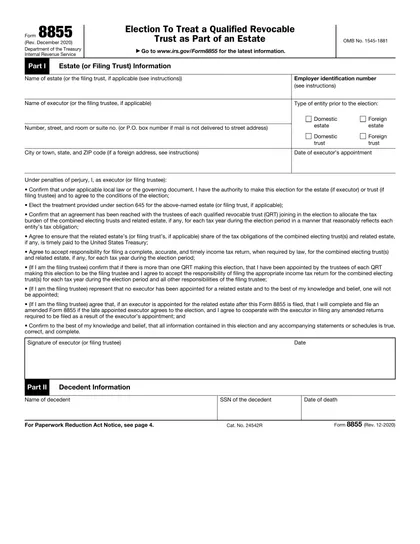
Form 8655
Authorize a payroll company or other reporting agent to sign and file certain employment tax returns, make tax deposits, and receive IRS notices on your behalf (2025–2026). Who uses it: Employers that rely on third-party payroll providers or tax professionals to handle their payroll tax filings.