As Is Bill of Sale Template
About as is bill of sale template
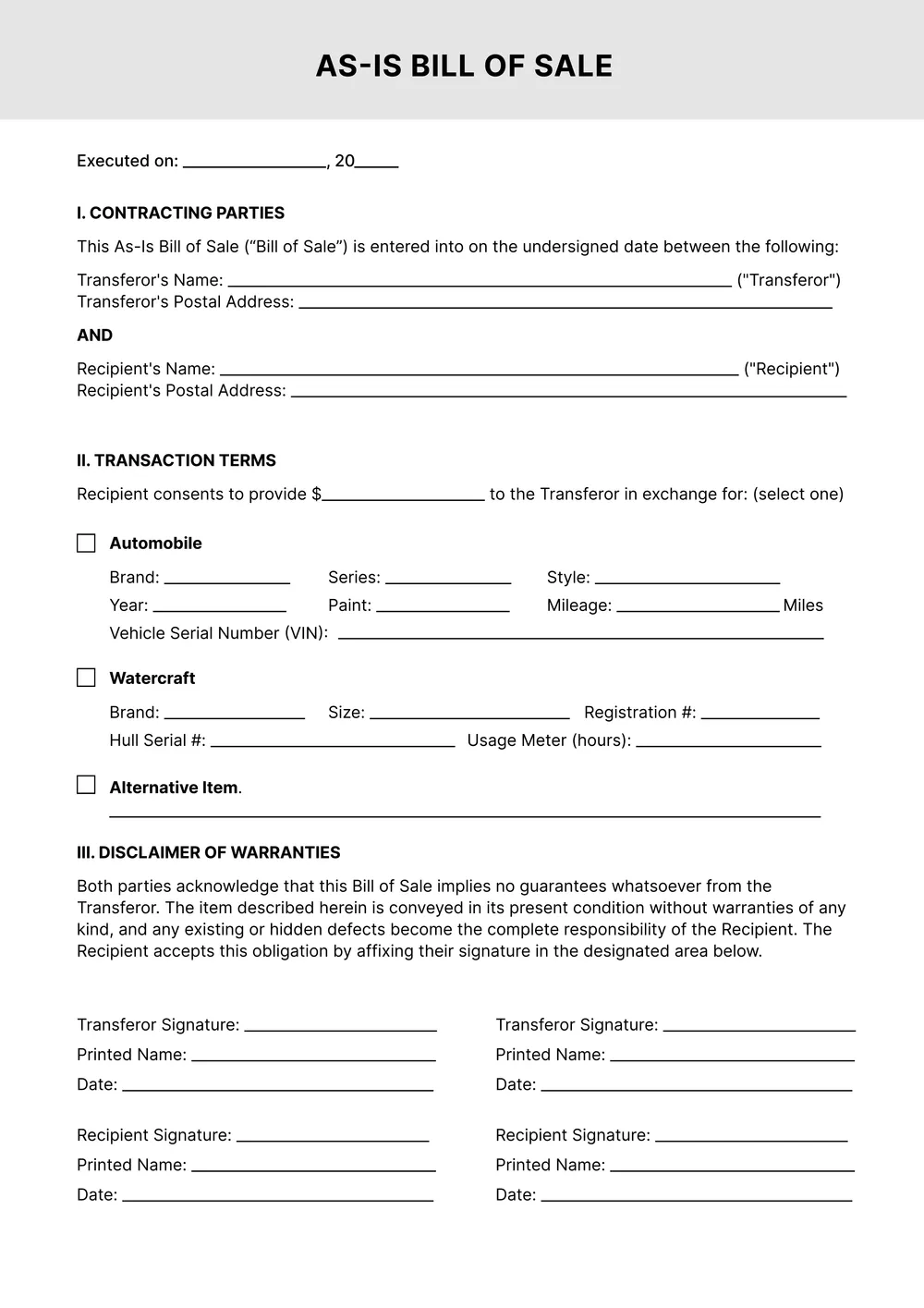
When buying or selling a personal item, getting a solid bill of sale is critical, yet many people struggle to create one from scratch. Our bill of sale templates are designed to make this process quick and hassle-free. You can fill out the essential fields tailored to your sale, greatly reducing the worry of making mistakes or missing important details. One standout feature is the option to download your finished document directly to your account, ensuring safety and convenience. Not only do our bill of sale templates help you document your transaction accurately, but they also provide a professional touch that adds credibility. You will find a blank template that simplifies the process, so you can get your document ready with minimal fuss. Each sample has been crafted to include important elements, helping you feel confident in your choice. We've analyzed the necessary fields to support your unique sales situation.
Frequently asked questions
What is an as is bill of sale template?
An as is bill of sale template is a document that records the sale of an item, stating it is sold in its current condition. This template typically includes an outline of transaction details, such as buyer and seller information, item description, and terms of the sale. It's often used for vehicles, equipment, or property transfers, helping both parties understand the sale's terms and conditions.
When to use an as is bill of sale template?
An editable bill of sale template can be handy in various situations, including:
- Selling personal items, like a vehicle or furniture
- Completing transactions at local auctions
- finalizing a sale between private parties
- Recording the details of property transfers
- Documenting a sale for tax purposes or asset management
These scenarios help keep records clear and protect both parties involved.
What should be included in an as is bill of sale template?
An as is bill of sale template should include the buyer's and seller's names, contact information, description of the item, sale price, and any warranties or disclaimers. You'll want to edit the template to add specific details or conditions relating to the transaction. Make sure it's clear and accurate.
How to edit the as is bill of sale template?
- Click on the 'Use Template' button to load the bill of sale template.
- Edit the placeholder fields with your information, like names, dates, and other details.
- Once you're happy with your changes, click on 'Done' to save your edits and download the document.
- The edited version will also be saved in your account for future access.
Who can benefit from an as is bill of sale template?
Anyone involved in buying or selling goods can benefit from an as is bill of sale template. This includes private sellers, dealers, and buyers who want clear terms and conditions in place. It helps protect both parties by documenting the sale and acknowledging the item's condition.
Can I download the as is bill of sale template in PDF or other formats?
Yes, you can download the bill of sale template in various formats such as PDF, Word, Excel, PowerPoint, PNG, or JPG. The template is also printable, making it easy to have a physical copy for your records. Choose the format that works best for you.
What details should I include in an as is bill of sale?
In an as is bill of sale, include the buyer’s and seller’s names, the item’s description, sale date, purchase price, and any disclaimers regarding the item’s condition. You may also want to add signatures from both parties to make it official.
Can I print my as is bill of sale after editing?
Yes, you can print your bill of sale after editing it. Once you've made your changes and clicked 'Done', your edited document will be saved in your account. You can download it, then print it directly from your device. Simply access the saved file anytime.
Related templates
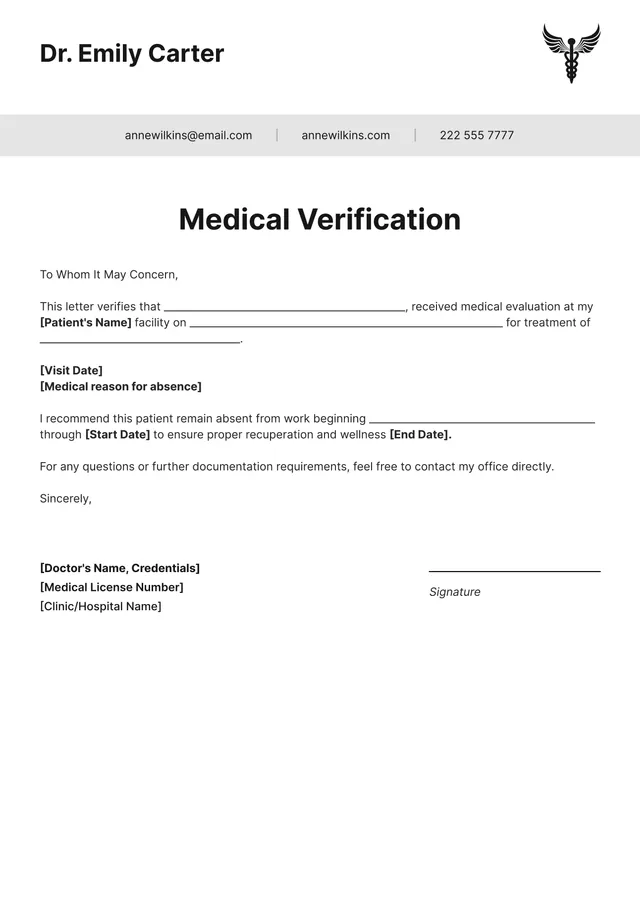
Getting a doctor's note can be a hassle, especially when you're unwell and need a break. Filling out complicated forms can add to your stress. Our doctor note template provides a clear solution: just click 'Use Template', edit the blank sections to fit your needs, and download it instantly. You'll feel relief knowing you can manage this task quickly, leaving you more time to focus on recovery. You’ll appreciate how our template guides you through filling in your details without confusion. It’s designed for your convenience, allowing you to customize a professional-looking document suitable for your needs. Plus, we've analyzed the necessary fields and included them in ours. With our sample doctor note template, you can rest assured that you have the essentials covered.
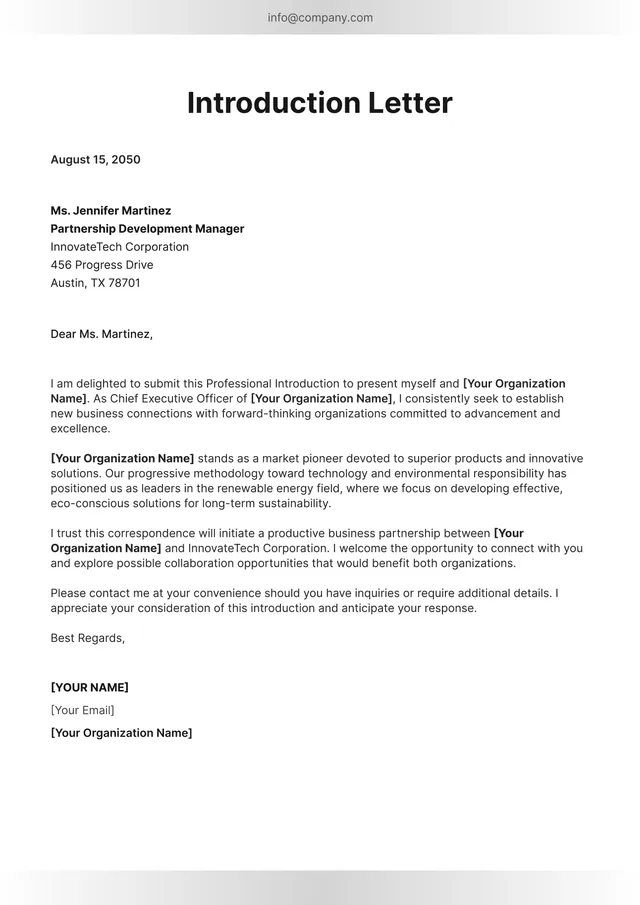
A letter of introduction can feel overwhelming; you want to make a good impression but struggle with what to say. Our letter of introduction template takes this pressure off your shoulders. This pre-designed format guides you, helping you articulate your message clearly and professionally. With a blank version ready for editing, you'll be able to customize it to fit any occasion. Stand out from the crowd effortlessly by using our template, giving your communication clarity and style. This resource is crafted to help you convey your thoughts effectively, saving you time and worry. We’ve analyzed the necessary fields to create a sample that addresses key elements, while also providing room for personal touch. You’ll feel confident sending out a polished letter each time.
If you find yourself pressed for time or unsure about how to craft a letter of explanation, our templates are here to help. With clearly defined layouts, you can create a professional letter without wrestling with word choices or formatting. One standout feature is the ability to add your personal details with ease. This makes your letter tailored and specific, clearing the path to effective communication. Navigating previously stressful tasks like writing an explanation letter becomes manageable with our resource. You can choose a sample letter of explanation template or start with a blank format, catering to your style. We've analyzed the necessary fields and included them for your convenience—this helps you focus on the content, leaving less room for confusion.