Letter of Introduction Template
About the letter of introduction template
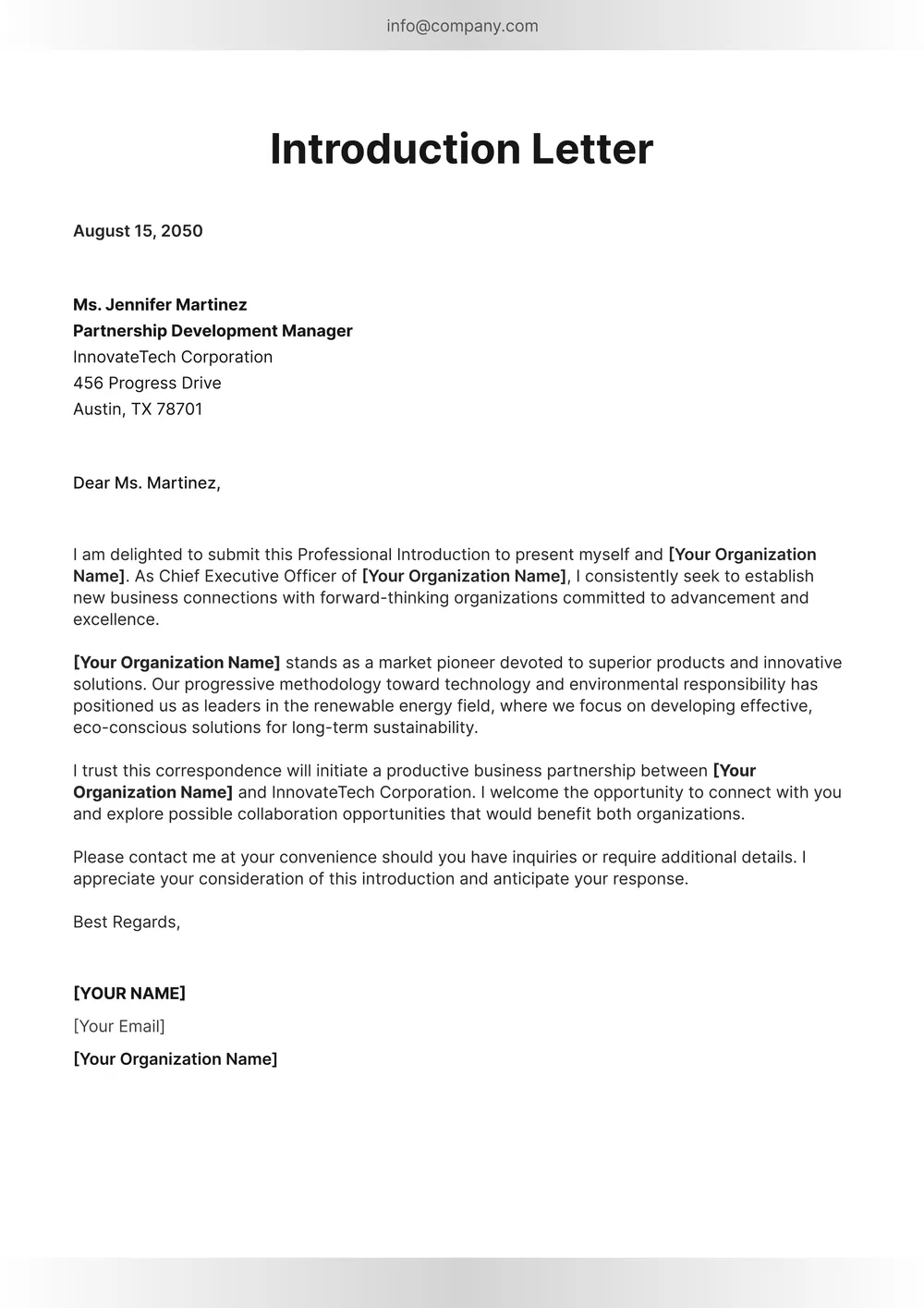
A letter of introduction is used to present yourself, another person, or a business relationship in a clear written format. It can be useful for networking, professional outreach, partnerships, job-related communication, client introductions, or other situations where a formal introduction helps set context.
Our template includes sections for sender and recipient details, the purpose of the introduction, the main message, and signature. In the PDF Guru editor, you can adjust the tone, tailor the content, and shape the layout to fit a business, personal, or professional introduction.
Download your first file for free. To continue using PDF Guru, choose one of our subscription plans.
Frequently asked questions
What is this letter of introduction template used for?

This template is useful when you want to introduce yourself, another person, or a business connection in a polished written format. It works well for networking, client communication, professional outreach, and other introduction-based situations.
What details can I include in the letter of introduction?
You can include the sender and recipient details, a short background, the purpose of the introduction, and any next-step information you want to mention. You can also tailor the message so it feels more formal, friendly, or business-focused.
Can I adapt this letter of introduction for different situations?
Yes. In PDF Guru you can revise the wording and structure so the letter fits job-related introductions, partnership outreach, client communication, student introductions, or another type of contact. The template stays flexible while keeping a clear formal format.
Can I export this letter of introduction template in multiple formats?
Yes. After editing the letter in PDF Guru, you can export it as PDF, DOC, XLSX, PPTX, JPG, or PNG. That gives you a printable copy, a digital file for email, and another version for revisions or records.
How do I edit the letter of introduction template in PDF Guru?
Open the template in the PDF Guru editor and fill in the sender, recipient, and message details. You can adjust the wording, spacing, and overall layout before saving. When it is ready, export it in the format you need for sharing, printing, or storage.
How do I cancel PDF Guru?
You can cancel your active plan from your PDF Guru account settings, or contact support and ask them to cancel the subscription for you. Account access stays in place until the billing period you already paid for comes to an end.