Bathroom Sign Out Sheet
About the bathroom sign out sheet template
A bathroom sign out sheet is a simple log used in classrooms to record when students leave and return during class time. Teachers use it to track who is out of the room at any given moment, reduce unnecessary trips, and maintain accountability without interrupting instruction. Some schools also use similar logs in hallways or common areas for general access management.
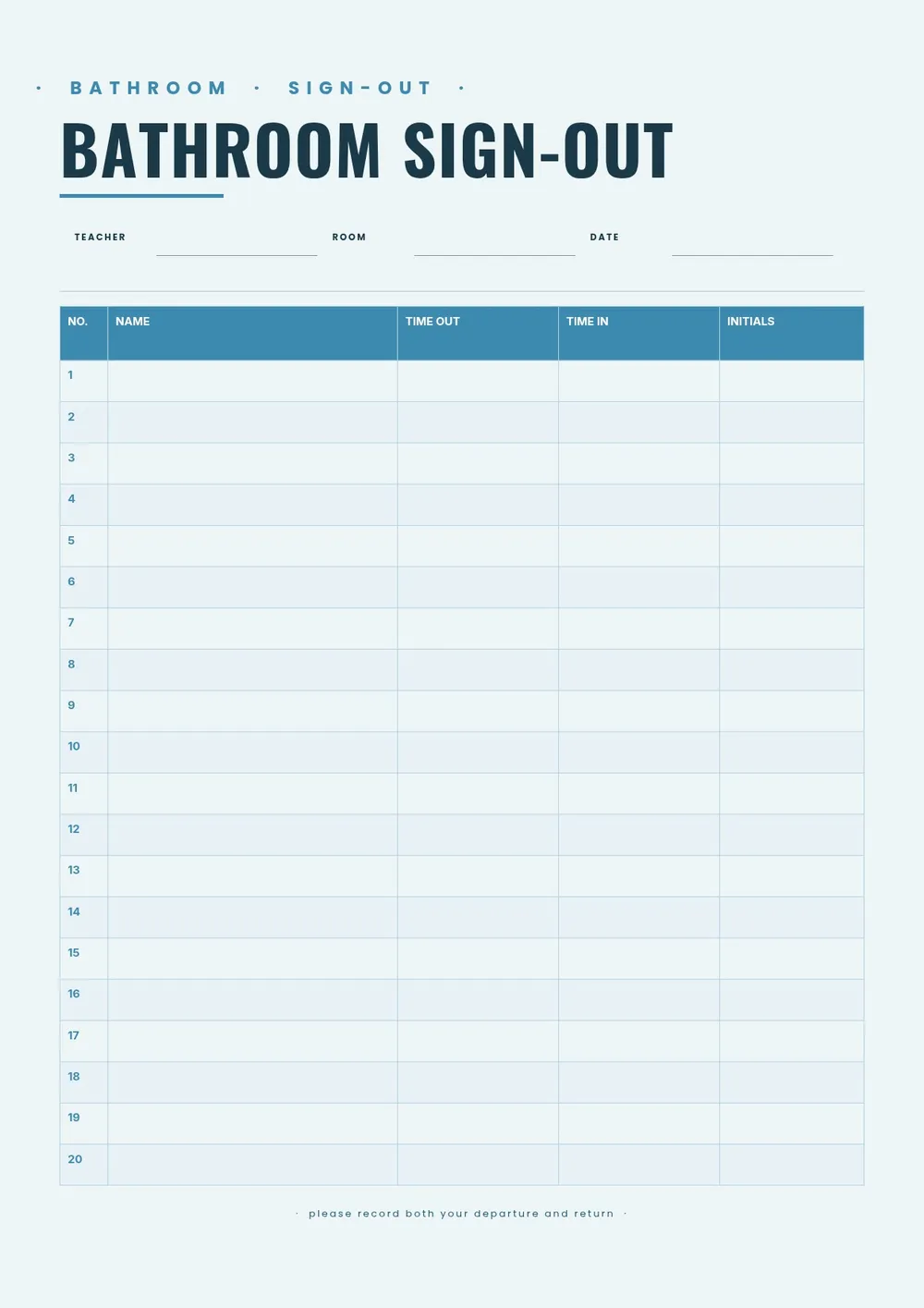
Our template includes columns for student name, date, time out, time in, and an optional teacher initials field. All fields are editable in the PDF Guru editor so you can add your classroom name or grade level, adjust the number of rows, and print multiple copies for daily use.
Download your first file for free. To continue using PDF Guru, choose one of our subscription plans.
Frequently asked questions
When is a bathroom sign out sheet used?

A bathroom sign out sheet is used in classrooms to monitor when students leave and return during lessons. It helps teachers keep track of who is in the room at any time, manage how many students are out simultaneously, and create a simple record of absences from instruction.
What columns should a bathroom sign out sheet include?
A standard bathroom sign out sheet includes the student's name, the date, the time they left, and the time they returned. Some versions also include a column for a destination, teacher signature, or pass number. The template includes these fields and you can add or remove columns as needed.
Can this template be used in offices or other settings besides classrooms?
Yes. The template is flexible enough to use in any setting where short absences need to be logged, such as offices, workshops, or training rooms. You can update the heading and column labels to match the context.
What formats can I download for this bathroom sign out sheet?
After editing in PDF Guru, you can export the sheet as PDF, DOC, XLSX, PPTX, JPG, or PNG. That gives you a printable version for the classroom, a digital copy for records, or a format you can continue editing.
How do I edit this bathroom sign out sheet in PDF Guru?
Open the template in the PDF Guru editor, add your classroom or school name, adjust the number of rows, and update any column labels. Review the layout and export it in the format you need. Print a stack at the start of the week and keep it on your desk for students to sign.
How do I cancel PDF Guru?
You can cancel your active plan from your PDF Guru account settings, or contact support and ask them to cancel the subscription for you. Account access stays in place until the billing period you already paid for comes to an end.