About blank invoice templates
Creating an invoice can be time-consuming and stressful, but our blank invoice templates make it much easier. You can fill in your information and have a professional-looking invoice ready in minutes. This saves you valuable time and helps you get paid faster, which is critical for any business. With our built-in editing tools, adjusting details is a breeze, so you can focus less on paperwork and more on what you love.
Having a sample invoice template at your fingertips means you’re prepared for each transaction. No need to worry about missing important information that could slow your payments. Our templates have gone through careful analysis to include many necessary fields, tailored to help meet your specifc needs. Prepare yourself with a customizable option that suits your style and enhances your workflow.
Download your first file for free. To continue using PDF Guru, choose one of our subscription plans.
Frequently asked questions
What is a blank invoice template?

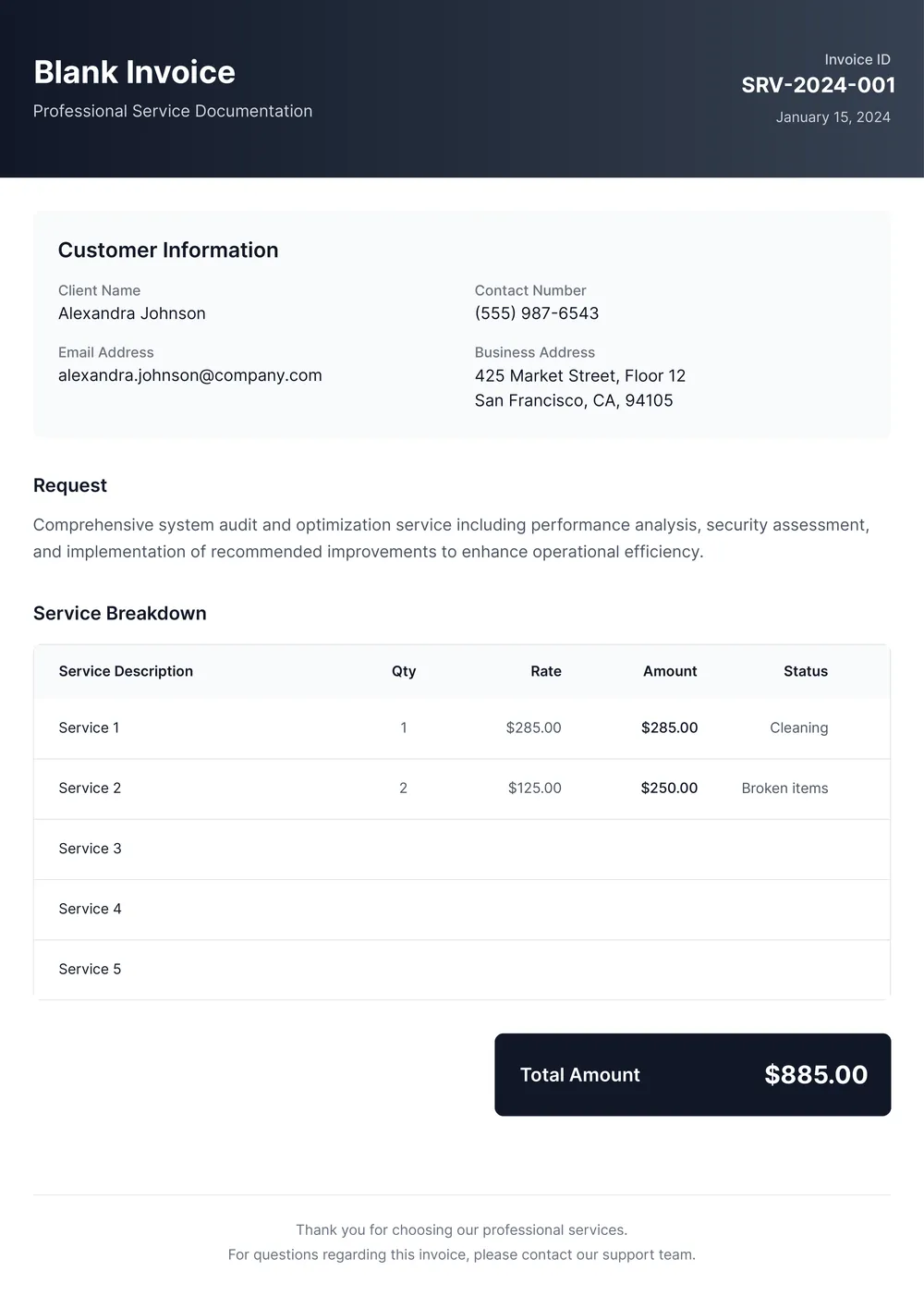
A blank invoice template is a pre-set format designed for you to enter billing information. It provides an outline for key details like the date, invoice number, and recipient information. You can fill in specific fields relevant to your transaction, such as services or products provided and amounts charged. After entering your details, you can save and download a completed invoice for your records.
When to use a blank invoice template?
You might consider using a blank invoice template in the following situations:
- When providing services or goods to clients on a specific date
- At the end of the month for billing purposes
- Whenever you need to keep track of payments for equipment or inventory
- During events where you need to document transactions
- When wanting to have an editable record for personal expenses
What information should I include in a blank invoice template?
To create a blank invoice template, include: your business name and contact information; client details; invoice date; itemized list of services or products; costs per item; subtotal; tax amount; total amount due; payment terms; and unique invoice number. You can edit this template as needed.
How to edit a blank invoice template?
- Click 'Use Template' to open the blank invoice template in the PDF editor.
- Fill in the necessary fields with your details; if there are sections you don't need, feel free to skip those.
- Once you've completed the invoice, click 'Done' to download your edited invoice.
- Your modified invoice will also be saved in your account for future reference.
Who can use a blank invoice template?
Individuals starting a small business, freelancers needing to bill clients, or anyone selling products or services can use a blank invoice template. It's designed for anyone who wants a professional-looking invoice while saving time, and those dealing with regular billing tasks find it especially helpful.
Can I export the blank invoice template to PDF or other formats?
Yes, you can download the blank invoice template as a PDF, Word, Excel, PowerPoint, PNG, or JPG file. This means you can get a printable version as well, making it handy for both digital use and physical copies. Just choose your preferred format before downloading.
How can I make my invoice stand out?
To make your invoice stand out, use a clean layout, add your logo, and choose readable fonts. Include clear pricing, categories, and payment options. Personalize the message—thank your client and set due dates. A professional, organized invoice shows you care about your work and your clients.
What information do I need to fill out the blank invoice template?
To fill out the blank invoice template, gather the following information: your business name and address, customer details, invoice date, due date, list of products or services, quantity, price, taxes, and any terms and conditions you want to include. This information will help you create a professional invoice.
How do I cancel PDF Guru?
You can cancel your active plan from your PDF Guru account settings, or contact support and ask them to cancel the subscription for you. Account access stays in place until the billing period you already paid for comes to an end.