About car sales receipt templates
When you sell a car, a detailed receipt is critical to ensure both parties have proof of the transaction. Without the right details, confusion can arise about the sale price, condition of the vehicle, or any warranties. Our car sales receipt template clears up this hassle. It's designed to cover essential information easily, helping to confirm the sale and protect you from future disputes.
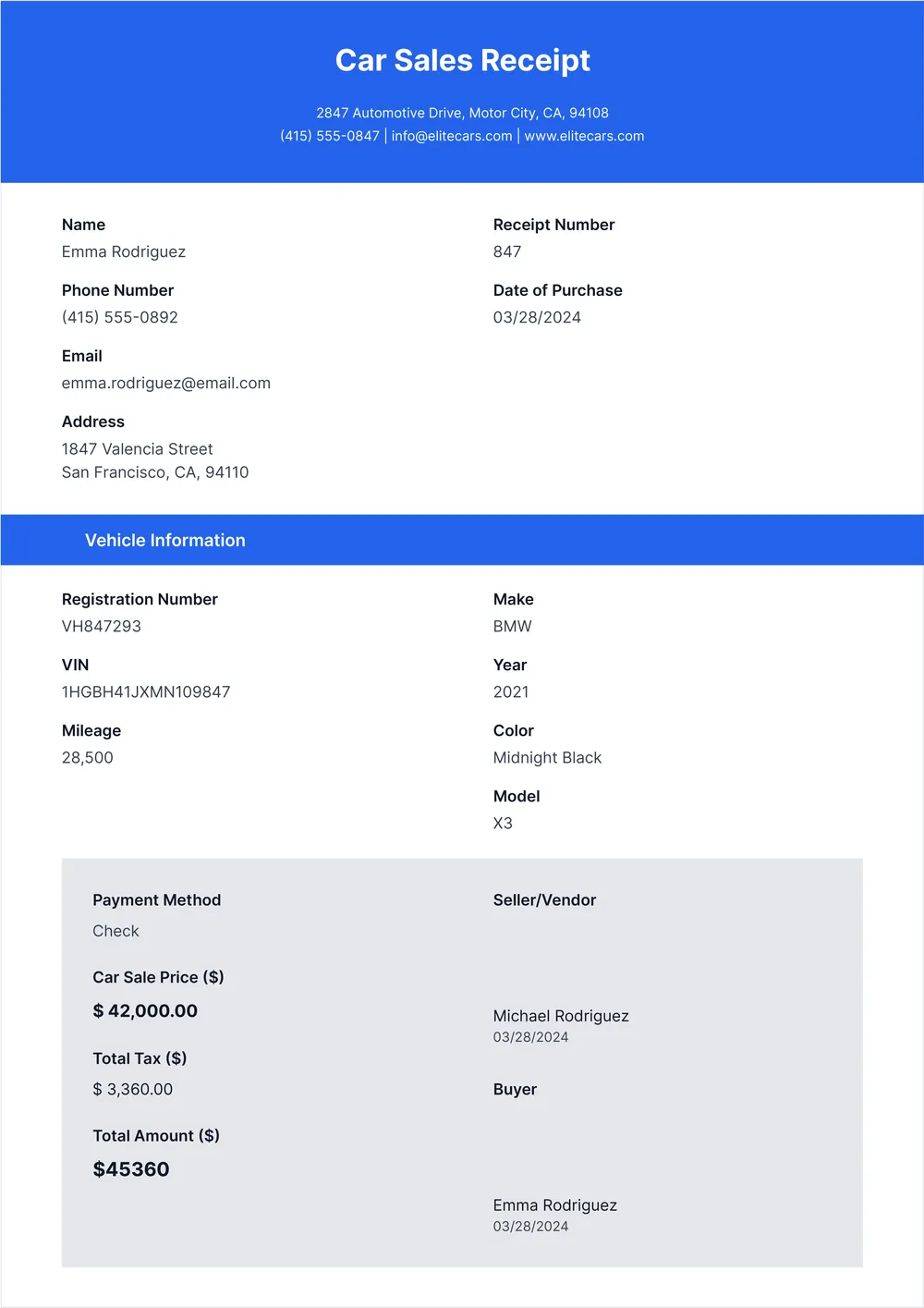
Our template includes a blank version that lets you fill in specific details about your car and the sale transaction. You’ll also find a sample that showcases how to structure your receipt visually. This way, you can ensure that all critical information is clearly presented. We’ve analyzed the necessary fields for you and included them in ours, providing you with just what you need to make the process smoother.
Download your first file for free. To continue using PDF Guru, choose one of our subscription plans.
Frequently asked questions
What is a car sales receipt?

A car sales receipt is a document that records the sale of a vehicle, detailing important information such as the buyer's and seller's names, vehicle description, sale price, and date of sale. This receipt serves as proof of the transaction and may also outline any warranties or additional terms. With a PDF template specific to car sales receipts, you can fill out necessary fields and download your completed document for record-keeping.
When should I use a car sales receipt template?
A car sales receipt template can be useful in a variety of situations, including:
- When you sell or purchase a vehicle, regardless of the price.
- During private sales, where no dealership is involved.
- When trading in or exporting a vehicle.
- In legal matters, to document ownership transfer.
This editable template can help ensure both parties have clear records.
What information is typically found in a car sales receipt?
A car sales receipt usually includes the buyer's and seller's names, vehicle details like make, model, VIN, sale price, date of sale, any taxes or fees, and terms of the sale. You can edit the template to fit your needs before downloading it for your records.
How to edit a car sales receipt template?
- Click 'Use Template' to access the car sales receipt.
- A blank version will load in the PDF editor.
- Fill in the necessary fields, including details about the buyer and seller, vehicle information, and sales price.
- Once you've added all required information, click 'Done' to download your finished receipt.
- The edited receipt will also be saved in your account for future access.
Who can use a car sales receipt template?
Anyone involved in buying or selling a vehicle can use a car sales receipt template. This includes private sellers, car dealerships, and individual buyers. It's perfect for ensuring all details are documented, making transactions clear for all parties involved.
Can I convert a car sales receipt template to PDF or another format?
Yes, you can convert a car sales receipt template to PDF or other formats. After you finish filling out the template, you can download it as a printable PDF, Word, Excel, PowerPoint, PNG, or JPG. Choose the format you need, and you'll be ready to go!
What details should I include in a car sales receipt?
To create a car sales receipt, include the buyer and seller’s names, addresses, sale date, vehicle details (make, model, year, VIN), sale price, payment method, and any warranties or conditions. This information is crucial for a clear and legally sound transaction.
What should I do if I need to make changes to my car sales receipt?
If you need to make changes to your car sales receipt, simply click 'Use Template' on PDF Guru, fill in the updated information in the available fields, and click 'Done' to download your revised receipt. Your changes will also be saved in your account for future access.
How do I cancel PDF Guru?
You can cancel your active plan from your PDF Guru account settings, or contact support and ask them to cancel the subscription for you. Account access stays in place until the billing period you already paid for comes to an end.