Construction Bid Proposal Template
About the construction bid proposal template
A construction bid proposal is a formal document submitted by a contractor or construction company to a property owner, developer, or general contractor in response to a request for bids on a construction project. It details the proposed scope of work, labor and material costs, project timeline, payment terms, and any assumptions or exclusions. Owners and project managers use bids to compare contractors and select the best offer for their project.
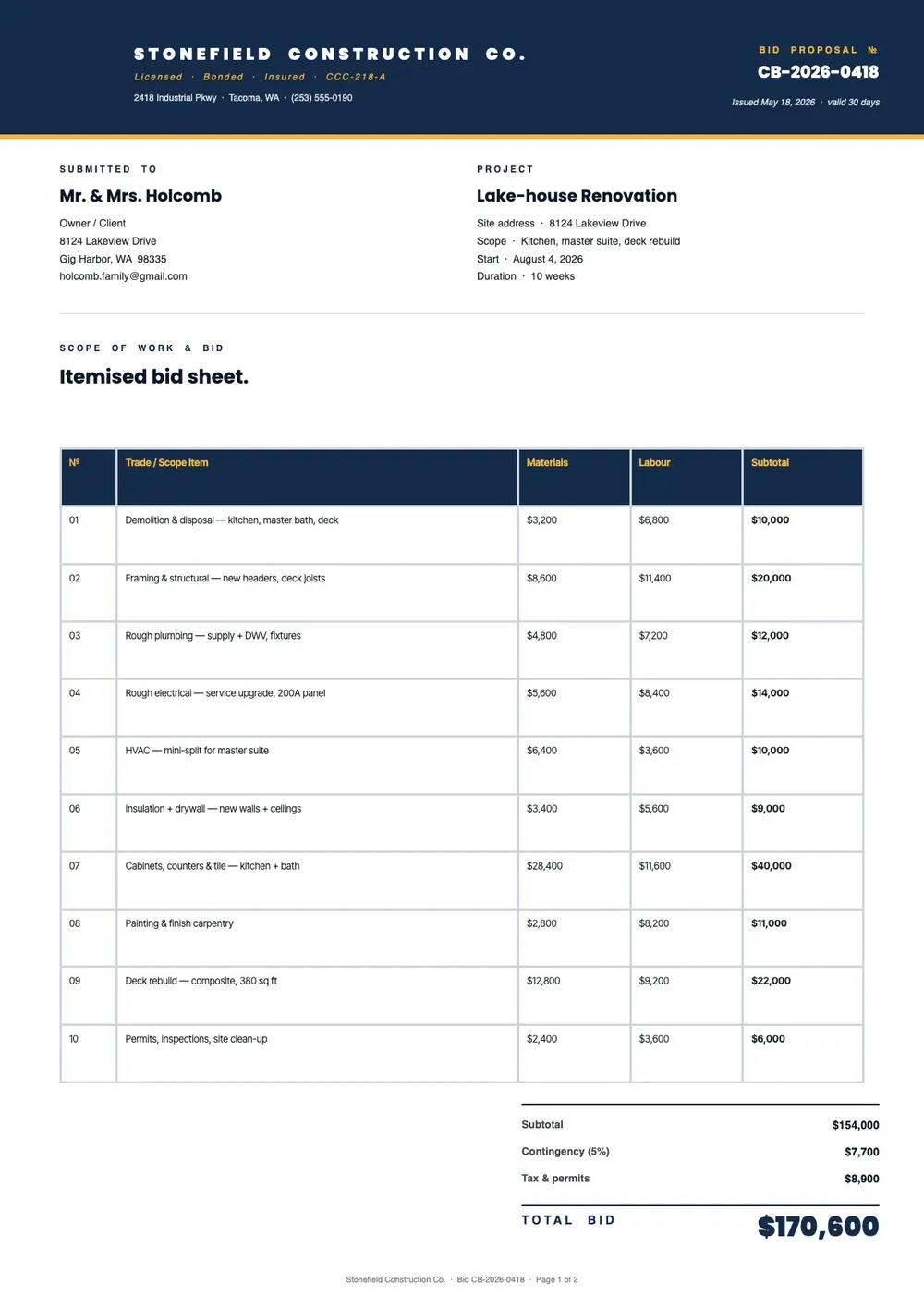
Our template covers the key sections of a construction bid: project description, scope of work, itemized cost breakdown, timeline, payment schedule, contractor license and insurance details, and terms and conditions. All fields are editable in the PDF Guru editor, so you can adapt the bid to the specific job requirements and submit a professional document on time.
Download your first file for free. To continue using PDF Guru, choose one of our subscription plans.
Frequently asked questions
What is a construction bid proposal?

A construction bid proposal is a formal offer submitted by a contractor to complete a defined scope of work at a specified cost. It is used by owners and project managers to evaluate and compare contractors before awarding a construction project.
What should a construction bid proposal include?
It should include a project description, detailed scope of work, an itemized breakdown of labor and material costs, a proposed start and completion date, payment terms, and any qualifications or exclusions. The template is organized around these standard sections.
How detailed should the cost breakdown be in a bid proposal?
As detailed as possible. Itemizing labor and materials by trade or work phase gives the owner more confidence in your pricing and makes it easier to compare bids. The template includes a cost breakdown table that you can expand to fit the scope of the project.
What formats can I download for this construction bid proposal?
After editing in PDF Guru, you can export the bid as PDF, DOC, XLSX, PPTX, JPG, or PNG. That gives you a professional document to submit to the owner, a working copy for your records, or a format the client prefers to receive.
How do I complete this construction bid proposal in PDF Guru?
Open the template in the PDF Guru editor, fill in the project details and scope of work, add the cost breakdown and timeline, update the payment and licensing sections, and review the document before saving. Export it in the format required and submit the bid on time.
How do I cancel PDF Guru?
You can cancel your active plan from your PDF Guru account settings, or contact support and ask them to cancel the subscription for you. Account access stays in place until the billing period you already paid for comes to an end.