About vacation itinerary templates
Planning your vacation can feel overwhelming. With so many details to manage, it’s easy to feel stressed. Our vacation itinerary template helps you organize everything in one place; it allows you to keep track of your travel plans, lodging, and activities. A standout feature is the editable fields, which let you customize the itinerary to fit your unique trip. You can take control of your travel agenda by using a sample itinerary template or a blank version to suit your needs. Choose what works best for you and say goodbye to chaotic booking confirmations. We’ve analyzed the necessary fields and carefully included them in our templates; this way, you're in charge without the hassle of missing important details.
Frequently asked questions
What is a job estimate template?
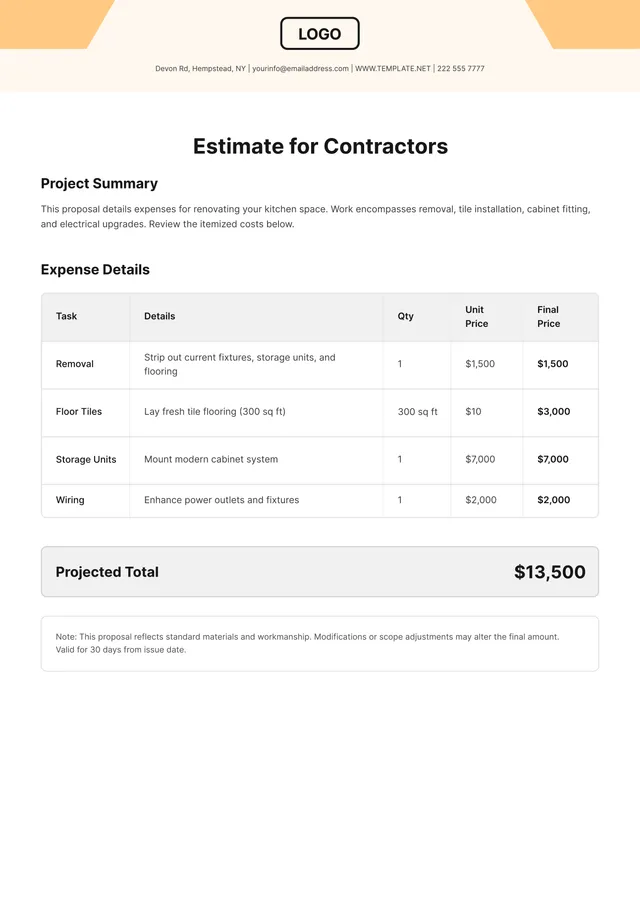
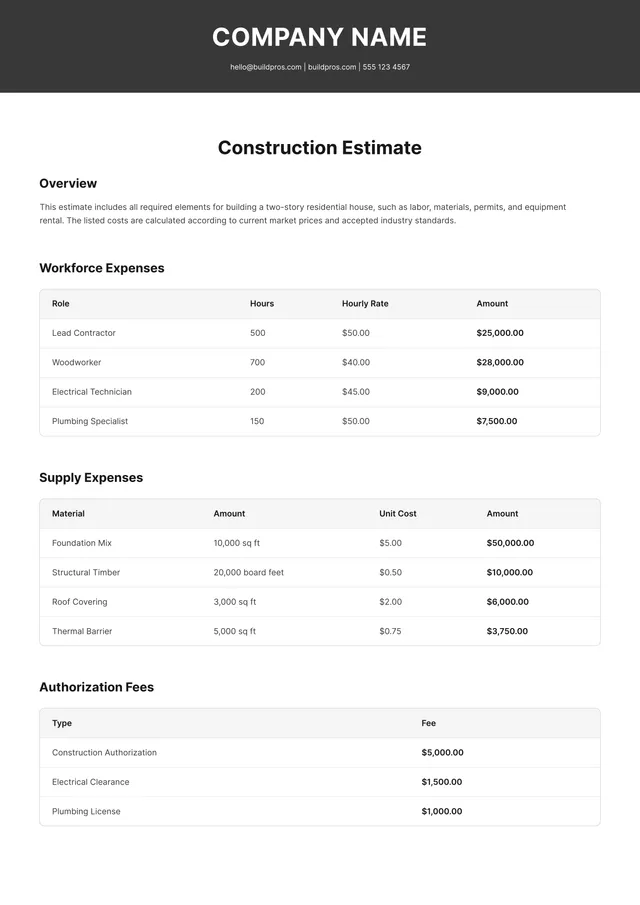
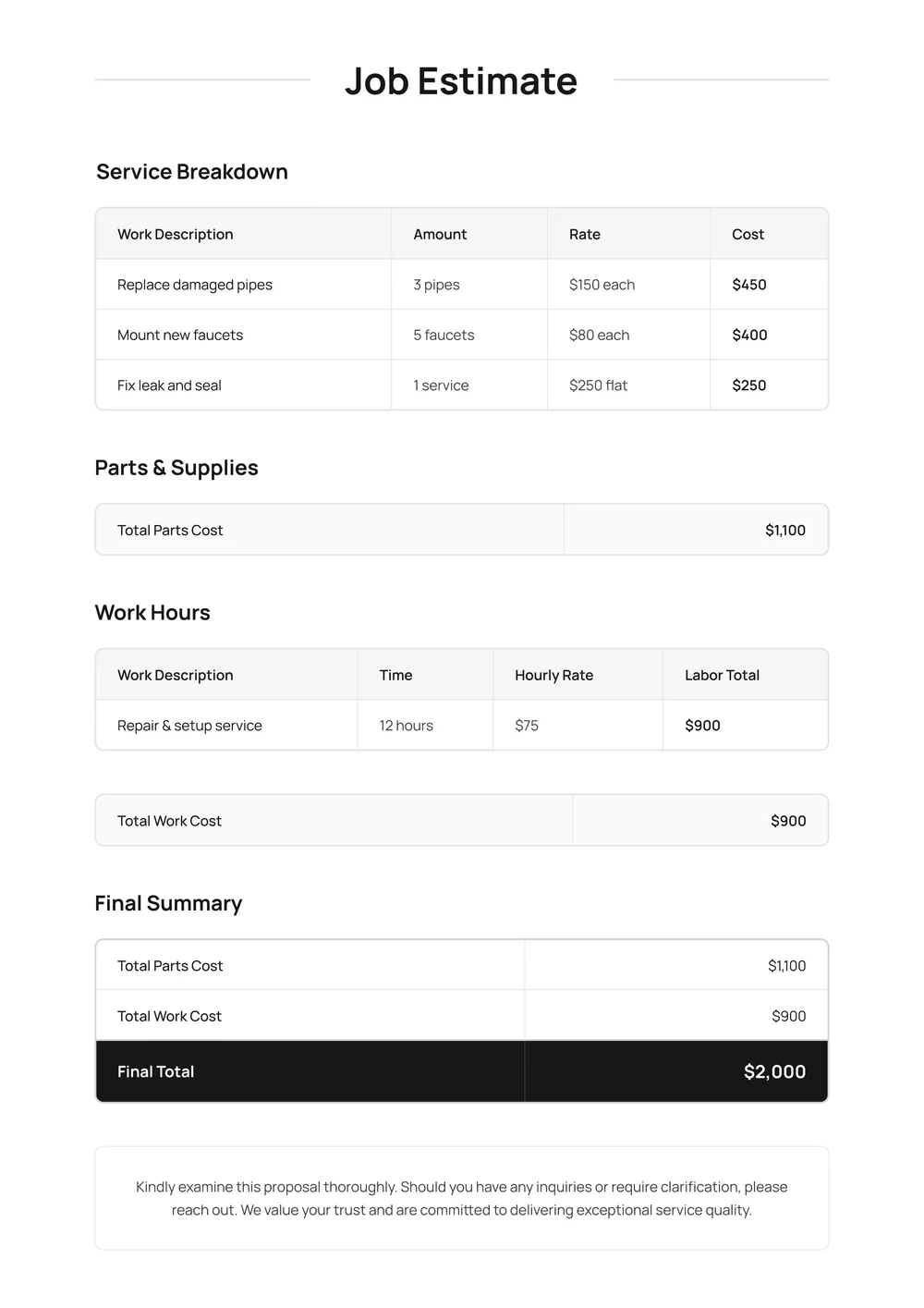
A job estimate template is a document you can use to provide cost details for a specific project or service. It helps you outline the pricing for materials, labor, and any additional fees; this way, clients get a clear overview of potential costs. You can fill in the necessary fields with your information and tailor the estimate to fit different jobs.
When to use a job estimate template?
A job estimate template is helpful in various situations; here are some key times to use it:
- Before starting a new project, to provide clients with an estimate
- When you want to clarify costs for materials and labor
- During contract negotiations, to outline expected expenses
- To present a summary of potential costs before securing a commitment
- In ongoing projects, when scope changes necessitate updated estimates; the editable template helps adjust accordingly.
What information is included in a job estimate template?
A job estimate template typically includes the client’s information, a detailed description of the job or service, itemized costs, total estimated price, and terms or conditions. When you edit the template, remember to add any additional details specific to your project for accuracy.
How to edit a job estimate template?
- Click on 'Use Template' to start with the job estimate template.
- A draft will open in the PDF editor, showing editable placeholder fields.
- Fill in the fields with your specific job details and make necessary adjustments.
- Once you are satisfied with the changes, click 'Done' to download your edited document.
- The edited template will also be saved in your account for future access.
Who can use a job estimate template?
Anyone needing to provide a job price estimate can use a job estimate template. This includes contractors, freelancers, consultants, and business owners looking to give potential clients clear pricing. It's perfect for anyone who wants to create professional estimates quickly and without hassle.
Can I export the job estimate template to PDF or another format?
Yes, you can download the job estimate template in multiple formats, including PDF, Word, Excel, PowerPoint, PNG, and JPG. Once you've completed the template, it will also be printable, allowing you to have a physical copy if needed.
What are the best practices for creating a job estimate using this template?
Start by gathering all necessary project details: job scope, materials, labor costs, and timelines; input accurate figures into the template fields; break down estimates by categories for clarity; review and adjust as needed; finally, include a statement of terms to set clear expectations with your client.
How can I share the completed job estimate with my clients?
To share the completed job estimate with your clients, download the edited template from your PDF Guru account, and then email it, or upload it to a file-sharing service. You can also print it and hand it to your clients if you prefer a physical copy.
Related templates
Planning a vacation can be exciting, but it often feels overwhelming with all the details to juggle. A vacation itinerary template takes away the hassle of organizing flights, accommodations, and activities. With our template, you don't just get a plan, but a guide that helps match your desires with your available time. It gives you a clear path to follow, so you spend less time planning and more time enjoying your trip. What sets our vacation itinerary template apart is its smart design, which allows for quick edits as your plans evolve. Whether you want to swap a restaurant reservation or add a fun activity, making changes is a breeze. Plus, we've thought about your needs and analyzed the necessary fields, incorporating them into our template. You'll find both a blank itinerary to fill in and a sample flight itinerary template to kick off your trip planning.
Planning your next vacation can be overwhelming; deciding where to go, what to see, and how to manage your time is a lot to juggle. Our vacation itinerary templates simplify this process. With a blank format that you can fill in, you take the guesswork out of scheduling. You can tailor it to your trip, adding destinations, activities, and timings all in one place, making it easy to have quick reference during your travels. Using our sample itinerary template, you can create a detailed plan that makes your adventure enjoyable and stress-free. This feature allows you to visualize your trip ahead of time and avoid the last-minute chaos. Don’t worry about missing critical information; we've analyzed the necessary fields and included them in ours, so your itinerary has the essentials covered.
Vacation planning can sometimes feel overwhelming, especially when you're trying to juggle activities, accommodations, and transportation. Our vacation itinerary templates take the stress out of organizing your trip, allowing you to outline each day with ease. With editable placeholder fields, you can customize every detail; this way, nothing important gets overlooked. Your vacation deserves better than chaos. Our templates often include a sample activity planner and blank sections tailored for your specific needs. This allows you to focus on what truly matters—making unforgettable memories. As you complete your itinerary, you'll find it easy to share with friends or family and keep everything available for reference. We’ve analyzed key fields you might need and included them in our templates to help simplify your planning.