About paystub template
Paystubs can often cause stress, especially if you are trying to keep track of your earnings or show proof of income. Our paystub template addresses this issue by providing a clear layout where you can input your details, making the whole process more manageable. The standout feature is the customizable fields, allowing you to tailor the template to your unique needs.
Using our paystub template saves you from the headache of figuring out how to structure your document. Whether you want a sample of what an ideal paystub looks like or need a blank version to fill out, we've created options suited for various situations. Rest easy knowing that we've carefully analyzed necessary fields, and we’ve included them in ours for your convenience.
Download your first file for free. To continue using PDF Guru, choose one of our subscription plans.
Frequently asked questions
What is a paystub template?

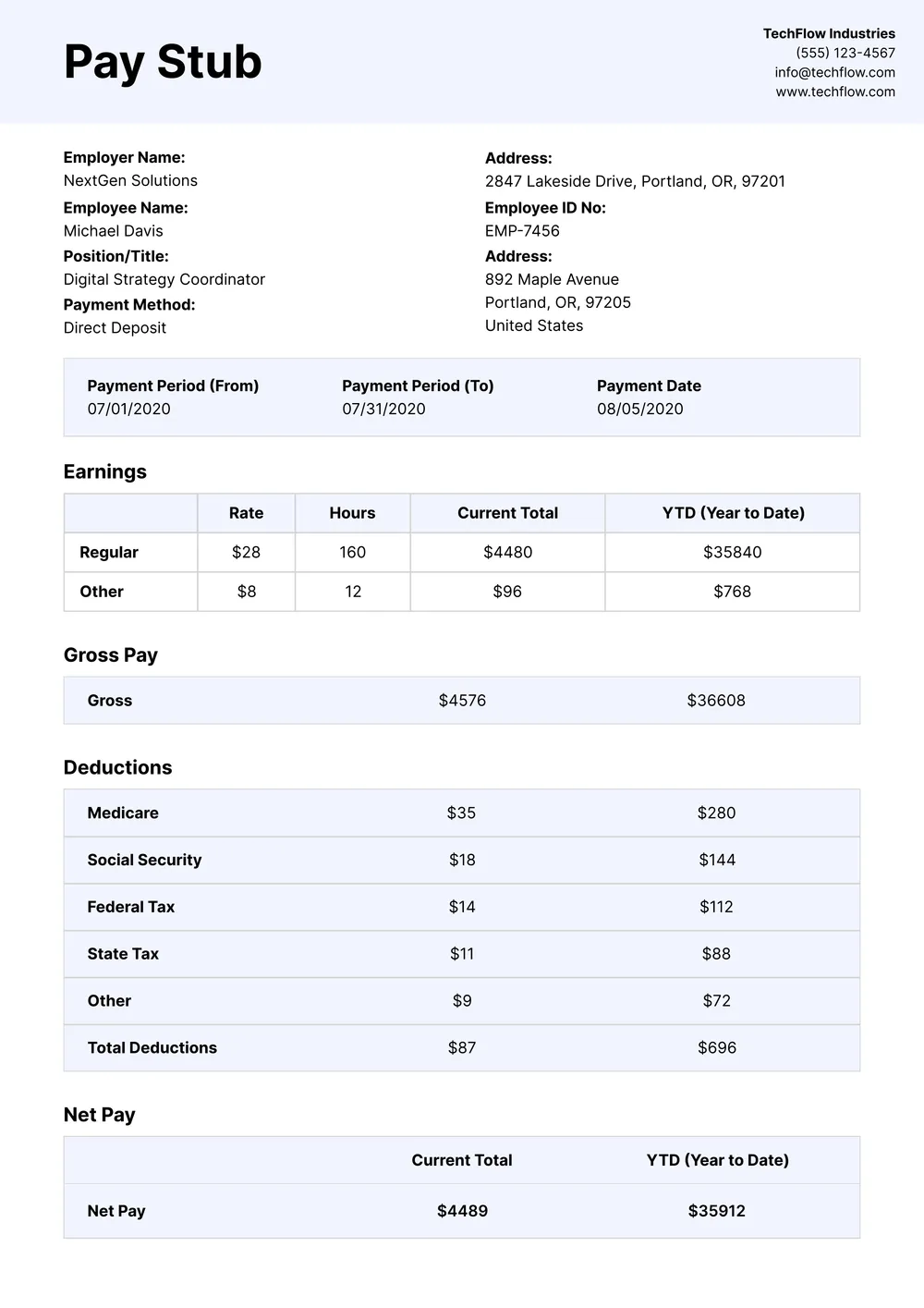
A paystub template is a document that provides an outline of the payment details for employees. It includes essential sections, such as employee information, gross income, deductions, and net pay. You can fill or adjust the fields based on your needs, allowing you to create accurate paystubs for personal or business use. These templates help in maintaining clear records for payroll and financial tracking.
When should you use a paystub template?
Using a paystub template is helpful in various situations; here are some key times to consider:
- When you're applying for a loan,
- During tax season,
- When you need proof of income for rental applications,
- To provide documentation for benefit verification,
- Whenever an employer requests an editable paystub for records.
What details are found in a paystub template?
A paystub template typically includes an employee's name, employer's information, pay period, gross income, deductions, net pay, and other relevant details. When you edit the template, you can fill in these fields to reflect your specific payment information, keeping everything organized and easy to understand.
How to edit a paystub template?
- Click on "Use Template" for the paystub.
- An editable template will open in the PDF editor.
- Fill in the placeholder fields with your information.
- Review all entries for accuracy.
- Once finished, click "Done" to download your edited paystub.
- Your completed template will also be saved in your account for later access.
Who can use a paystub template?
Anyone needing a paystub template can benefit; this includes small business owners, freelancers, and employees. They can quickly create professional-looking paystubs for record-keeping, financial transparency, or providing proof of income. It’s a practical tool for anyone managing personal or business finances.
Can I export the paystub template to PDF or other formats?
Yes, you can download the paystub template in various formats like PDF, Word, Excel, PowerPoint, PNG, or JPG. This allows you to keep your editable version and have a printable copy as needed. Your completed templates are saved in your account for future access.
How can I ensure my paystub template is accurate and professional?
To make your paystub template accurate and professional, double-check the details you enter, such as employee names, hours worked, and tax calculations. Refer to local laws for compliance. Using our editor helps you create a clean and organized layout, ensuring everything is clear and easy to read.
What are the different types of paystub templates available?
PDF Guru offers various paystub templates catering to different needs, including hourly, salaried, contractor, and freelance paystubs. Each template allows you to fill in specific details like hours worked, deductions, and taxes. You can easily pick the one that matches your situation best and make edits as needed.
How do I cancel PDF Guru?
You can cancel your active plan from your PDF Guru account settings, or contact support and ask them to cancel the subscription for you. Account access stays in place until the billing period you already paid for comes to an end.