About the promissory note template
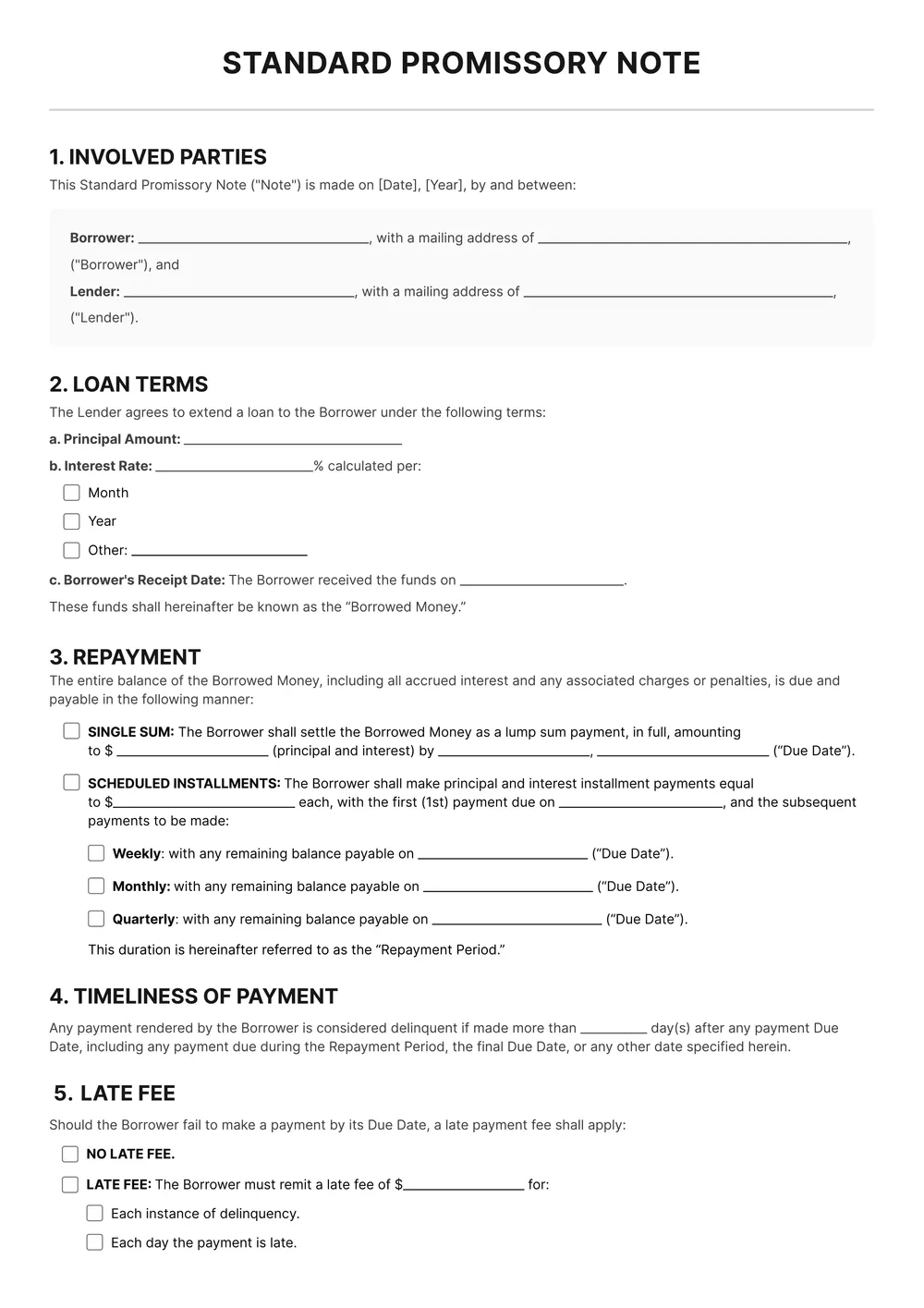
A promissory note is a signed written promise by one party, the maker or borrower, to pay another party a specific sum of money on a set date or on demand, usually with interest. People use promissory notes for personal loans between friends or family, owner-financed property or vehicle sales, small business loans, and short-term working-capital advances.
Our template covers both secured and unsecured notes and includes fields for the principal, interest rate, repayment schedule, late-payment clause, collateral description, and governing state law. All fields are editable in the PDF Guru editor, so you can tailor the document to the specifics of your loan.
Download your first file for free. To continue using PDF Guru, choose one of our subscription plans.
Frequently asked questions
When should I use this promissory note template?

Use this template when you want a cleaner written record of a loan between two parties. It works for personal lending, repayment arrangements, family loans, and other situations where the amount, payment terms, and signatures need to be written down clearly.
What loan details can I edit in this promissory note?
You can edit the borrower and lender details, principal amount, payment schedule, due dates, interest terms, and any additional notes you want to include. This makes it easier to tailor the document to a one-time repayment or a longer installment plan.
Can this promissory note template work for secured or unsecured loans?
Yes. You can keep the template simple for an unsecured note or add extra wording and collateral details if you want the document to reflect a secured arrangement. The editable format gives you room to shape it around the type of loan you are documenting.
Which file formats can I download for this promissory note template?
After editing the note in PDF Guru, you can export it as PDF, DOC, XLSX, PPTX, JPG, or PNG. That gives you flexibility if you want a printable version for signing, a shareable copy, or a file you can continue editing later.
How do I edit and sign the promissory note template in PDF Guru?
Open the template in the PDF Guru editor, fill in the loan terms, update the party details, and review the wording before saving. You can also add signature fields and adjust the layout if needed. When the note is ready, export it in the format you need and send it for signature.
How do I cancel PDF Guru?
You can cancel your active plan from your PDF Guru account settings, or contact support and ask them to cancel the subscription for you. Account access stays in place until the billing period you already paid for comes to an end.