About photography quote templates
If you're a photographer, you know how frustrating it can be to prepare quotes for clients. Writing each quote from scratch wastes time and can lead to mix-ups. Our photography quote templates lighten your load, giving you a handy blank document where you can enter your rates and service details quickly. Customize your template and present professional quotes effortlessly, benefiting your business and impressing clients.
Each template includes essential fields to help you create a tailored quote without hassle. You can focus on your creative work while we take care of the format. With our sample quotes, you'll streamline your process and keep track of your client interactions. We've analyzed what’s typically needed in photography quotes and integrated those elements, so you're well-equipped to make a great impression.
Download your first file for free. To continue using PDF Guru, choose one of our subscription plans.
Frequently asked questions
What is a photography quote template?

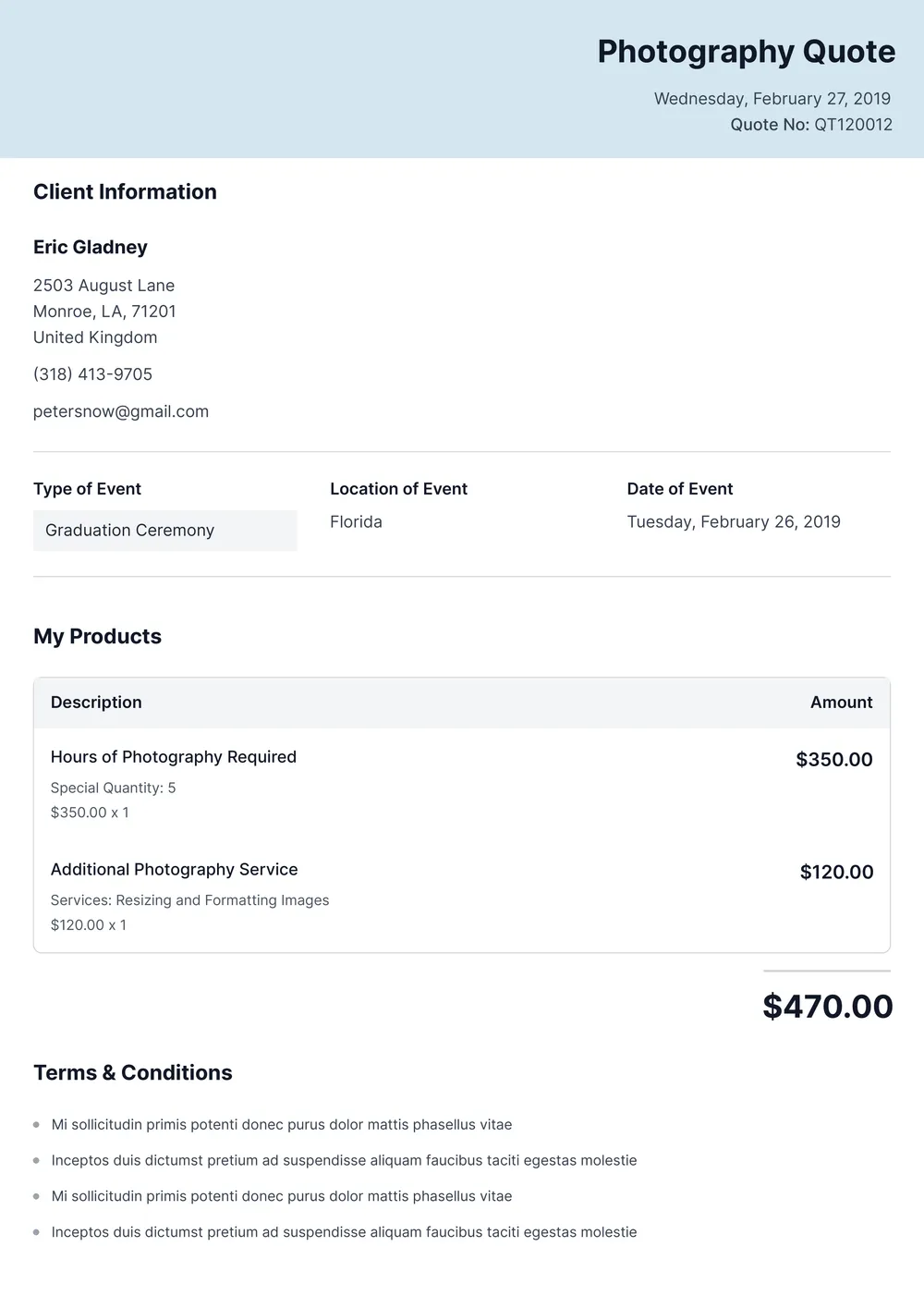
A photography quote template is a structured document that helps you create quotes for photography services. It typically outlines essential information like client details, service descriptions, pricing, and terms. By using this template, you can quickly deliver professional quotes, making it easier to communicate your offerings and rates with potential clients, while maintaining a consistent and organized format.
When to use a photography quote template?
Using a photography quote template can greatly benefit you in several situations:
- When you’re preparing for a client meeting to discuss your photography services and pricing
- During special promotions or seasonal offers
- When you want to provide an editable document for quick quote updates
- Before sending a quote after a consultation with a potential client.
What information is found in a photography quote template?
A photography quote template typically includes the photographer's contact info, client details, service description, pricing, number of hours, total costs, payment terms, and any additional fees. You can edit the template to customize it for each client, ensuring all relevant information matches the specific service provided.
How to edit the photography quote template?
- Click 'Use Template' to access the photography quote template.
- A blank version will load in the PDF editor.
- Fill out the required fields with your information.
- Review your entries for accuracy.
- Click 'Done' to download your edited quote.
- Your revised version will also be saved in your account for future reference.
Who can use a photography quote template?
A photography quote template is perfect for photographers, studio owners, and freelancers in the creative field. It's useful for sharing pricing, services, and packages with clients. Any photographer looking to professionalize their business communication can benefit from it, whether they’re just starting or have years of experience.
Can I export the photography quote template to PDF or other formats?
Yes, you can download the photography quote template as a PDF or other formats like Word, Excel, PowerPoint, PNG, or JPG. This gives you a printable version that’s easy to share or store. Just fill out the template and click ‘Done’ to get started.
How can I make my photography quote stand out?
To make your photography quote stand out, personalize it with a unique design; include eye-catching images or your best work. Add creative fonts and colors that match your style. Highlight any special offers, and keep your contact info clear, so clients can easily reach out for booking.
What types of photography services can I create quotes for?
You can create quotes for several types of photography services, such as weddings, family portraits, corporate events, and product photography. Each of these categories comes with different needs; just fill in the fields in the PDF template to customize your quotes. Get started today with PDF Guru!
How do I cancel PDF Guru?
You can cancel your active plan from your PDF Guru account settings, or contact support and ask them to cancel the subscription for you. Account access stays in place until the billing period you already paid for comes to an end.