Prenuptial Agreement Template
About the prenuptial agreement template
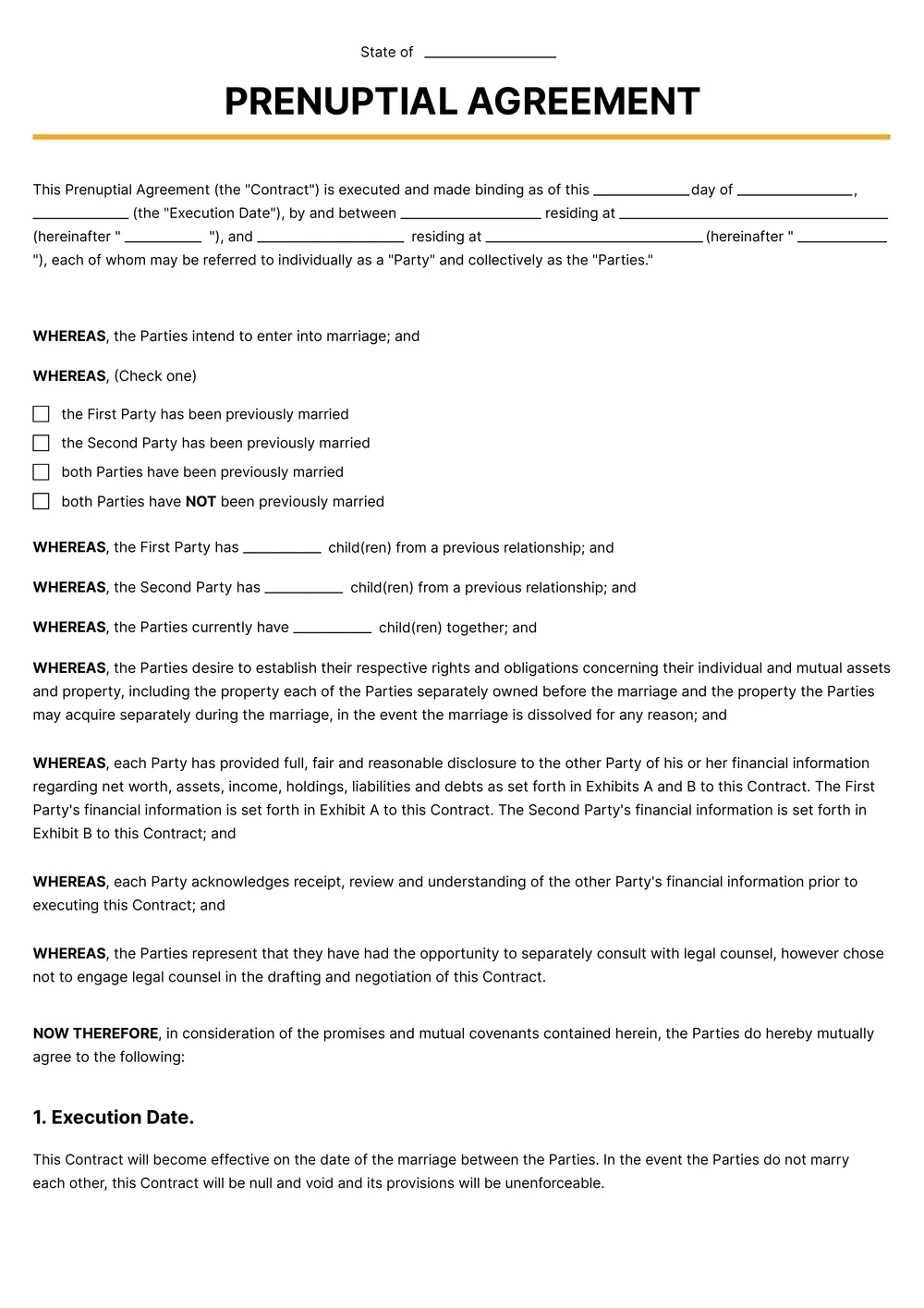
A prenuptial agreement, commonly called a 'prenup', is a written contract two people sign before marriage that sets out how their assets, debts, income, and property will be handled during the marriage and divided if the marriage ends in divorce or death. Couples typically use a prenup when one or both partners bring significant assets, business interests, real estate, retirement accounts, or children from a previous relationship into the marriage.
Our template includes the standard sections of a valid prenup: full financial disclosure of each party, separate property and shared property definitions, treatment of debts and future income, spousal-support (alimony) terms, inheritance and estate-planning provisions, and signature and notary blocks. All clauses are editable in the PDF Guru editor, so you can adapt the language to your state's community-property or equitable-distribution rules before reviewing the document with counsel.
Download your first file for free. To continue using PDF Guru, choose one of our subscription plans.
Frequently asked questions
What is this prenuptial agreement template meant to cover?

This template is meant to help organize financial terms a couple wants to put in writing before marriage, such as property, debts, income, and other shared or separate arrangements. It gives you a clearer starting structure before the document is reviewed or finalized.
Which parts of the prenup template can I customize?
You can edit the names, asset and debt details, property sections, support-related clauses, and any custom notes you want to include. You can also remove sections that are not relevant to your situation or add wording that better reflects your draft.
Can I prepare a cleaner draft of the prenup in PDF Guru before review?
Yes. PDF Guru lets you revise the wording, adjust the structure, and prepare a more polished draft before you share it for discussion or legal review. That is helpful if you want the document to feel more complete before the next step.
Can I download this prenuptial agreement template in other formats?
Yes. After editing the prenup in PDF Guru, you can export it as PDF, DOC, XLSX, PPTX, JPG, or PNG. This gives you a printable draft, a file for revisions, and another copy you can store digitally.
How do I edit the prenuptial agreement template in PDF Guru?
Open the template in the PDF Guru editor, fill in both parties' details, update the financial sections, and revise the clauses you want to keep or remove. You can also insert signature or notary sections and review the formatting before saving. When the draft is ready, export it in the format you need for discussion, review, or printing.
How do I cancel PDF Guru?
You can cancel your active plan from your PDF Guru account settings, or contact support and ask them to cancel the subscription for you. Account access stays in place until the billing period you already paid for comes to an end.