About task checklist template
Staying organized can feel like a daunting task; whether you’re managing projects, planning events, or handling daily chores, a simple checklist can help lift that burden. With our task checklist template, you can categorize your tasks, prioritize them, and track your progress more effectively. One standout feature is the ability to customize fields to fit your unique needs, saving you hours of scrambling.
Our sample task checklist template offers a practical, blank canvas ready for your personal touches. No more staring at intimidating blank pages; simply fill it with your tasks and watch clarity take shape. We've analyzed the necessary fields based on common needs, and we've included them for your convenience. Transform chaos into order with our template today.
Download your first file for free. To continue using PDF Guru, choose one of our subscription plans.
Frequently asked questions
What is a task checklist template?

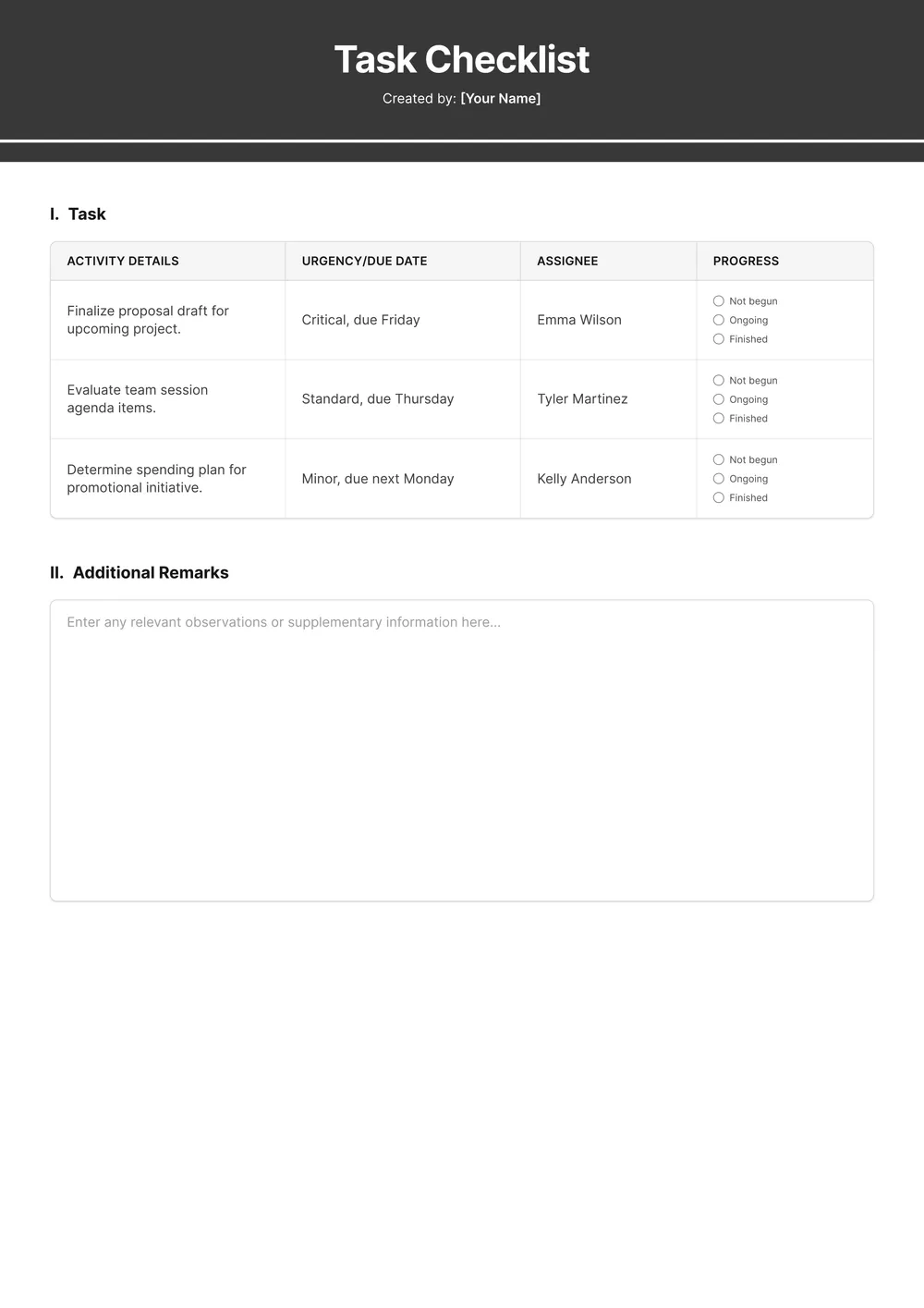
A task checklist template is a structured outline that helps you organize and track tasks that need to be completed. It usually includes sections for task descriptions, deadlines, and a place to indicate when each task is finished. By using this template, you can keep your projects organized and ensure that important tasks are completed on time, making your workflow more efficient.
When should I use a task checklist template?
There are several situations when using an editable task checklist template can help you stay organized:
- Before starting a new project
- When planning an event
- During routine weekly or monthly tasks
- When managing your daily to-do list
- Before an important meeting or presentation
- When trying to stay on track with personal goals
What items are typically found in a task checklist template?
A task checklist template usually includes items like task descriptions, due dates, priority levels, completion status, and notes for additional details. You can edit this template to fit your specific needs, such as adding or removing tasks based on your project requirements.
How to edit a task checklist template?
- Click on 'Use Template' for the task checklist.
- The editable template will load in the PDF editor.
- Fill out the fields as needed; you can type or select options.
- Review your changes; make any necessary adjustments.
- Click 'Done' to download your edited checklist.
- Your completed version will also be saved in your account for future access.
Who can use a task checklist template?
A task checklist template can be helpful for anyone looking to organize their tasks better. This includes students, professionals, project managers, teachers, and even families planning events. If you need to keep track of tasks and deadlines, this template works for you, making it easier to stay on task.
Can I export the task checklist template to PDF or another format?
Yes, you can download the task checklist template as a printable PDF, or choose another format like Word, Excel, PowerPoint, PNG, or JPG. Just complete your edits, click ‘Done,’ and select your preferred format for easy access anytime you need it.
How can I make the most out of my task checklist template?
To make the most of your task checklist template, start by customizing each task with specific details. Prioritize your items and set deadlines. Regularly update the template as tasks are completed. This keeps your list relevant and helps you stay focused on what needs to be done.
How can I share my completed task checklist with others?
You can share your completed task checklist by downloading it as a PDF and sending it via email, chat, or any messaging platform. Just click ‘Done’ after editing, and your checklist will be saved. Then, attach the file when sharing it with others; they will receive your checklist instantly.
How do I cancel PDF Guru?
You can cancel your active plan from your PDF Guru account settings, or contact support and ask them to cancel the subscription for you. Account access stays in place until the billing period you already paid for comes to an end.