Weekly Lesson Plan Template
About the weekly lesson plan template
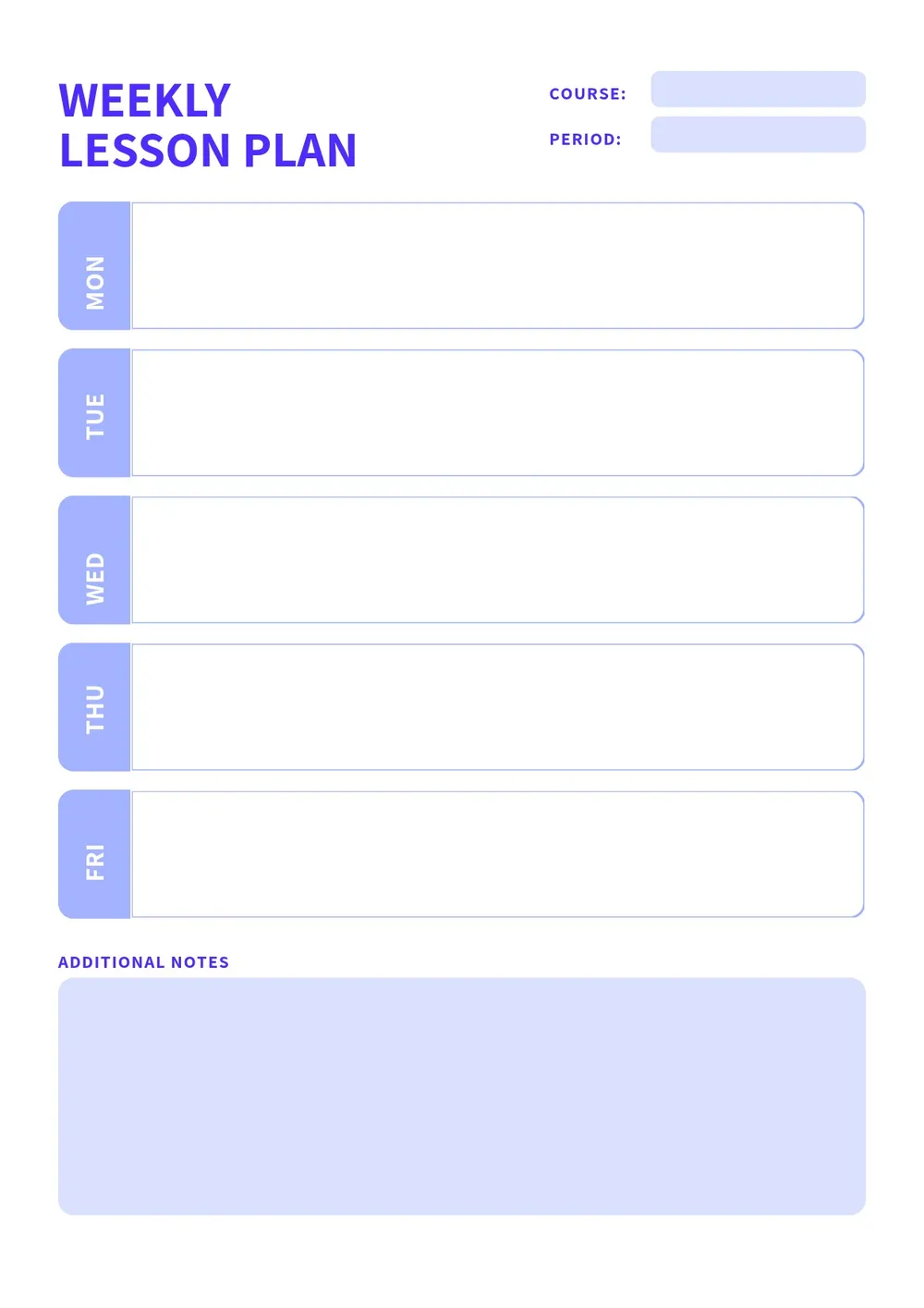
A weekly lesson plan is a structured planning document that teachers use to organize instruction across a five-day school week. It outlines the learning objectives, instructional activities, materials needed, assessment methods, and time allocations for each subject or class period. Having a written weekly plan helps teachers stay consistent with curriculum goals, prepare materials in advance, and communicate their instructional approach to administrators or substitute teachers.
Our template is organized by day and subject, with rows for objectives, activities, resources, and notes for each block. All fields are editable in the PDF Guru editor so you can tailor the layout to your grade level, subject area, and school schedule. When the plan is ready, export it in the format that works best for your classroom workflow.
Download your first file for free. To continue using PDF Guru, choose one of our subscription plans.
Frequently asked questions
What should a weekly lesson plan include?

A weekly lesson plan should include the subject or class name, grade level, the week dates, daily learning objectives tied to curriculum standards, the instructional activities or tasks for each day, materials and resources needed, and a notes or reflection column for adjustments. The template covers all of these sections.
How far in advance should teachers complete a weekly lesson plan?
Most teachers complete their weekly lesson plan at the end of the previous week or over the weekend before the upcoming school week begins. Planning in advance allows time to gather materials, prepare copies, and make any adjustments based on where students left off in the previous week.
Can this template be used for multiple subjects or class periods?
Yes. The template is organized by day with space for multiple subjects or periods. You can add subject headings for each row and adjust the number of periods to match your daily schedule, whether you teach one subject to multiple groups or multiple subjects to one class.
What formats can I download for this weekly lesson plan template?
After editing in PDF Guru, you can export the lesson plan as PDF, DOC, XLSX, PPTX, JPG, or PNG. A PDF works well for printing and filing, a Word version is easy to update week to week, and an Excel format is useful if you want to track plans across a full term.
How do I set up this weekly lesson plan in PDF Guru?
Open the template in the PDF Guru editor, fill in the subject names and grade level, add the objectives and activities for each day, note the materials and any assessment methods, and review the plan before saving. Export it in the format you need and print or share it before the school week begins.
How do I cancel PDF Guru?
You can cancel your active plan from your PDF Guru account settings, or contact support and ask them to cancel the subscription for you. Account access stays in place until the billing period you already paid for comes to an end.