About the 2 week resignation letter template
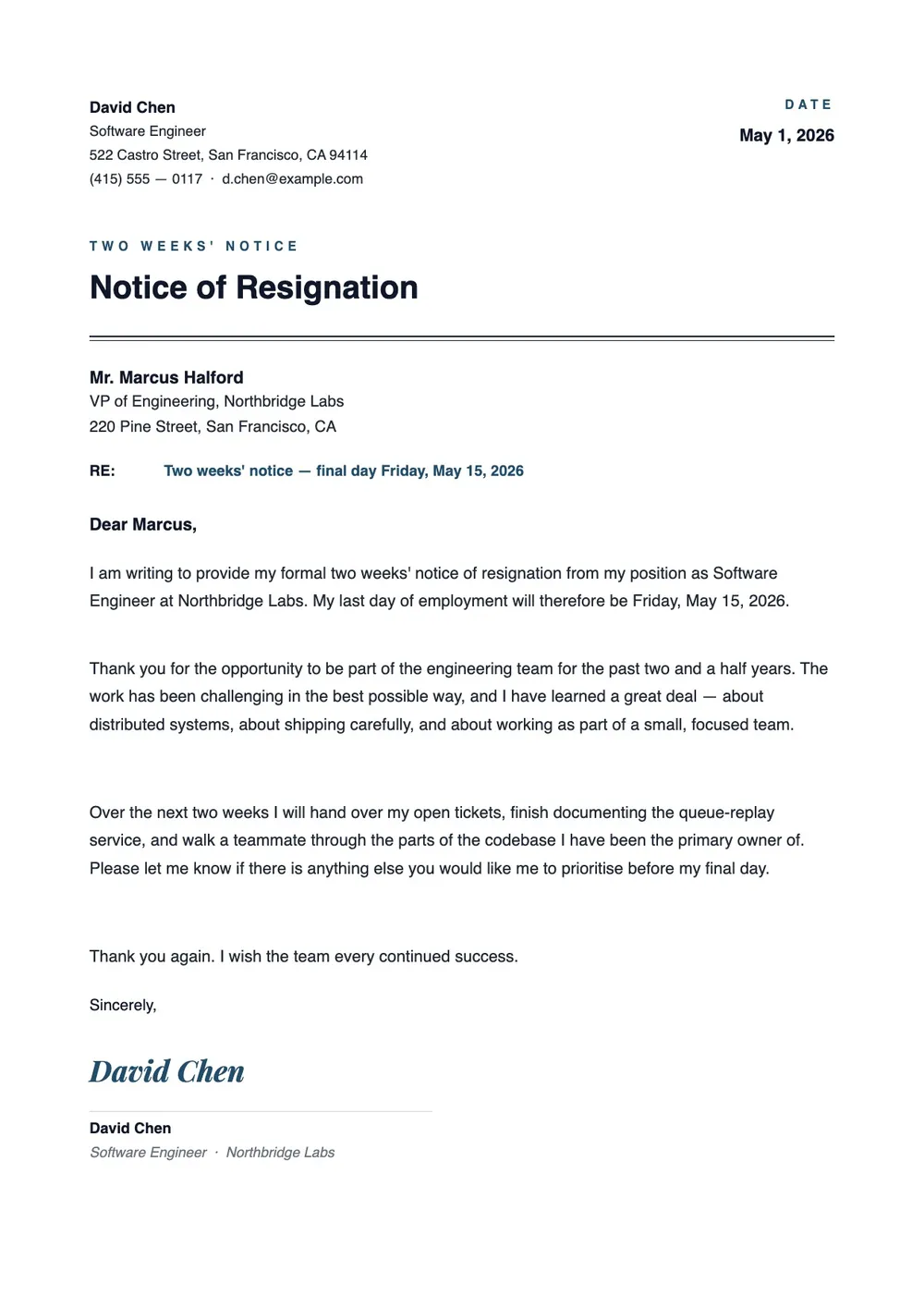
A two-week resignation letter is a formal notice you send your employer when leaving a job, giving two weeks before your last day of work. Most companies expect this standard notice period, and some employment agreements require it. The letter confirms your intent to resign, states the final working date, and keeps the exit professional.
Managers and HR teams use these letters to begin backfilling the position, update payroll records, and document the departure. Our template includes an opening statement, last day of work, brief reason (optional), and a professional closing. All fields are editable in the PDF Guru editor, so you can tailor the tone and content before sending the letter by email or printing a hard copy.
Download your first file for free. To continue using PDF Guru, choose one of our subscription plans.
Frequently asked questions
When should I use a 2 week resignation letter?

Use this letter whenever you plan to leave a job and want to give your employer the standard notice period. It works for full-time, part-time, and contract roles and is especially useful when your employment agreement or company policy requires written notice before you resign.
What details can I edit in this resignation letter template?
You can update the recipient name and title, your last day of work, the reason for leaving if you want to include one, and the closing section. The template is flexible enough for a short, direct notice or a longer version that includes a summary of your time at the company.
Does giving two weeks' notice have to be in writing?
Not always, but a written letter creates a clear record of the date you gave notice and the planned last day of work. It is useful if there is ever a question about when the notice period started or whether proper notice was given.
What formats can I download this resignation letter in?
After editing the letter in PDF Guru, you can export it as PDF, DOC, XLSX, PPTX, JPG, or PNG. That gives you a file for sending by email, a printable copy for HR, and a version you can continue editing if the dates change.
How do I edit and send this resignation letter in PDF Guru?
Open the template in the PDF Guru editor, fill in the employer details, last day, and any note about your reason for leaving. Adjust the tone, add or remove sections, and review the wording before saving. When it is ready, export it in the format you need and send it to your manager or HR.
How do I cancel PDF Guru?
You can cancel your active plan from your PDF Guru account settings, or contact support and ask them to cancel the subscription for you. Account access stays in place until the billing period you already paid for comes to an end.