Christmas Potluck Sign Up Sheet
About the Christmas potluck sign up sheet template
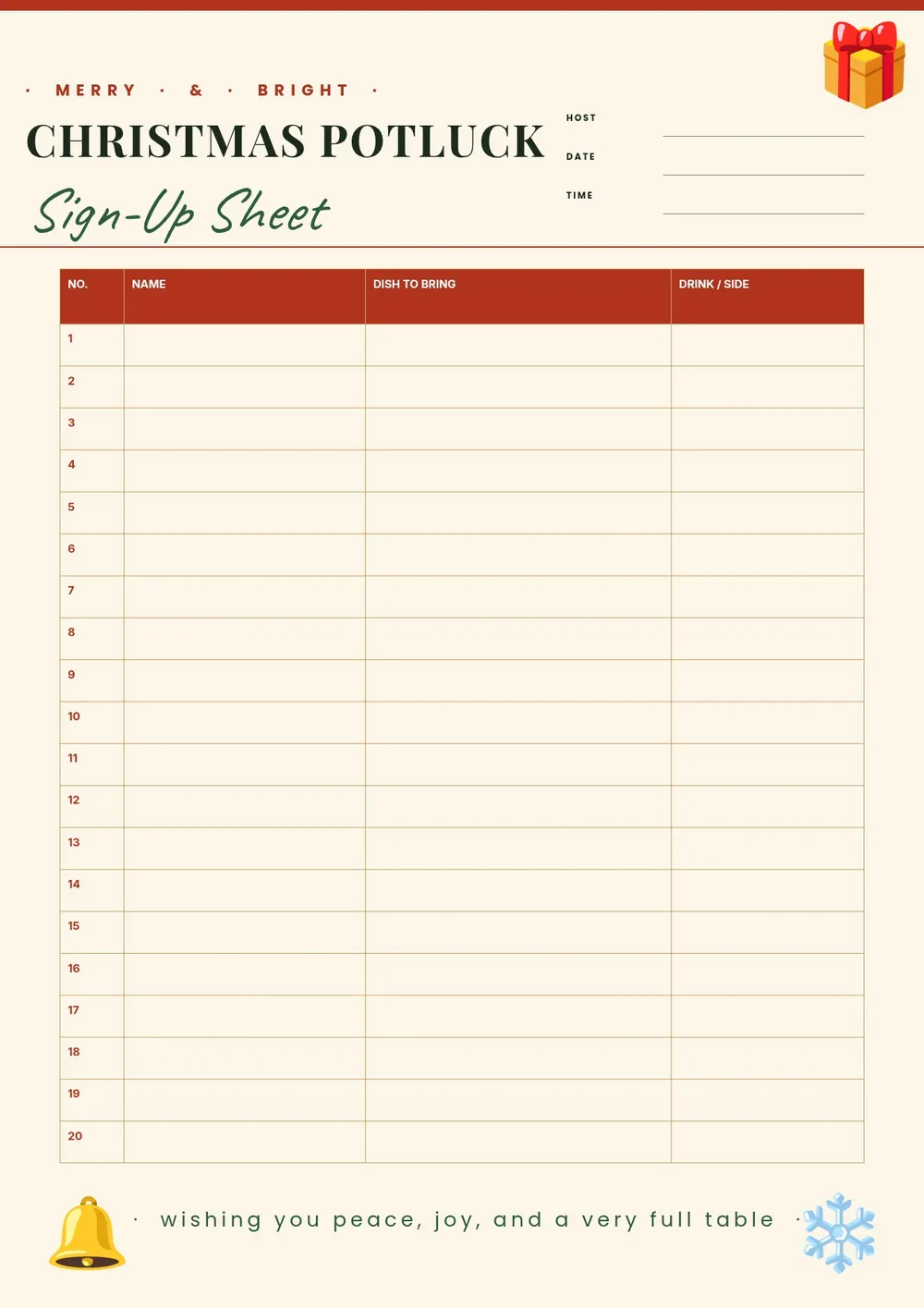
A Christmas potluck sign up sheet is used to coordinate who is bringing what dish, drink, or dessert to a holiday gathering. It prevents duplicates, ensures a balanced spread of food, and lets the host keep track of contributions ahead of time. Office parties, classroom celebrations, neighborhood gatherings, and family get-togethers all use potluck sign-up sheets to organize the meal.
Our template includes fields for participant name, dish category, dish name, number of servings, and any allergy or dietary notes. All fields are editable in the PDF Guru editor so you can add the event date and location, customize the categories, and print or share the sheet before the party.
Download your first file for free. To continue using PDF Guru, choose one of our subscription plans.
Frequently asked questions
When should I use a Christmas potluck sign up sheet?

Use this sheet when organizing a holiday potluck for an office, classroom, family gathering, or community event. Sharing it in advance lets guests claim a dish category and prevents everyone from bringing the same thing.
What dish categories should I include on the sign up sheet?
Common categories for a Christmas potluck include main dishes, side dishes, salads, appetizers, breads, desserts, and beverages. You can adjust the categories in the template to match the format of your event and the number of guests expected.
Can I share this sign up sheet digitally instead of printing it?
Yes. After editing in PDF Guru, you can export the sheet as a PDF or image and share it by email, messaging app, or group chat. For an in-person event, you can also print it and post it in a common area for people to sign.
What formats can I download for this Christmas potluck sign up sheet?
After editing in PDF Guru, you can export the sheet as PDF, DOC, XLSX, PPTX, JPG, or PNG. That lets you print it, share a digital version, or keep an editable copy to update as guests sign up.
How do I set up this Christmas potluck sign up sheet in PDF Guru?
Open the template in the PDF Guru editor, add the event name, date, and location, customize the dish categories, and adjust the number of rows based on how many guests you expect. Export it in the format you need and share it with your group.
How do I cancel PDF Guru?
You can cancel your active plan from your PDF Guru account settings, or contact support and ask them to cancel the subscription for you. Account access stays in place until the billing period you already paid for comes to an end.