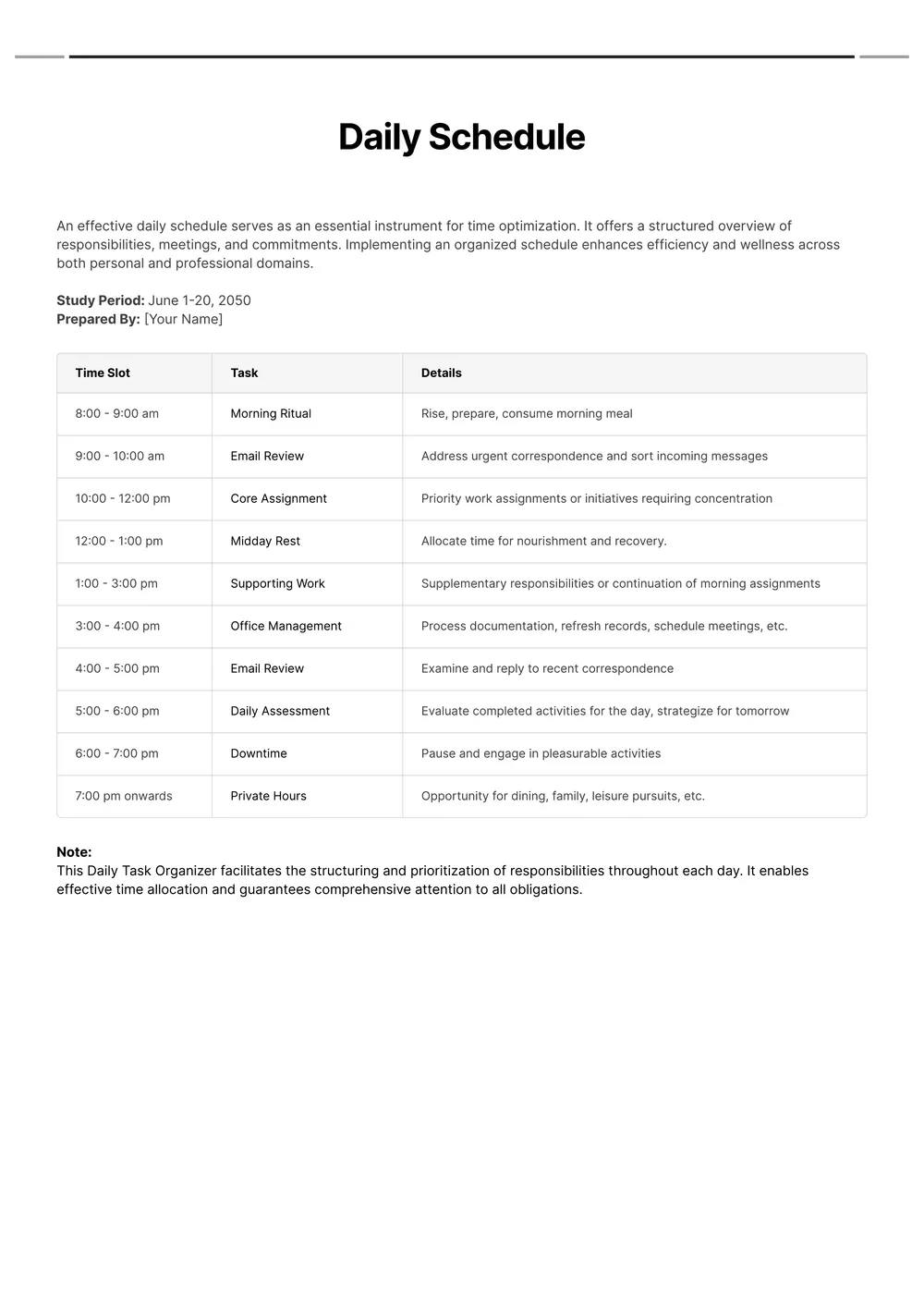
About daily schedule template
Creating a daily schedule can feel overwhelming, especially with all the tasks and responsibilities we juggle. That's where a daily schedule template comes to the rescue. It gives you a clear outline to organize your time, making planning easier than ever. One standout feature is the customizable placeholder fields, allowing you to adjust the template to suit your unique needs.
Imagine filling out a blank template that guides you through your day—this kind of support helps boost productivity and reduces stress. You can keep track of appointments, deadlines, and even breaks, all in one place. We've analyzed the necessary fields for our templates, ensuring you have everything you need for effective planning. With our sample daily schedule template, you can say goodbye to confusion and hello to a well-organized day.
Download your first file for free. To continue using PDF Guru, choose one of our subscription plans.
Frequently asked questions
What is a daily schedule template?

A daily schedule template is a customizable outline that helps you organize your day efficiently. It typically includes sections for appointments, tasks, and deadlines, allowing you to plan your time better. By filling out the template, you can clarify what you need to accomplish and when, making it easier to stay on track throughout the day. This template is designed for repeat use, ensuring consistent productivity.
When should I use a daily schedule template?
A daily schedule template can help you plan effectively; consider using it in the following situations:
- At the beginning of a new week or month
- Prior to starting a big project or event
- During exam periods or intensive study sessions
- When you have a busy workweek ahead
- For setting daily goals or to-do lists
This editable template lets you adjust plans as needed.
What can I include in a daily schedule template?
In a daily schedule template, consider including time slots, tasks or activities, any appointments, breaks, and deadlines. You can also add sections for priority tasks or notes. Remember, you can edit the template to fit your specific needs, ensuring it works best for your plans.
How to edit a daily schedule template?
- Click on 'Use Template' to load the daily schedule template in the editor.
- Take a look at the placeholder fields and fill in your information as needed.
- Make any adjustments to fit your preferences.
- Once you're satisfied with your edits, click 'Done' to download your schedule; your edited version will also be saved in your account for future use.
Who can use a daily schedule template?
A daily schedule template can benefit students, busy professionals, parents managing family duties, and anyone trying to organize their day. Whether you're planning work tasks, classes, or personal activities, this template helps you stay focused and on track with your goals and responsibilities.
Can I export the daily schedule template to PDF or other formats?
Yes, you can download the daily schedule template in various formats, including PDF, Word, Excel, PowerPoint, PNG, and JPG. The template will also be printable, making it easy to use in both digital and physical formats.
How can I make the most of my daily schedule template?
To make the most of your daily schedule template, start by filling in your most important tasks first; this clarifies your priorities. Break larger projects into smaller steps and include time for breaks. Review and adjust your template regularly to stay on track and keep it effective.
Can I share my daily schedule template with others?
Yes, you can share your daily schedule template with others. After you edit the template and download it, simply send the file to anyone you'd like. They can view or fill it out according to their needs, making it great for collaboration or sharing with friends and family.
How do I cancel PDF Guru?
You can cancel your active plan from your PDF Guru account settings, or contact support and ask them to cancel the subscription for you. Account access stays in place until the billing period you already paid for comes to an end.