About expense report templates
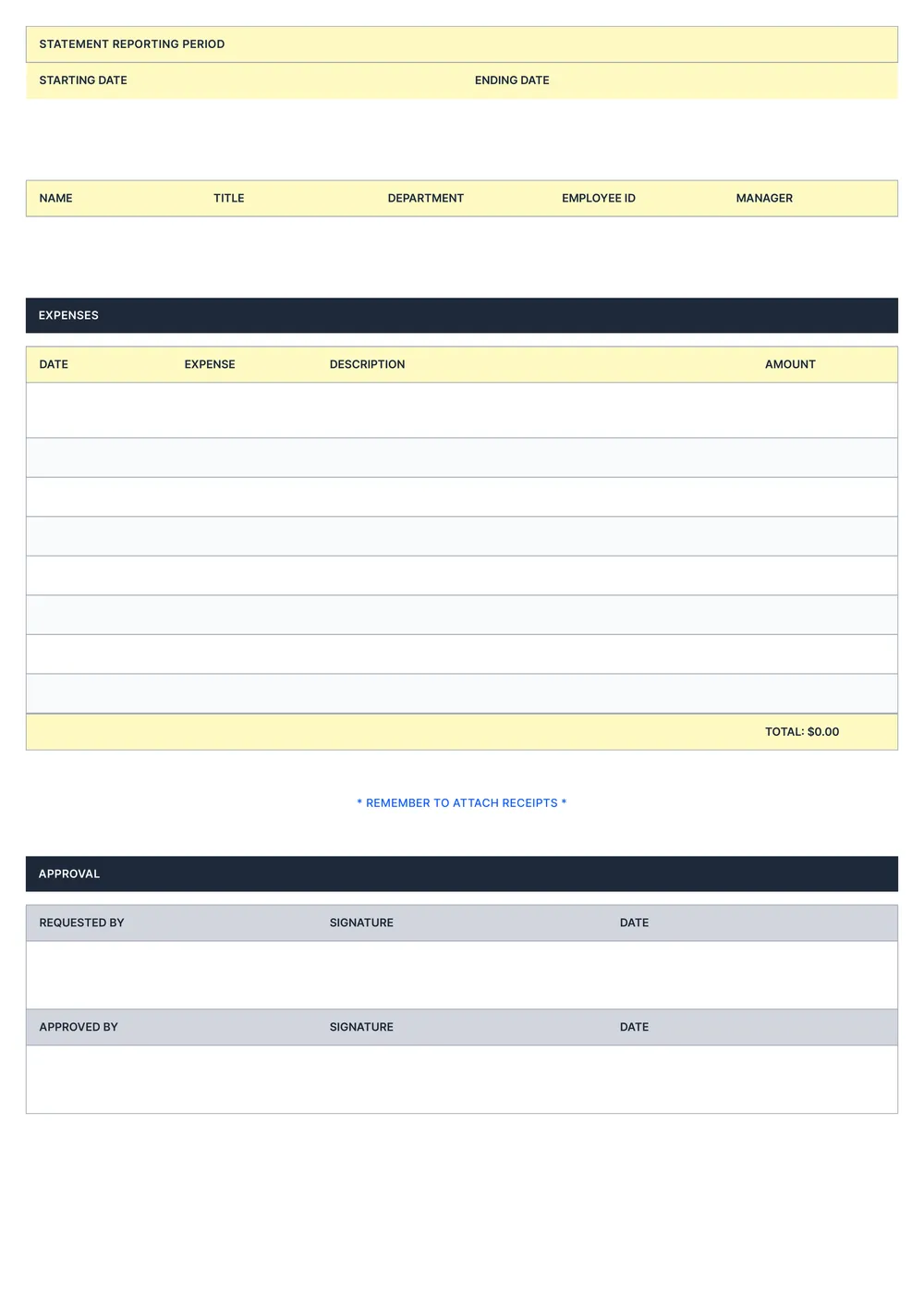
Managing expenses can be a headache, especially when you're juggling receipts and trying to remember every detail. Our expense report template takes the stress out of organizing your expenses; it simplifies a task many find overwhelming. With customizable fields, you can easily input your information and keep all records in one place, cutting down on time-consuming searches and calculations.
Save your energy for what matters most; let our template do the heavy lifting for you. It offers a blank layout for you to fill in necessary information, and you can refer to sample templates for inspiration on how to format your entries. We've carefully analyzed the necessary fields for a thorough expense report and included them in ours, allowing you to focus on spending wisely and managing your finances efficiently.
Download your first file for free. To continue using PDF Guru, choose one of our subscription plans.
Frequently asked questions
What is an expense report template?

An expense report template is a structured document that helps individuals or businesses track expenses incurred over a period. It provides an outline for listing items such as purchases, travel costs, and other expenditures. By using this template, you can maintain accurate records for budgeting, reimbursement requests, or financial reporting, making it simpler to manage your expenses effectively.
When should I use an expense report template?
Using an expense report template is helpful in various situations:
- After attending a work-related event or conference
- When submitting expenses for a business trip
- At the end of the month for regular expense tracking
- For reimbursing employee costs incurred during a project
The editable template makes recording and organizing your expenses much simpler.
What information is typically found in an expense report template?
An expense report template typically includes the date, description of the expense, amount spent, category, and any receipts. You can enter your information directly and edit the template as needed. Additionally, it may have a total at the bottom for all expenses to summarize your spending.
How to edit an expense report template?
- Click on 'Use Template' for the expense report.
- A draft template will open in the PDF editor.
- Look for the fields you want to update; they will have editable boxes.
- Modify the fields with the necessary information.
- Once you’re done, click 'Done' to save and download your report.
- Your edited version will also be saved in your account for later access.
Who should use an expense report template?
Anyone managing business expenses should use an expense report template. This includes small business owners, freelancers, employees tracking work-related costs, and accountants. It helps keep finances organized, simplifies tax preparation, and is a smart tool for monitoring spending—leading to better budgeting and financial management over time.
Can I export the expense report template to PDF or other formats?
Yes, you can export the expense report template. After editing, you'll have the option to download it as a PDF, Word, Excel, PowerPoint, PNG, or JPG. The PDF version is printable, making it easy to share and keep for your records.
How can I track my expenses using the expense report template?
You can track your expenses with the expense report template by filling in the provided fields for dates, amounts, categories, and descriptions. After editing, download your completed report. You can also save the edited version in your account for easy access and future updates.
How can I share my completed expense report?
You can share your completed expense report by downloading it in PDF format. Click 'Done' to save the edited document to your account. Then, choose the option to download it. After that, you can email the file or upload it to your preferred cloud storage for easy sharing.
How do I cancel PDF Guru?
You can cancel your active plan from your PDF Guru account settings, or contact support and ask them to cancel the subscription for you. Account access stays in place until the billing period you already paid for comes to an end.