Travel Request Form Template
About travel request forms
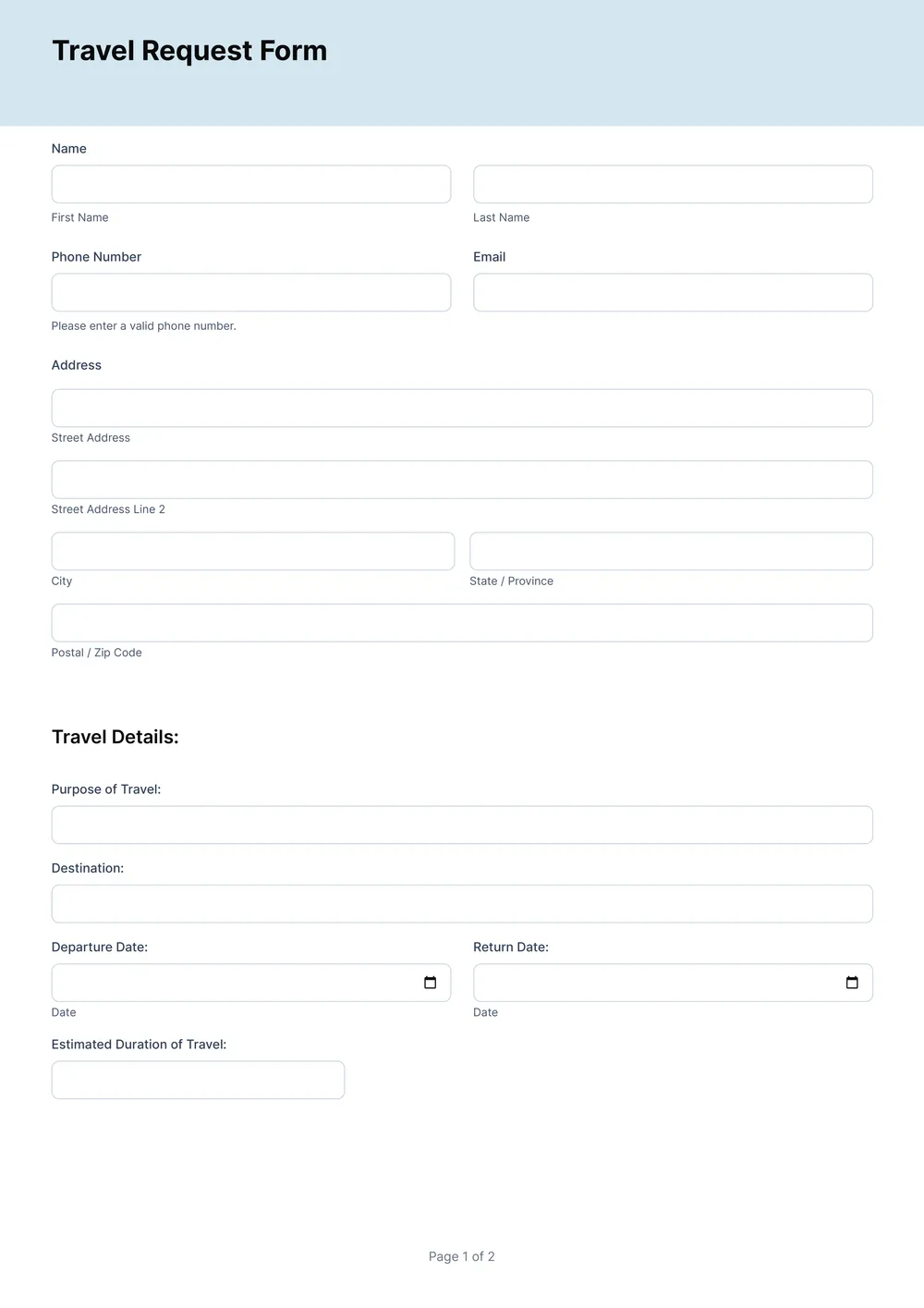
Travel request forms can often feel confusing or overwhelming, especially when you're juggling multiple trips or approvals. Finding a way to communicate your needs while keeping everything organized may add to your stress. Our template offers a clear solution, guiding you in filling out all the right fields to streamline the process. You can edit the sections to suit your trip and cut back on the back-and-forth emails.
With our travel request form template, you have the power to create and manage your travel needs in one place. This template is designed with your convenience in mind, allowing you to save edits directly into your account. You also have access to a sample version to help demonstrate what to include. We've analyzed the necessary blank fields and incorporated crucial details for your ease, helping you take the hassle out of travel planning.
Download your first file for free. To continue using PDF Guru, choose one of our subscription plans.
Frequently asked questions
What is a travel request form template?

A travel request form template is a document designed to help you request approvals for travel plans. It usually includes sections to outline essential details like the trip's purpose, destination, dates, and estimated costs. By using this template, you can capture all necessary information in one place, making it easier to communicate your travel needs and gain the required approvals.
When should I use a travel request form template?
If you travel for work or personal reasons, knowing when to use a travel request form template is key:
- When requesting approval for a work-related trip;
- Before making hotel or flight reservations;
- When allocating budget and making reimbursements;
- At the start of a new project involving travel;
- When needing an editable document for future trips.
What information do I need for a travel request form template?
For a travel request form template, typically include your name, contact information, travel dates, destination, purpose of travel, budget estimate, and approved signatures. Once you access the template, you can edit these fields to fit your specific travel needs.
How to edit a travel request form template?
- Click on 'Use Template' for the travel request form
- The PDF editor will load with the template open
- Fill in the editable placeholder fields with your information
- Review your entries for accuracy
- Click 'Done' when you finish editing
- Download your customized form, which will also save in your account
Who can use a travel request form template?
Anyone needing to request travel approval can use a travel request form template. This includes employees seeking business travel, managers approving trips, and HR departments overseeing travel policies. Whether for work, training, or conferences, anyone can benefit from having a structured way to ask for travel.
Can I download the travel request form template as a PDF or another format?
Yes, you can download the travel request form template in multiple formats, including PDF. This allows you to have a printable version for physical use, while also being able to choose Word, Excel, PowerPoint, PNG, or JPG for your convenience.
What details do I need to provide in the travel request form?
You'll need to provide your travel destination, dates, purpose of travel, and any special requirements or preferences. Be sure to include any relevant budget information, accommodations, and mode of transport. Filling these details helps in processing your request promptly and accurately.
How can I share the completed travel request form with others?
After completing your travel request form, you can share it by downloading the edited PDF to your device. From there, you can email it, upload it to a shared drive, or print it out, making it easy for others to access your request whenever needed.
How do I cancel PDF Guru?
You can cancel your active plan from your PDF Guru account settings, or contact support and ask them to cancel the subscription for you. Account access stays in place until the billing period you already paid for comes to an end.