Sample Itinerary Template
About sample itinerary template
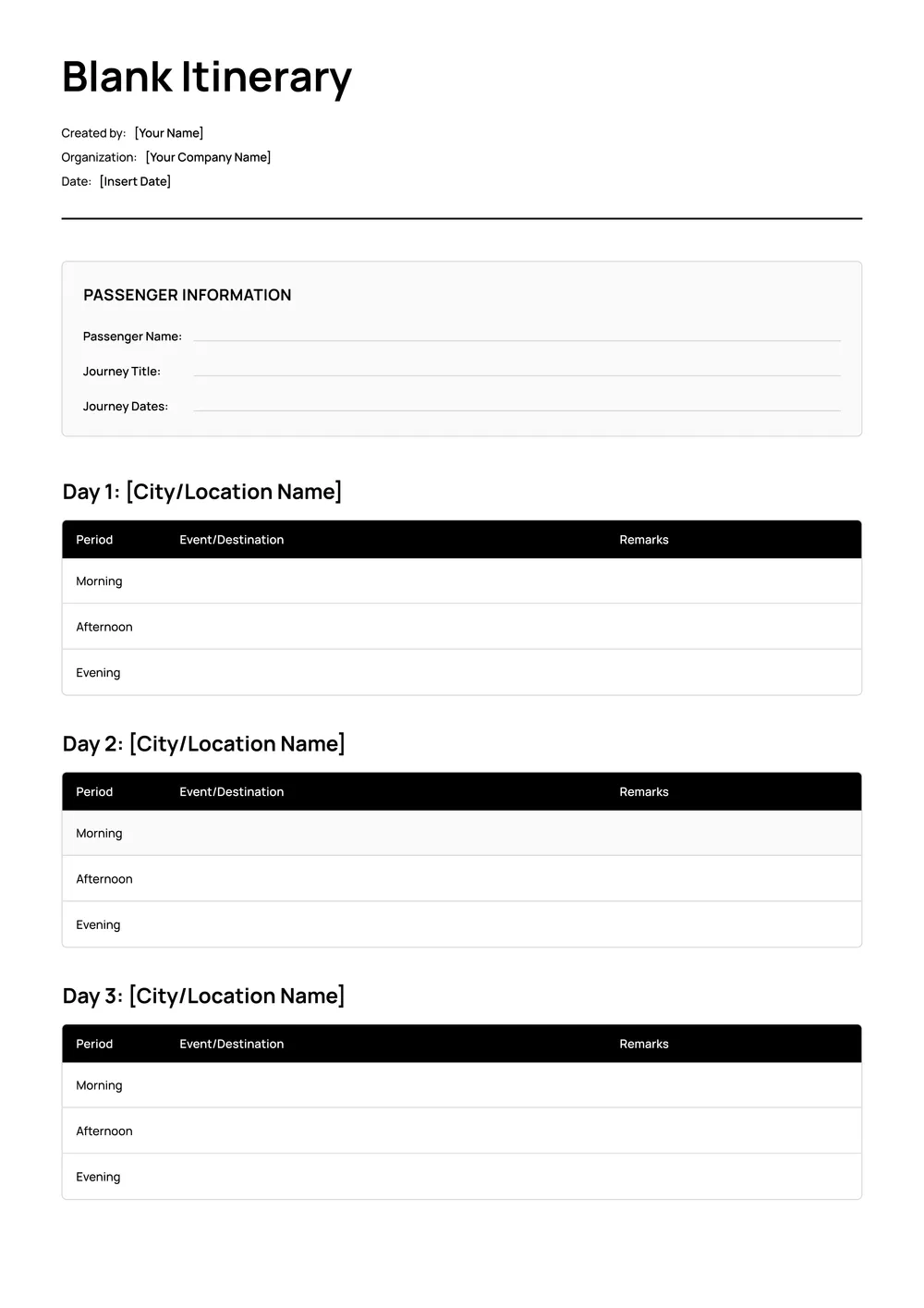
Planning a trip can feel overwhelming, especially when you’re trying to keep track of flights, accommodations, and activities. Our PDF sample itinerary template provides a clear layout for organizing every detail, making your travel preparation much more manageable. With customizable fields, you can grab the essentials and fill them in easily, leaving you with more time to look forward to your adventure.
Imagine finally having everything in one place, so you don’t miss any important plans. Our blank itinerary template is designed to help you align your travel schedule without the stress. It not only offers an organized format but also ensures you have room to enrich your plans. We’ve studied common requirements and included crucial fields for your convenience, so stay tuned for what’s next.
Download your first file for free. To continue using PDF Guru, choose one of our subscription plans.
Frequently asked questions
What is a sample itinerary template?

A sample itinerary template is a document that helps you plan and organize your activities for a trip or event. It often includes sections for dates, times, destinations, and descriptions of activities. This template allows you to outline your schedule clearly, making it easy to see what you have planned for each day. You can customize it to fit your needs and save it for future reference.
When should you use a sample itinerary template?
A sample itinerary template is helpful in various situations, including:
- Planning a family vacation
- Organizing business travel for meetings
- Timing a trip with friends or events
- Creating a detailed schedule for conferences
- Mapping out travel for special occasions, like weddings
This editable template allows you to customize details to suit your needs.
What information is typically found in a sample itinerary template?
A sample itinerary template usually includes details like destination cities, travel dates, accommodations, daily activities, dining options, contact information, and important notes. You can edit the template to fit your specific travel plans, ensuring all necessary information is organized and easily accessible for your trip.
How to edit a sample itinerary template?
- Click on 'Use Template' to load the sample itinerary in the PDF editor.
- Locate the placeholder fields in the document.
- Edit the fields with your personal information, dates, and destination details.
- Once you are satisfied, click 'Done' to download your itinerary.
- Your edited version will automatically save in your account for future access.
Who can use a sample itinerary template?
Anyone planning a trip can use a sample itinerary template; travel agents, vacation planners, corporate travelers, or families on holiday can all benefit. It helps organize details like flights, accommodations, and activities, making it easier to keep everything in one place for a smooth travel experience.
Can I download the sample itinerary template as a PDF or in other formats?
Yes, you can download the sample itinerary template as a PDF, or in formats like Word, Excel, PowerPoint, PNG, or JPG. Once you’ve filled it out, the final version is also a printable file you can save and share as you need.
How can I make my itinerary more organized with this template?
To make your itinerary more organized with this template, start by filling in all crucial details, like dates, locations, and activities. Use the placeholder fields to add specific notes and reservations. Once completed, you can download and save it, which allows for easy access and modifications anytime you need.
What tips can help me create a great itinerary with this template?
To create a great itinerary with this template, list your destinations, include travel times, and allocate activities. Prioritize must-see attractions, and leave space for flexibility. Finally, consider adding notes for accommodations and dining options; this will help you stay organized and get the most out of your trip.
How do I cancel PDF Guru?
You can cancel your active plan from your PDF Guru account settings, or contact support and ask them to cancel the subscription for you. Account access stays in place until the billing period you already paid for comes to an end.