About the packing slip template
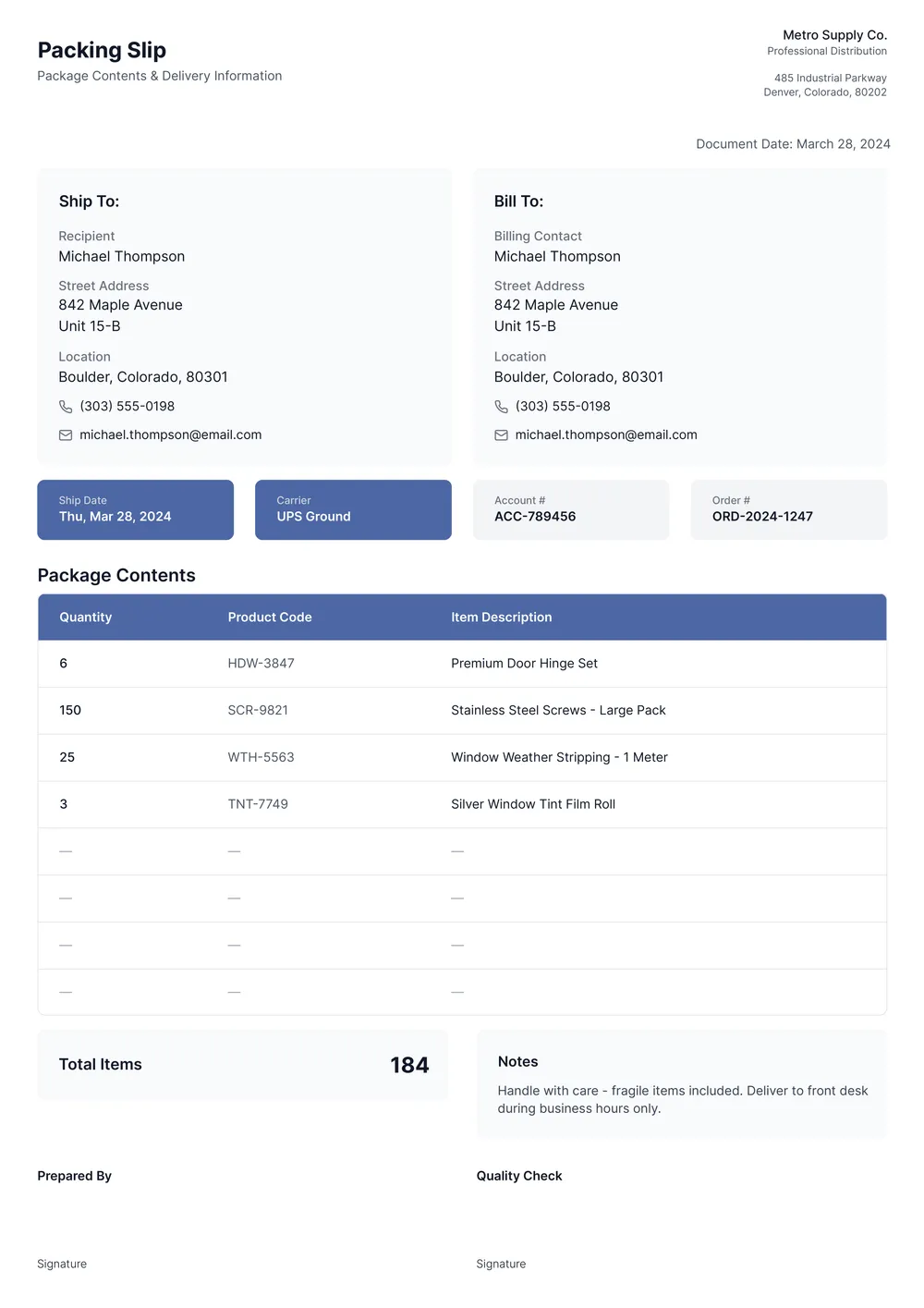
A packing slip (also called a shipping list or waybill) is a document the shipper includes with a package listing every item in the shipment. The warehouse team uses it to pack the order correctly, the carrier uses it to verify contents, and the recipient uses it to check that everything arrived. Unlike an invoice, a packing slip usually shows quantities and product codes but not prices.
Our template includes the standard sections: shipper and ship-to addresses, order and shipment numbers, item descriptions with SKUs and quantities, package weight, and a notes field. All fields are editable in the PDF Guru editor, so you can add your logo or adjust columns to match your fulfillment process.
Download your first file for free. To continue using PDF Guru, choose one of our subscription plans.
Frequently asked questions
Who is this packing slip template best for?

This template works well for online stores, warehouse teams, wholesalers, small businesses, and anyone who ships products and wants a simple document to list what is inside the package. It helps keep order contents easier to check before and after delivery.
What can I list on the packing slip template?
You can include the sender and recipient details, order number, shipment date, item descriptions, SKUs, quantities, and notes. You can also add internal references or extra columns if your fulfillment process needs more detail.
Can I change the item table and layout for my shipping workflow?
Yes. In PDF Guru you can add or remove columns, duplicate rows, insert your logo, and adjust the layout to fit your order-packing process. This makes the template more practical for e-commerce shipments, wholesale orders, or internal warehouse use.
Can I save this packing slip template in PDF, Excel, or image formats?
Yes. After editing the packing slip in PDF Guru, you can export it as PDF, DOC, XLSX, PPTX, JPG, or PNG. That gives you a printable packing document, an editable version for later changes, and another copy for digital records.
How do I edit and print the packing slip template in PDF Guru?
Open the template in the PDF Guru editor, fill in the shipping details and item table, and adjust the columns or branding as needed. You can review the layout, add more rows, and save the finished version in a few clicks. When it is ready, export it in the format you need and print or share the file.
How do I cancel PDF Guru?
You can cancel your active plan from your PDF Guru account settings, or contact support and ask them to cancel the subscription for you. Account access stays in place until the billing period you already paid for comes to an end.