Resignation Letter for Personal Reasons
About the resignation letter for personal reasons template
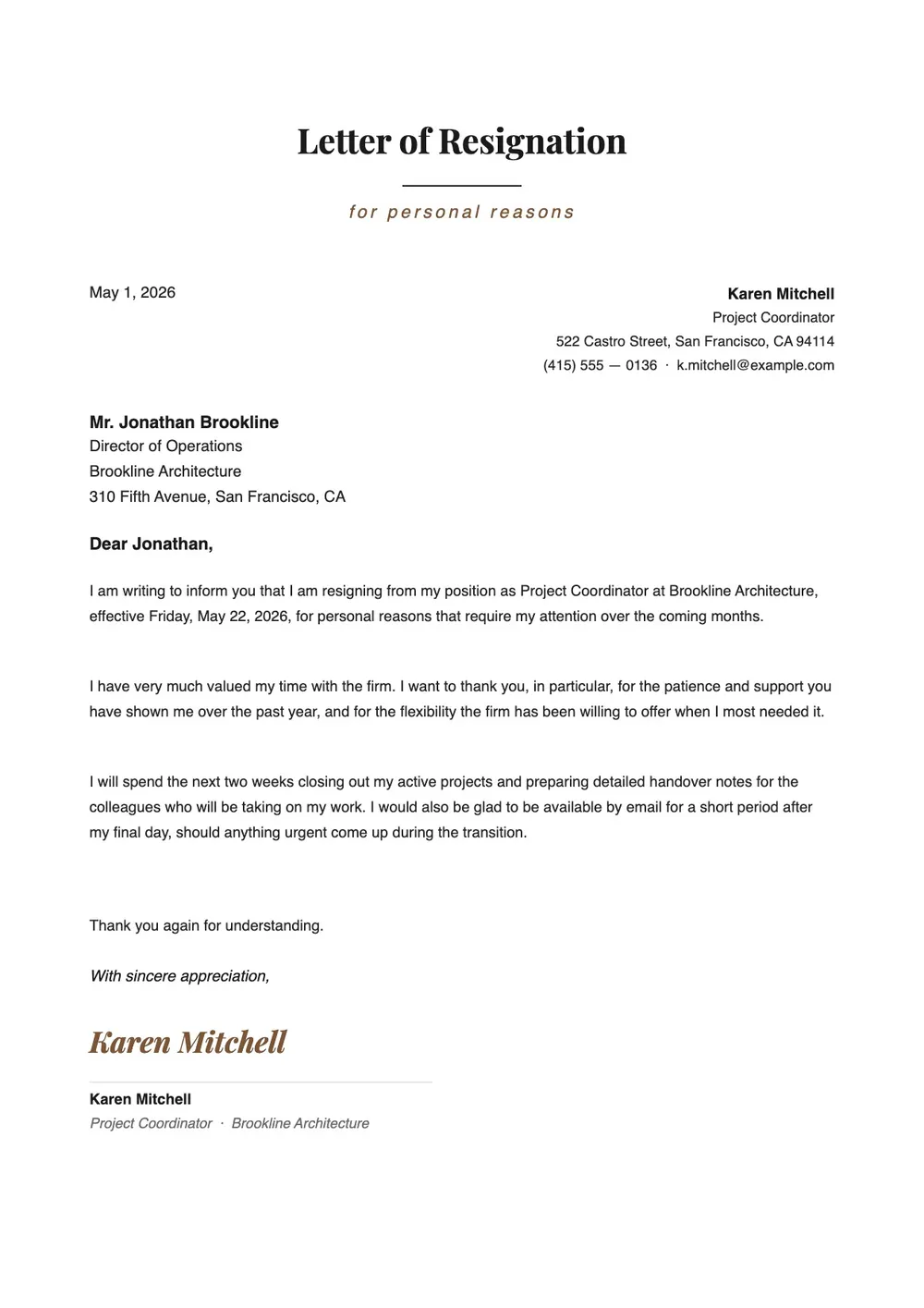
A resignation letter for personal reasons lets you formally notify your employer that you are leaving without having to explain specific personal circumstances. People use it when family commitments, health, relocation, or other private matters are driving the decision and they prefer not to share details in writing.
The letter still covers the essentials: your intent to resign, your last day of work, and a professional closing. Our template is straightforward and avoids language that feels overly apologetic or vague. All fields are editable in the PDF Guru editor, so you can adjust the wording, set the notice period, and add a line of appreciation if the situation calls for it.
Download your first file for free. To continue using PDF Guru, choose one of our subscription plans.
Frequently asked questions
When should I use a resignation letter for personal reasons?

Use this letter when you are leaving a job for reasons you do not want to detail in writing, such as health, family, relocation, or a personal situation that affects your ability to continue working. It keeps the exit professional without requiring you to disclose more than you are comfortable sharing.
Do I need to explain my personal reasons in this letter?
No. The letter is written to give notice without going into specifics. You can state that you are resigning for personal reasons and leave it at that. Adding extra detail is optional and entirely your decision.
What parts of this resignation letter can I customize?
You can update the recipient name, your last day, the notice period, and the closing section. If you want to add a brief line acknowledging your time at the company or mention that you are willing to help with the transition, there is room to do that as well.
What formats can I download this resignation letter in?
After editing in PDF Guru, you can export the letter as PDF, DOC, XLSX, PPTX, JPG, or PNG. That gives you a clean file for emailing HR or your manager, printing a hard copy, or saving for your own records.
How do I fill out this resignation letter in PDF Guru?
Open the template in the PDF Guru editor, enter the employer details and your planned last day, and review the default wording to make sure the tone fits your situation. When you are satisfied, export the letter in the format you need and send it to the right person.
How do I cancel PDF Guru?
You can cancel your active plan from your PDF Guru account settings, or contact support and ask them to cancel the subscription for you. Account access stays in place until the billing period you already paid for comes to an end.