Secret Santa Sign Up Sheet
About the Secret Santa sign up sheet template
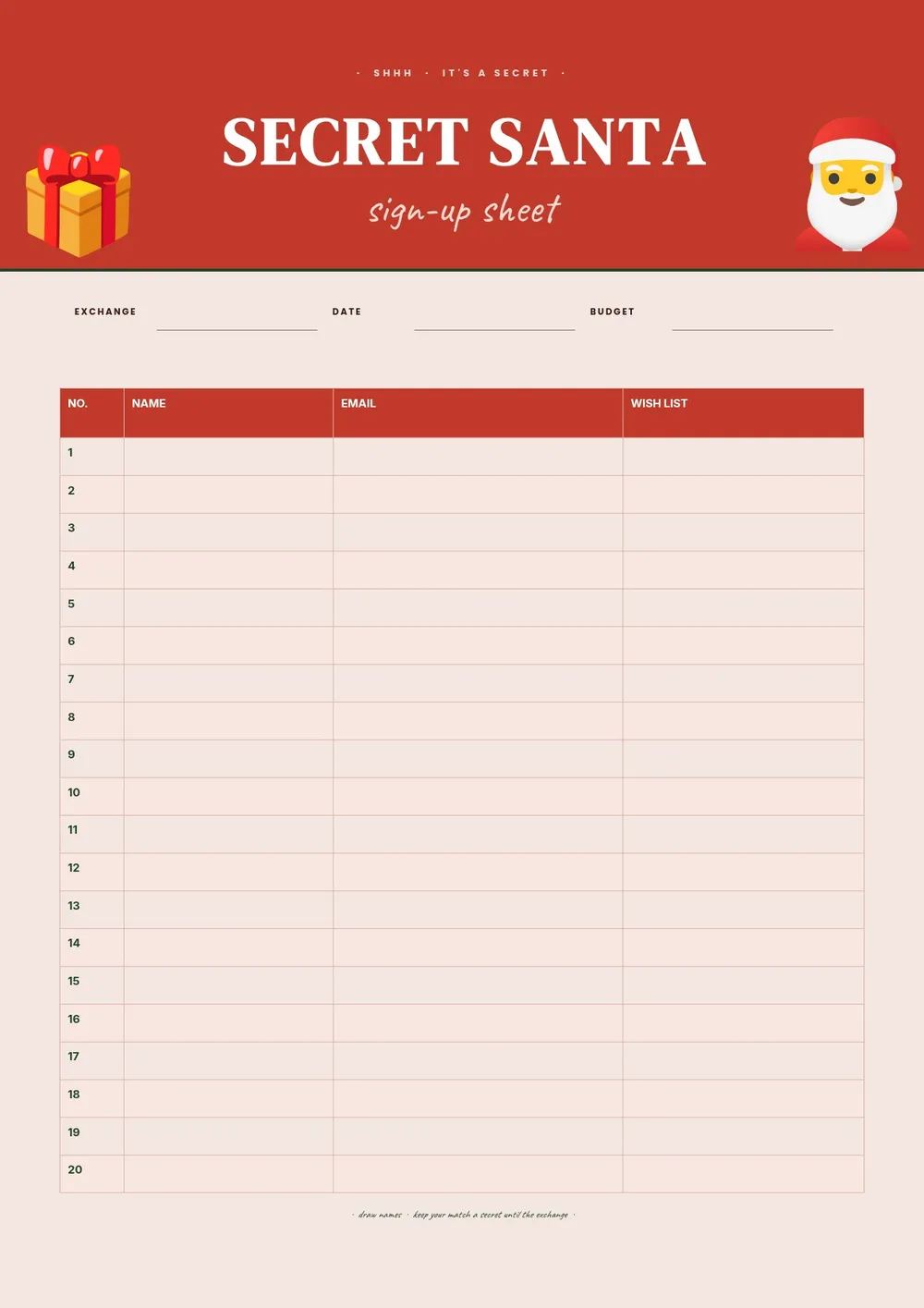
A Secret Santa sign up sheet is used to register participants in a gift exchange where each person is randomly assigned someone else to buy a gift for, without revealing who they are buying for. It is a popular activity at offices, schools, friend groups, and family gatherings during the holiday season. Having a sign up sheet with wish list details or gift preferences makes it easier for givers to choose something the recipient will actually enjoy.
Our template includes fields for each participant's name, contact information, gift budget range, and wish list or preferences. All fields are editable in the PDF Guru editor so you can add the event date, deadline for gift exchange, and any special instructions from the organizer.
Download your first file for free. To continue using PDF Guru, choose one of our subscription plans.
Frequently asked questions
How does a Secret Santa sign up sheet work?

Participants fill in their name and gift preferences on the sheet. The organizer then uses the list to randomly assign each person a recipient. Each participant only knows who they are buying for, not who is buying for them. The sheet ensures everyone has the information they need to choose a thoughtful gift.
What gift information should participants include on the sheet?
Participants can list their general preferences such as favorite colors, hobbies, food preferences, clothing sizes, or specific items they would like. A wish list field helps the giver choose something appropriate and avoids duplicate gifts or unwanted items.
Can this template be used for a workplace Secret Santa exchange?
Yes. The template works well for office gift exchanges where there may be many participants who do not know each other's preferences well. You can add a spending limit and a deadline in the header to keep the exchange organized.
What formats can I download for this Secret Santa sign up sheet?
After editing in PDF Guru, you can export the sheet as PDF, DOC, XLSX, PPTX, JPG, or PNG. A printed copy works well for in-person sign-up, while a digital PDF or image can be shared in a group chat or email.
How do I set up this Secret Santa sign up sheet in PDF Guru?
Open the template in the PDF Guru editor, add the event name, gift exchange date, and spending limit, customize the fields to match what you want to collect, and set the number of rows based on your group size. Share or print the sheet a few weeks before the exchange so everyone has time to respond.
How do I cancel PDF Guru?
You can cancel your active plan from your PDF Guru account settings, or contact support and ask them to cancel the subscription for you. Account access stays in place until the billing period you already paid for comes to an end.