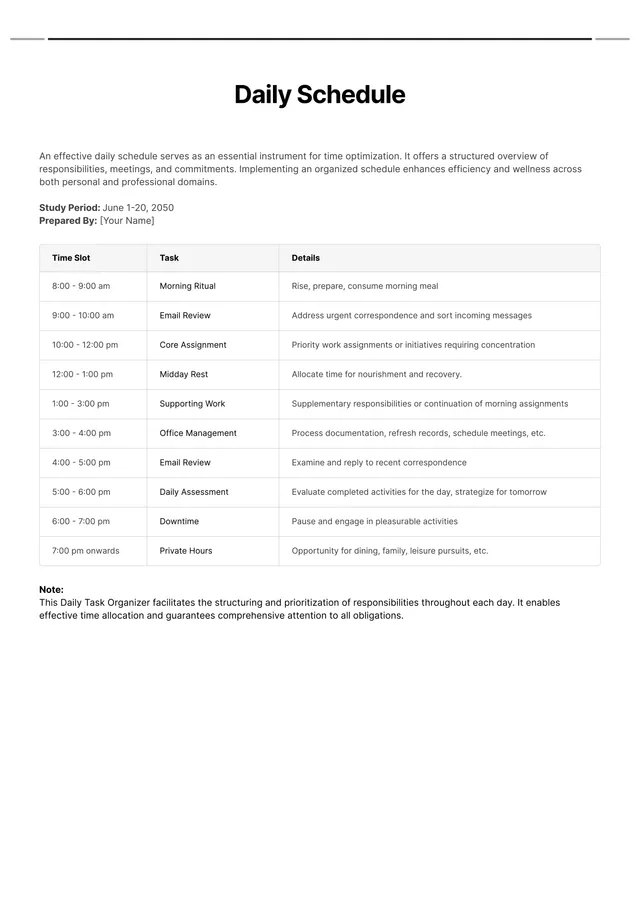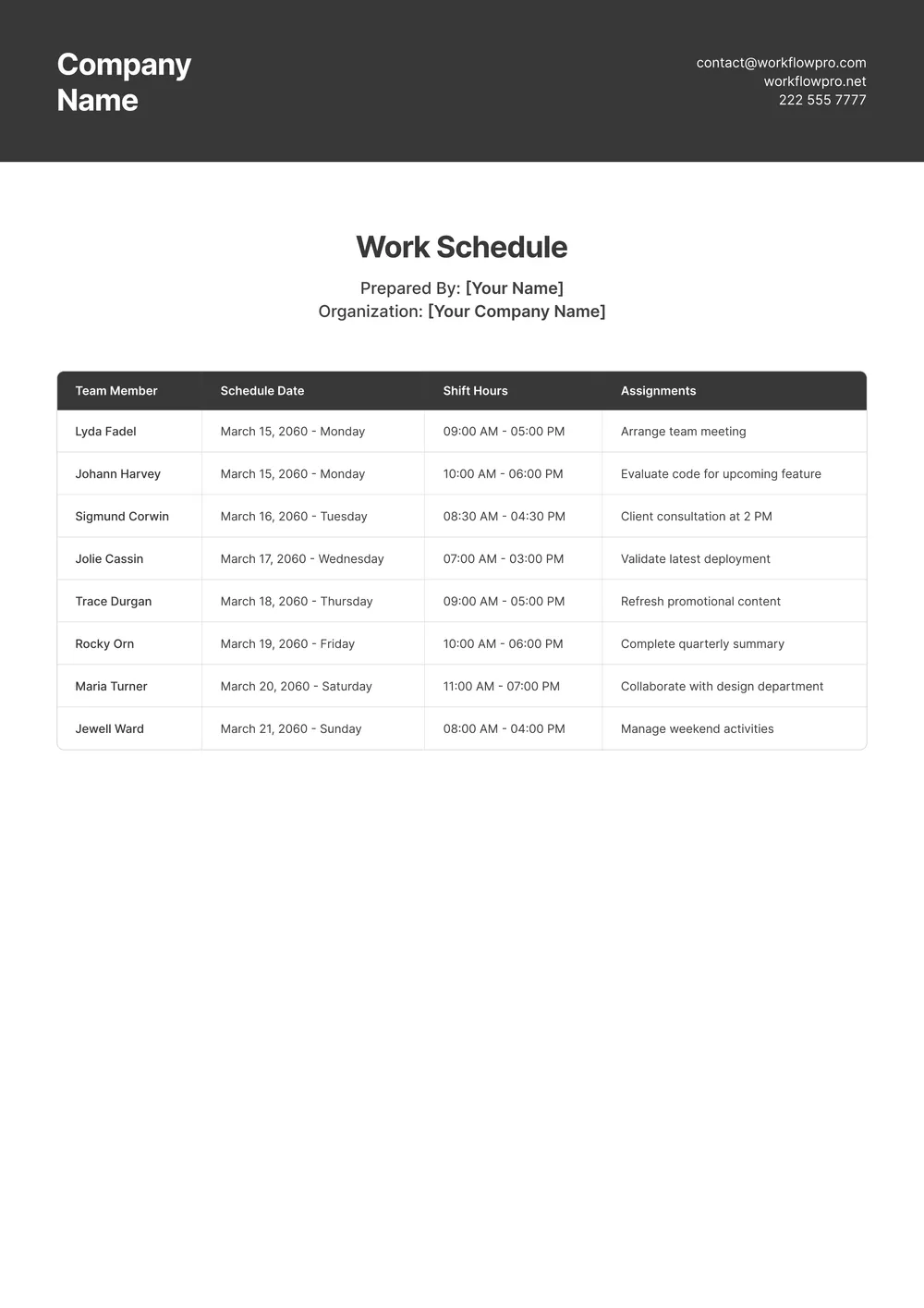
About work schedule template
A clear work schedule helps you manage your time effectively, reducing stress and preventing burnout. If managing hours and tasks seems overwhelming, our work schedule templates can turn that stress into organization. These templates are fully editable, so you can adjust them to fit your unique work style. With our user-friendly format, you can create a sample daily schedule that meets your needs.
Not only can you start planning your days, but you also get the benefit of having an organized layout waiting for your input. Whether you want a blank layout for weekly planning or need specific time slots filled, these templates make it simple. We have analyzed the necessary fields and included them in our templates, making your planning process less daunting in the long run.
Download your first file for free. To continue using PDF Guru, choose one of our subscription plans.
Frequently asked questions
What is a work schedule template?

A work schedule template is a tool that helps you outline your work tasks and plan your time effectively. It typically includes sections for dates, names, and tasks, allowing you to specify shifts or projects you need to complete. This template can help organize your workload, making it easier to manage your responsibilities and stay on track throughout the week or month.
When should I use a work schedule template?
A work schedule template is handy in various situations; here are some examples of when to use it:
- When planning weekly or monthly work tasks
- To keep track of team members' availability
- Before a project launch to align schedules
- When juggling multiple projects or deadlines
- After evaluating reorganizations or changes in workflows; it acts as an editable guide to maintain clarity.
What details are found in a work schedule template?
A work schedule template typically includes employee names, job titles, shifts, dates, and hours worked. You may also find sections for notes or specific task details. When you access the template, you can easily edit it to match your team's needs and responsibilities.
How to edit a work schedule template?
- Click on 'Use Template' to open the work schedule template in the PDF editor.
- Fill in the editable fields with your specific information.
- Adjust any sections as needed by clicking on them to modify.
- Once you’re satisfied with the changes, click 'Done' to download your edited schedule.
- Your finished work schedule will also be saved in your account for later access.
Who can use a work schedule template?
Any professional who needs to organize their time can use a work schedule template. This includes employees, managers, freelancers, and entrepreneurs. Whether you’re coordinating a team or planning personal tasks, this tool helps you keep track of your commitments and workloads effectively.
Can I export the work schedule template to PDF or another format?
Yes, you can download the work schedule template in multiple formats, including PDF, Word, Excel, PowerPoint, PNG, or JPG. This makes your schedule printable in a format that fits your needs, ensuring you have it handy whenever you require it.
How can I share my completed work schedule with others?
You can share your completed work schedule by downloading the PDF and then sending it via email or messaging apps. Just click 'Done' after editing, and the file will be saved in your account. From there, you can easily access it for sharing with your team or clients.
Can I print my work schedule after filling it out?
Yes, after you fill out your work schedule template, you can print it. Just click 'Done' to save your changes and download the edited version. Once you have the PDF, you can print it directly from your device; it’s that simple.
How do I cancel PDF Guru?
You can cancel your active plan from your PDF Guru account settings, or contact support and ask them to cancel the subscription for you. Account access stays in place until the billing period you already paid for comes to an end.