Holiday Potluck Sign Up Sheet
About the holiday potluck sign up sheet template
A holiday potluck sign up sheet helps hosts coordinate who is bringing which food or drink to a shared meal. It ensures the gathering has a balanced spread of dishes, prevents duplicates, and gives guests a fun way to contribute. Holiday potlucks are common at offices, schools, community centers, and family gatherings around Thanksgiving, Christmas, Hanukkah, New Year's, and other seasonal celebrations.
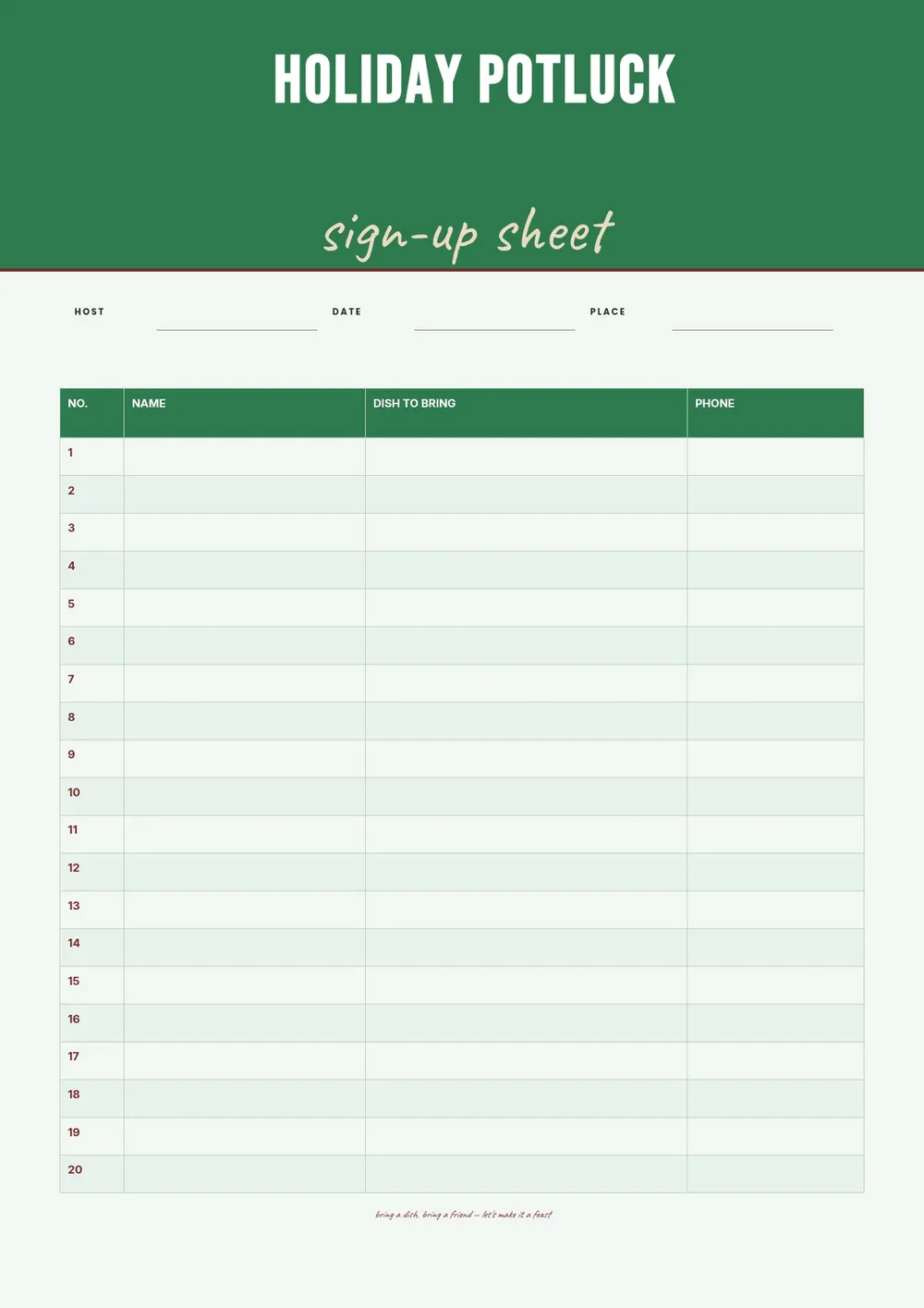
Our template includes columns for guest name, dish category, dish name, number of servings, and dietary notes such as vegetarian or nut-free. All fields are editable in the PDF Guru editor so you can add the event details, customize the food categories for your specific holiday, and share the sheet in advance.
Download your first file for free. To continue using PDF Guru, choose one of our subscription plans.
Frequently asked questions
How does a holiday potluck sign up sheet help the host?

A sign up sheet helps the host ensure a balanced meal by assigning dish categories in advance. It prevents three people from bringing the same salad and keeps track of how many dishes are coming in each category. It also gives the host a contact list in case plans change before the event.
What food categories should I include on the sign up sheet?
Common categories include main dishes, side dishes, salads, appetizers, breads and rolls, desserts, and beverages. You can also add a miscellaneous or bring-your-own category. Adjust the categories in the template to match the scale and style of your gathering.
When should I share the sign up sheet with guests?
Share it at least one to two weeks before the event so guests have time to plan and shop. For larger gatherings or events that require cooking in advance, sharing it three to four weeks ahead gives people more flexibility.
What formats can I download for this holiday potluck sign up sheet?
After editing in PDF Guru, you can export the sheet as PDF, DOC, XLSX, PPTX, JPG, or PNG. That gives you a file to print and post in a common area, share by email or messaging app, or keep as an editable spreadsheet.
How do I set up this holiday potluck sign up sheet in PDF Guru?
Open the template in the PDF Guru editor, add the event name, holiday, date, and location, set the food categories in the column headers, and adjust the row count to match the number of guests. Export the sheet and share it with your group ahead of the event.
How do I cancel PDF Guru?
You can cancel your active plan from your PDF Guru account settings, or contact support and ask them to cancel the subscription for you. Account access stays in place until the billing period you already paid for comes to an end.