Adobe has long been the industry standard for PDF tools, offering a comprehensive suite of software for document management. However, over the years, the Adobe ecosystem has grown increasingly complex and confusing. With multiple subscription tiers, overlapping features, and various versions (Acrobat Reader, Pro, Studio, and more), many users find themselves asking: "Is there an alternative to Adobe Acrobat that offers powerful tools without the complexity and cost?"
This article compares Adobe Acrobat Online with PDF Guru, a fully web-based platform for document management. If you're researching alternatives to Acrobat, PDF Guru offers comparable functionality with significantly greater convenience.
User satisfaction: What do Trustpilot reviews say?
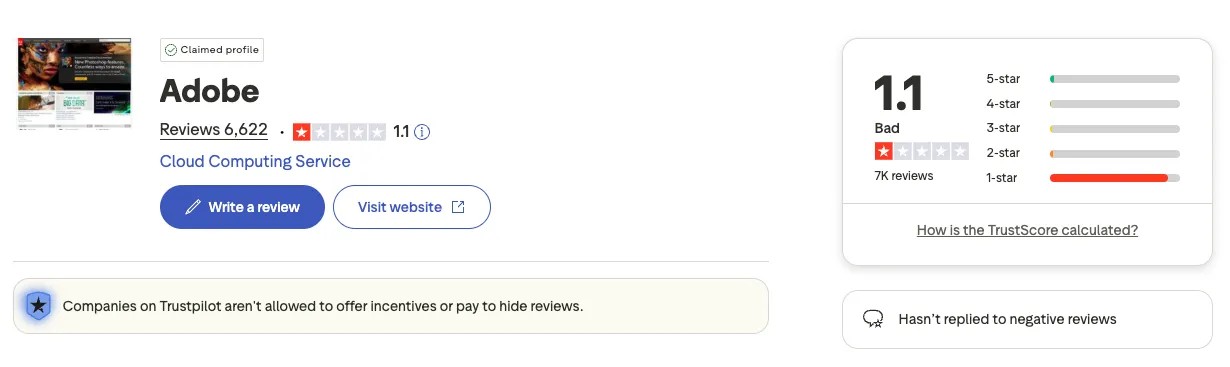
When choosing the best PDF management tool, it helps to see what real users think. Trustpilot reviews reveal a clear difference between the two platforms. Adobe has a rating of 1.1 out of 5 stars based on over 7,000 reviews, with users frequently voicing their dissatisfaction about subscriptions, hidden fees, and unexpected charges. Many users report frustration with billing practices and difficulty canceling subscriptions.
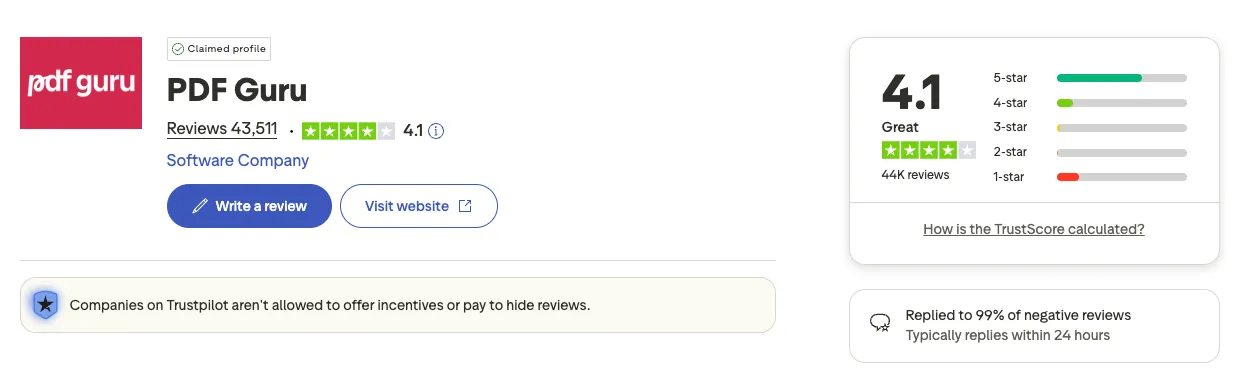
PDF Guru, on the other hand, maintains a 4.1 out of 5 star rating from over 43,000 reviews. Users consistently highlight the platform's user-friendly interface, efficient customer support, and transparent pricing. The difference in ratings reflects real user experiences and helps explain why many consider PDF Guru the best Adobe Acrobat alternative for everyday document tasks.
Intuitive interface for busy users
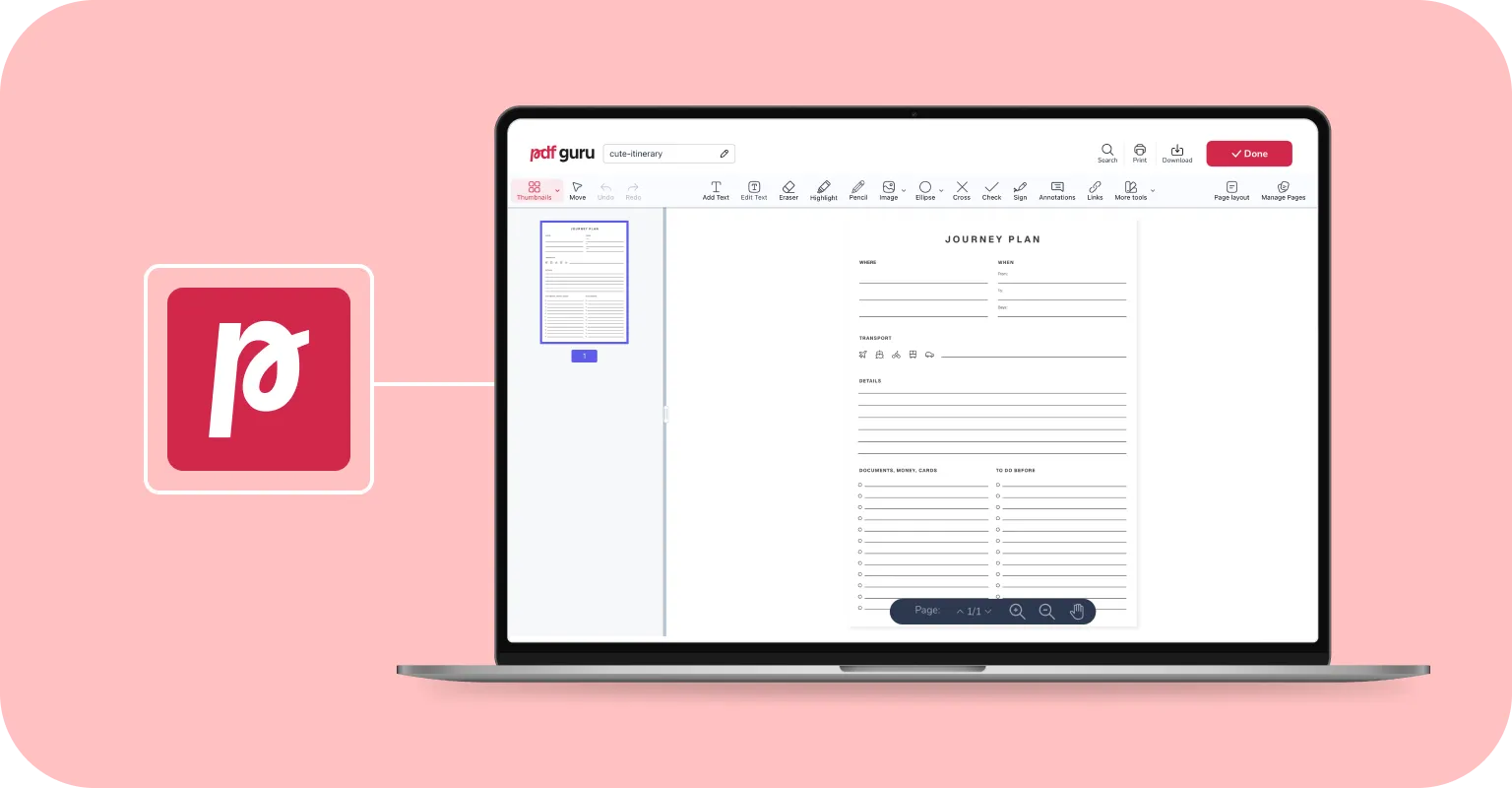
Among the many Adobe Acrobat alternatives available today, PDF Guru stands out for its intuitive design. The user interface prioritizes ease of use, with a clean toolbar where every feature is accessible and easy to find. There's no steep learning curve and no installation needed to get started, which makes it perfect for quick tasks, even when you're on the go.
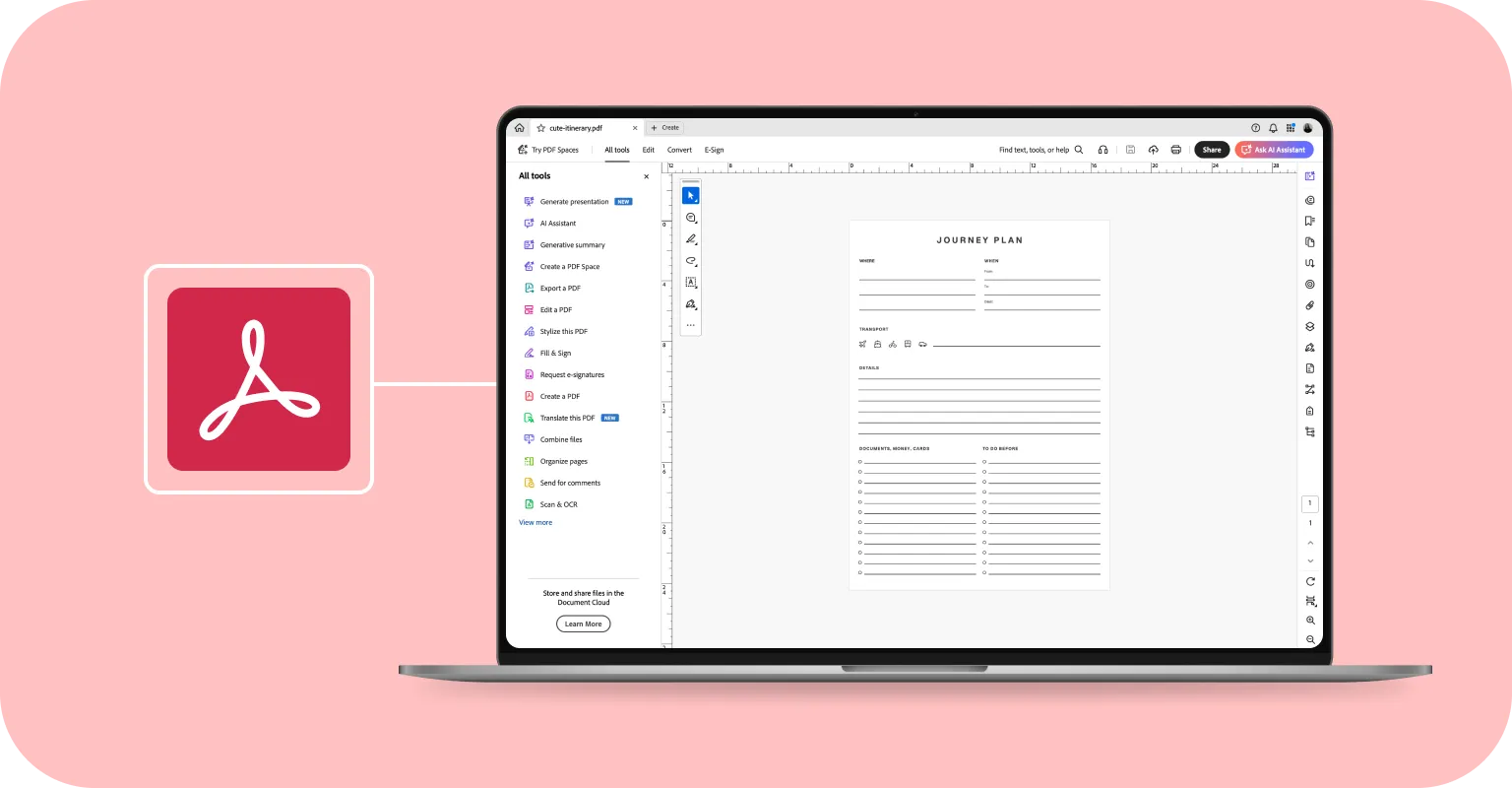
Adobe's interface, by contrast, can feel cluttered and intimidating. It can take an average user more time to find and figure out how to use the tools before actually using them for their projects. If you need a faster and more efficient solution, PDF Guru is an easy choice.
Transparent pricing that makes sense
PDF Guru aims to keep pricing easy to understand. Unlike Adobe, which requires you to navigate multiple subscription types, feature tiers, and add-ons, PDF Guru offers simple options that unlock all PDF features upfront.
Why simple pricing matters
Adobe offers different subscription types for individuals, businesses, and students/teachers, each with multiple feature tiers. If you want to edit PDF files, work with images, or unlock certain advanced tools, you often need higher-tier subscriptions such as Acrobat Pro, which bundle both online and desktop features for a higher monthly or annual fee.
This structure can feel limiting in practice, because you might only discover mid-project that your current plan is missing a specific tool you assumed was included, forcing you to upgrade or switch plans.
PDF Guru's pricing options
PDF Guru takes a different approach with a small set of options that unlock all PDF features plus additional tools for working with images, forms, and templates. There are no extra feature packs to juggle, and what you get with each plan is clear upfront. PDF Guru currently offers the following pricing options:
7-day limited access for $0.99 and then $49.99/month
7-day full access for $1.99 and then $49.99/month
Annual subscription plan for $299.99
You can review the terms and conditions for full details on PDF Guru’s pricing, including trial auto‑renewal and subscription renewal rules.
How PDF Guru compares to Adobe in terms of pricing
By comparison, Adobe Acrobat Studio for individuals is listed at $24.99/month on an annual (billed monthly) plan, which comes out to roughly $299.88 per year. Acrobat Pro is available at $19.99/month, the Acrobat AI Assistant is an add-on at $4.99/month, and Acrobat Standard starts at $12.99/month for individuals on annual plans.
The difference is not only in price but also in how the options are structured: with PDF Guru, you rely on a single product and a few clear plans rather than managing multiple Adobe products and plan types to ensure you have every feature you need.
Feature comparison: Adobe vs. PDF Guru
| Feature | Adobe Acrobat | PDF Guru |
|---|---|---|
| Top Features | • Create, edit, convert, and organize PDFs • PDF comparison and text redaction • Digital signature • Integrations with Adobe Creative Cloud, Microsoft 365, Dropbox • Desktop-first with web and mobile apps | • Edit text, images, and annotate in browser • PDF Converter (Word, Excel, PPTX, JPG, PNG, more) • Simple electronic signature • Combine, split, and compress PDFs • Cloud storage • Chrome extension |
| AI Tools | • AI Assistant ($4.99/month add-on) • Document summaries and insights • 500 monthly AI interactions | • AI summaries (included) • OCR for scanned documents • Text extraction from images • No usage caps |
| Security Features | • SSL encryption • Enterprise-level security | • HTTPS encryption • Secure document handling |
| Interface | • Feature-rich for advanced users • May require training • Desktop-first | • Clean and simple • No experience needed • Online |
| Support | • Help Center and documentation • Support level varies by plan | • 24/7 human support • Email and phone assistance |
| Pricing | • Standard: $12.99/month • Pro: $19.99/month • Studio: $24.99/month • AI add-on: $4.99/month • Multiple tiers and products | • Limited access: $0.99 trial, then $49.99/month • Full access: $1.99 trial, then $49.99/month • Annual: $299.99 • All features included |
Ready-to-use forms and templates
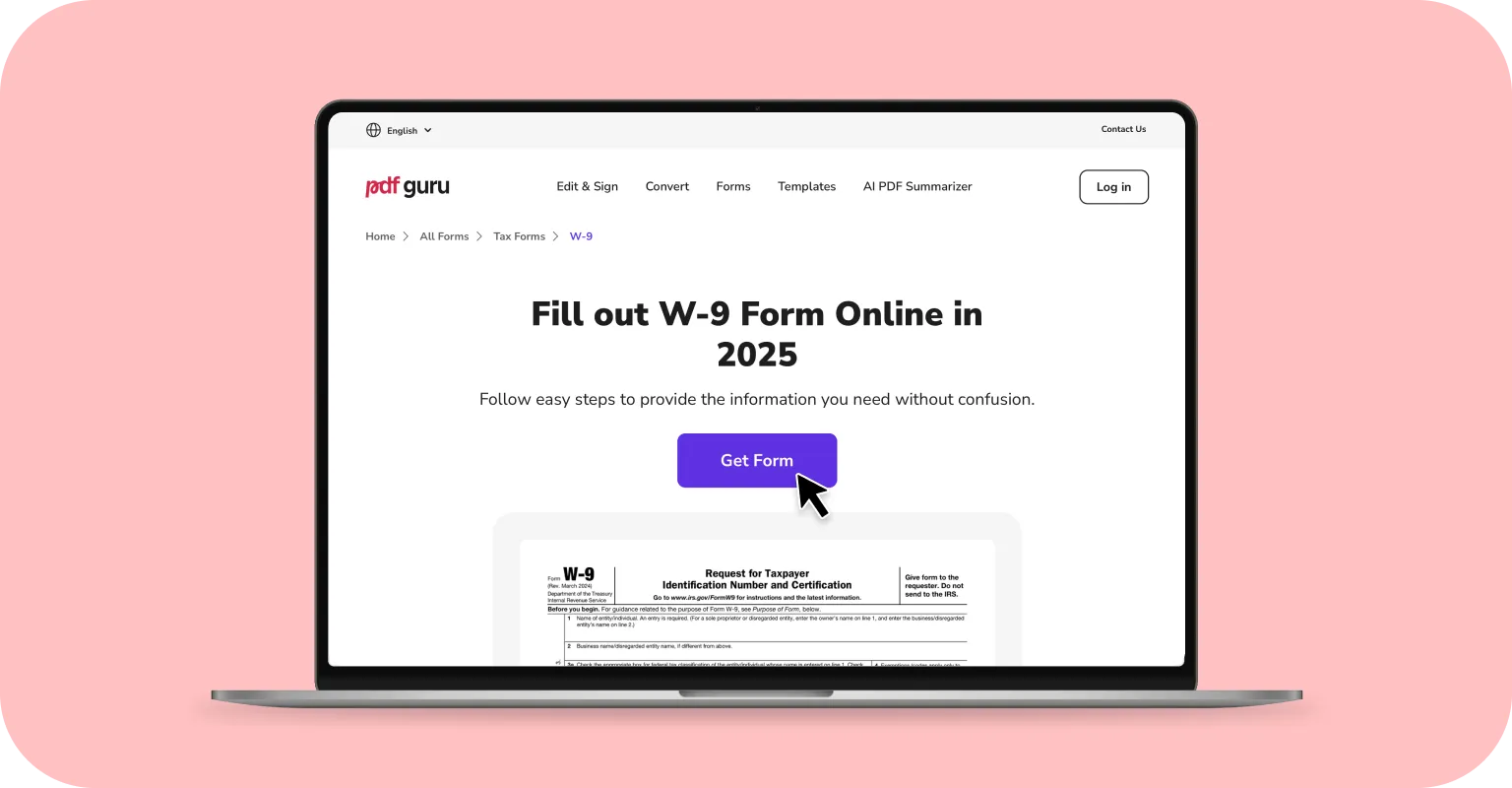
If you need to quickly fill out and submit important forms for yourself or your business, PDF Guru includes a full library of templates. You'll find forms for freelancers, contractors, businesses, and more, whether you're looking for tax, financial, or other professional documents. All forms are ready to fill, download, and store in your PDF Guru account.
Popular templates include Form W-7 to apply for an Individual Taxpayer Identification Number (ITIN), Form 1040 for filing your annual income tax return with the IRS, Form 8962 to calculate and report your Premium Tax Credit (PTC), and Form W-9 for accurate tax documentation. Having these forms readily available simplifies the tax filing process and saves significant time.
Adobe Acrobat offers general information about various forms on its blog, but doesn't provide ready-to-use fillable templates that you can edit directly in the tool. To access advanced template functionality, you need the Adobe Express Premium plan, which is included with Acrobat Studio. While this subscription enables AI-powered PDF creation and branded content generation, ready-made templates remain unavailable.
Google Chrome extension
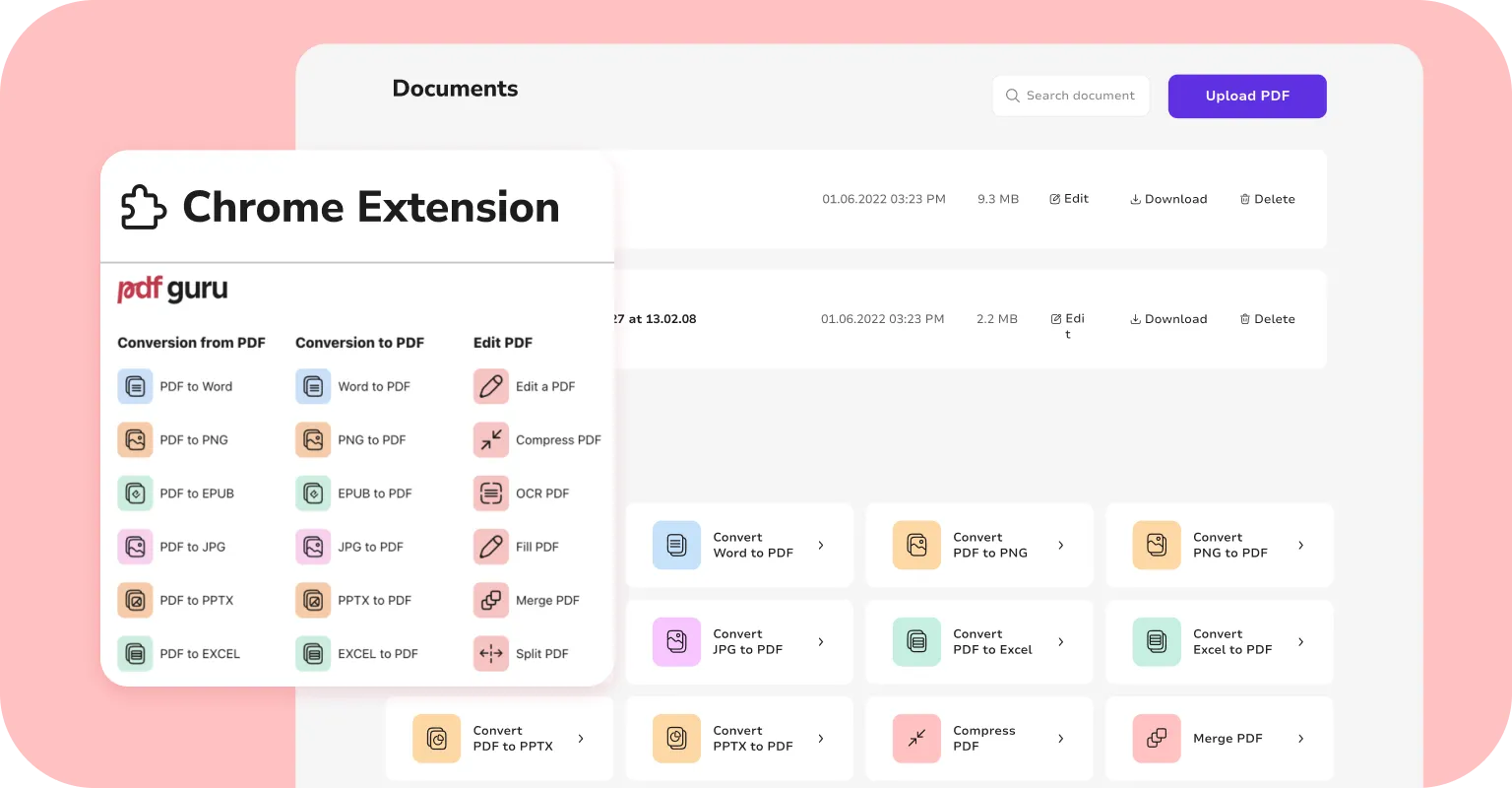
Both Adobe Acrobat and PDF Guru offer Google Chrome extensions for smooth integration across browser tabs. Adobe's extension capabilities are restricted based on subscription type. You can view and edit documents directly in the browser, add comments and annotations, fill out forms, and apply e-signatures. There's also an option to convert PDF documents to Word and other Microsoft Office formats.
The updated PDF Guru extension offers a complete toolkit, including file conversion, text and image editing, file compression, OCR, merge and split functions, and form filling. The extension receives constant updates and improvements. Recently, a PDF AI Summarizer was added, allowing you to condense long documents into brief bullet-point summaries.
AI tools for everyday productivity
Adobe's Acrobat AI Assistant allows you to chat with PDFs, ask questions, generate document summaries, and extract intelligent insights from complex files like contracts and reports. It's designed for power users working with dense, technical documents.
PDF Guru designs its AI tools with practicality and everyday productivity in mind. You get AI-powered PDF summaries, OCR capabilities for scanned documents, and text extraction from images. These features help you work faster without adding unnecessary complexity to the tool.
Security without the complexity
Adobe Acrobat provides SSL encryption (secure data transfer), cloud storage, and legally binding e-signatures. For enterprises, it includes redaction tools that permanently remove sensitive information. PDF Guru delivers strong security without complexity. Your documents stay protected at every stage, with only you having access.
How PDF Guru protects your data
When you upload or download files, PDF Guru uses HTTPS encryption — the secure connection shown as a padlock in your browser. An SSL Certificate creates end-to-end encryption, keeping files scrambled and unreadable to outsiders.
Once stored, files stay protected with server-side encryption, so even unauthorized access can't expose your documents. PDF Guru uses Advanced Encryption Standard (AES), a military-grade method that converts data into code only authorized parties can decode.
PDF Guru adheres to GDPR (the EU's data protection law) and other privacy regulations. Google has verified PDF Guru as safe in its Transparency Report. Visit our FAQ page for more security details.
PDF Guru combines essential security with a straightforward approach that requires no IT expertise.
Who should choose which tool?
Adobe Acrobat remains the top choice for enterprise-grade projects and workflows that require advanced features, extensive integrations, and specialized tools. If you work with highly complex documents, need enterprise-level security with redaction capabilities, or require seamless integration with Adobe Creative Cloud, Acrobat delivers unmatched power.
For most users seeking the best alternative to Adobe Acrobat Pro, the choice is simple: Do you need specialized enterprise features, or reliable PDF editing that works immediately in your browser? PDF Guru is designed for professionals, freelancers, and businesses who want powerful document tools without Adobe's overhead.
For everyday document tasks, such as editing PDFs, converting files, adding signatures, or filling out forms, PDF Guru works as more than just a PDF editor alternative to Adobe — it's a comprehensive Adobe replacement. It eliminates the need for heavy desktop installations, complicated subscription management, and the learning curve that comes with feature-rich software. If you value simplicity, transparent pricing, and immediate access to powerful tools, PDF Guru is worth trying.
Final thoughts
The demand for PDF alternatives to Adobe that offer quick editing and conversion without costly subscriptions continues to grow. Adobe's complicated software, high system requirements, and expense can turn many users away, especially those who simply need to get work done efficiently.
On our About Us page, you'll learn that the team behind PDF Guru strives to build a product that not only simplifies file management but also helps you focus on what truly matters. This browser-based software is simple to use and provides transparent pricing. So, if you're looking for a modern, powerful Adobe Acrobat Pro alternative without the complexities, PDF Guru is definitely worth exploring.