

MKV to MP3 Converter
Size up to 100 MB
By uploading a file, you agree to our Terms of Use and acknowledge our Privacy Policy
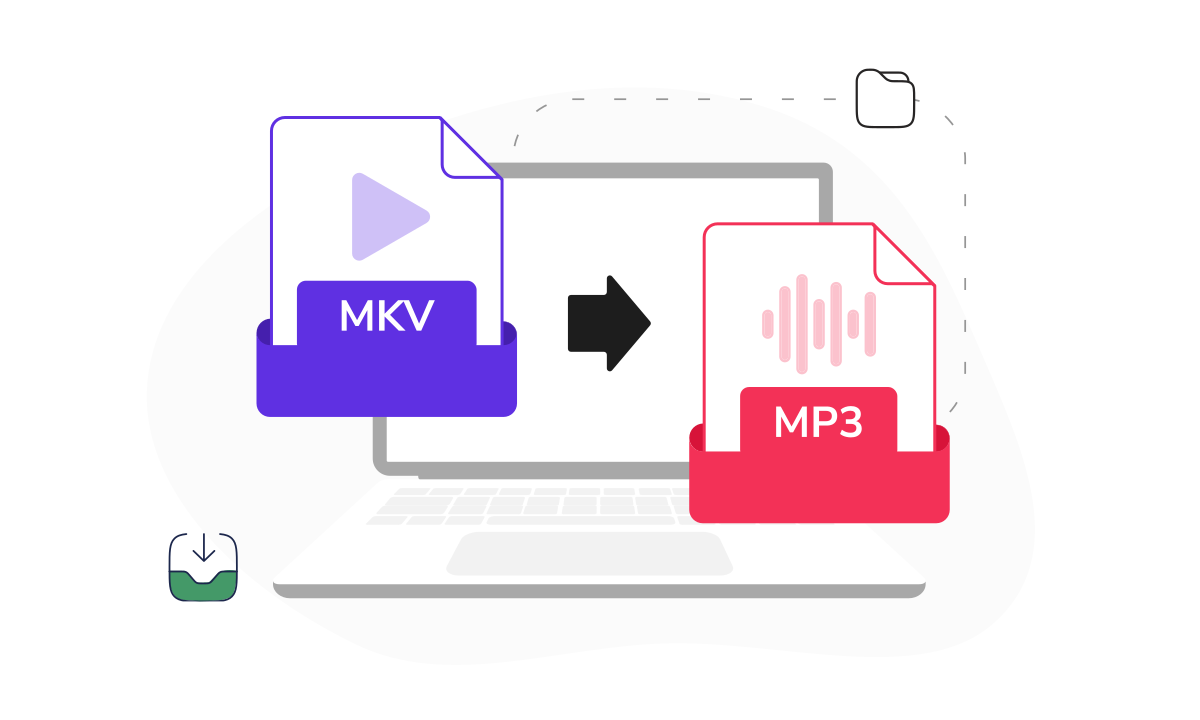
How to convert MKV to MP3
 Download your first file for free. To continue using PDF Guru, choose one of our subscription plans.
- Drag & drop your MKV file or click the + button to upload it
 Wait a few seconds while our tool extracts the audio
 Download your MP3 file. It’s also saved to your account.
Trusted and certified by industry leaders




Why choose our MKV to MP3 converter

Instant audio extraction
Our tool pulls the audio track from your MKV file and compresses it into a portable MP3 you can play on any device or media player.
Fully automatic
Upload your file, and the conversion starts on its own, so you don’t need to pick any settings or adjust options before getting your MP3.
Keep the original quality
The audio track is extracted and re-encoded carefully, so your MP3 sounds clean and faithful to the source material.Works on any device
Since our tool runs online, you can convert MKV files on Windows, Mac, Linux, iOS, or Android without installing any software.Smaller file size
MP3 files are a fraction of the file size of the original MKV, making them easy to store, share, and transfer across devices.Cloud storage
Every converted file is automatically saved to your PDF Guru account, so you can download or share it anytime from anywhere.
The easiest way to convert MKV to MP3
MKV is a popular video format that can store multiple audio, video, and subtitle tracks in a single file. When all you need is the audio — a song, a podcast, or a lecture — our converter lets you change MKV to MP3 in seconds. You can also turn MKV into MP3 whenever you want a lighter file that plays on any phone, tablet, or music player. The whole process is automatic, so you just upload your MKV file and PDF Guru handles the rest without any technical skills on your part.
What users are saying about our online tool

Frequently asked questions
What is an MKV to MP3 converter?

An MKV to MP3 audio converter extracts the audio track from a Matroska video file and saves it as an MP3. MKV files can contain video, audio, and subtitle tracks all bundled together, and the converter isolates just the audio portion. Our online MKV to MP3 converter handles this automatically, so you get a ready-to-play MP3 file without dealing with any technical settings.
How do I convert MKV to MP3 online?
Scroll to the top of this page and drag your MKV file into the upload area, or click the + button to select it from your device. Our tool extracts the audio track and delivers a finished MP3 file automatically. Once the conversion is complete, you can download it right away or access it later from your PDF Guru account.
Why convert MKV to MP3?
MKV files contain video, audio, and sometimes subtitles, which makes them large and impractical if you only need the sound. Converting to MP3 gives you a compact audio file you can play on any device, add to a playlist, or share easily. It’s the fastest way to pull music, dialogue, or podcast audio out of a video file.
Will the audio quality be preserved after conversion?
Yes. Our converter extracts the audio track from your MKV file and re-encodes it as a high-quality MP3. For most files, the difference between the original audio and the MP3 version is imperceptible. MP3 uses lossy compression, which means a small amount of data is removed to reduce file size, but the result still sounds clean and faithful to the source.
What audio formats does MKV support?
MKV (Matroska) is a flexible container file format, similar to MP4 or AVI, that can hold audio tracks in various codecs including AAC, FLAC, Vorbis, Opus, and DTS. Regardless of which audio codec your MKV video uses, our converter extracts it and delivers a standard MP3 that plays on virtually any device or media player.
Can I convert large MKV files?
Yes. Our converter handles MKV files of any length and file size. Longer videos will take a bit more time to process, but the conversion is fully automatic and you’ll receive a notification when your MP3 is ready to download.
What is the difference between MKV and MP3?
MKV (Matroska Video) is a container format that stores video, audio, and subtitle tracks together, similar to containers like AVI and WebM. MP3 is a compressed audio-only format designed for playback on any device. When you convert your MKV files to MP3, you extract just the audio portion and discard the video data, leaving you with a much smaller file that plays in any music app or media player.
How do I cancel PDF Guru?
You can cancel your active plan from your PDF Guru account settings, or contact support and ask them to cancel the subscription for you. Account access stays in place until the billing period you already paid for comes to an end.
Choose a tool to work with PDF documents
- Edit PDF
- PDF Converter
- Compress PDF
- Merge PDF
- Split PDF
- Annotate PDF
- Fill PDF
- Rotate PDF
- Create PDF
- Organize PDF
- Sign PDF
- OCR PDF
- Extract PDF Pages
- Delete PDF Pages
- Password Protect PDF
- Remove Watermark
- Book Summarizer
- PDF Summarizer
- Translate PDF
- Crop PDF
- Unlock PDF
- Compress Images
- Merge images
- Enhance Image
- German to English Translator
- English to Spanish Translator
- Arabic to English Translator
- Japanese to English Translator
- QR Code Generator
- Transcribe Audio to Text
- Transcribe Video to Text
- Compress Video
- Ai Music Generator
- Noise Remover
- Vocal Remover
- Transcribe YouTube Video
- Video Editor
Edit & Sign
- Edit PDF
- PDF Converter
- Compress PDF
- Merge PDF
- Split PDF
- Annotate PDF
- Fill PDF
- Rotate PDF
- Create PDF
- Organize PDF
- Sign PDF
- OCR PDF
- Extract PDF Pages
- Delete PDF Pages
- Password Protect PDF
- Remove Watermark
- Book Summarizer
- PDF Summarizer
- Translate PDF
- Crop PDF
- Unlock PDF
- Compress Images
- Merge images
- Enhance Image
- German to English Translator
- English to Spanish Translator
- Arabic to English Translator
- Japanese to English Translator
- QR Code Generator
- Transcribe Audio to Text
- Transcribe Video to Text
- Compress Video
- Ai Music Generator
- Noise Remover
- Vocal Remover
- Transcribe YouTube Video
- Video Editor
- Avif to JPG
- GIF to JPG
- Heic to JPG
- JPG to PNG
- PNG to JPG
- SVG to JPG
- Heic to PNG
- PNG to WEBP
- WEBP to PNG
- Word to JPG
- CSV to Excel
- Audio Converter
- Video Converter
- Ebook Converter
- Image Converter
- MP4 to MP3
- M4A to MP3
- MP3 to WAV
- WAV to MP3
- MOV to MP4
- MKV to MP4
- WebM to MP4
- MP4 to WAV
- AVI to MP4
- MOV to MP3
- MOV to WAV
- MKV to MOV
- MP4 to AVI
- FLAC to MP3
- M4A to WAV
- OGG to MP3
- MP4 to WebM
- MKV to MP3
- Image to Text
- Text to Speech
Other Formats
- Avif to JPG
- GIF to JPG
- Heic to JPG
- JPG to PNG
- PNG to JPG
- SVG to JPG
- Heic to PNG
- PNG to WEBP
- WEBP to PNG
- Word to JPG
- CSV to Excel
- Audio Converter
- Video Converter
- Ebook Converter
- Image Converter
- MP4 to MP3
- M4A to MP3
- MP3 to WAV
- WAV to MP3
- MOV to MP4
- MKV to MP4
- WebM to MP4
- MP4 to WAV
- AVI to MP4
- MOV to MP3
- MOV to WAV
- MKV to MOV
- MP4 to AVI
- FLAC to MP3
- M4A to WAV
- OGG to MP3
- MP4 to WebM
- MKV to MP3
- Image to Text
- Text to Speech