

MP4 to MP3 Converter
Size up to 100 MB
By uploading a file, you agree to our Terms of Use and acknowledge our Privacy Policy
How to convert MP4 to MP3
 Download your first file for free. To continue using PDF Guru, choose one of our subscription plans.
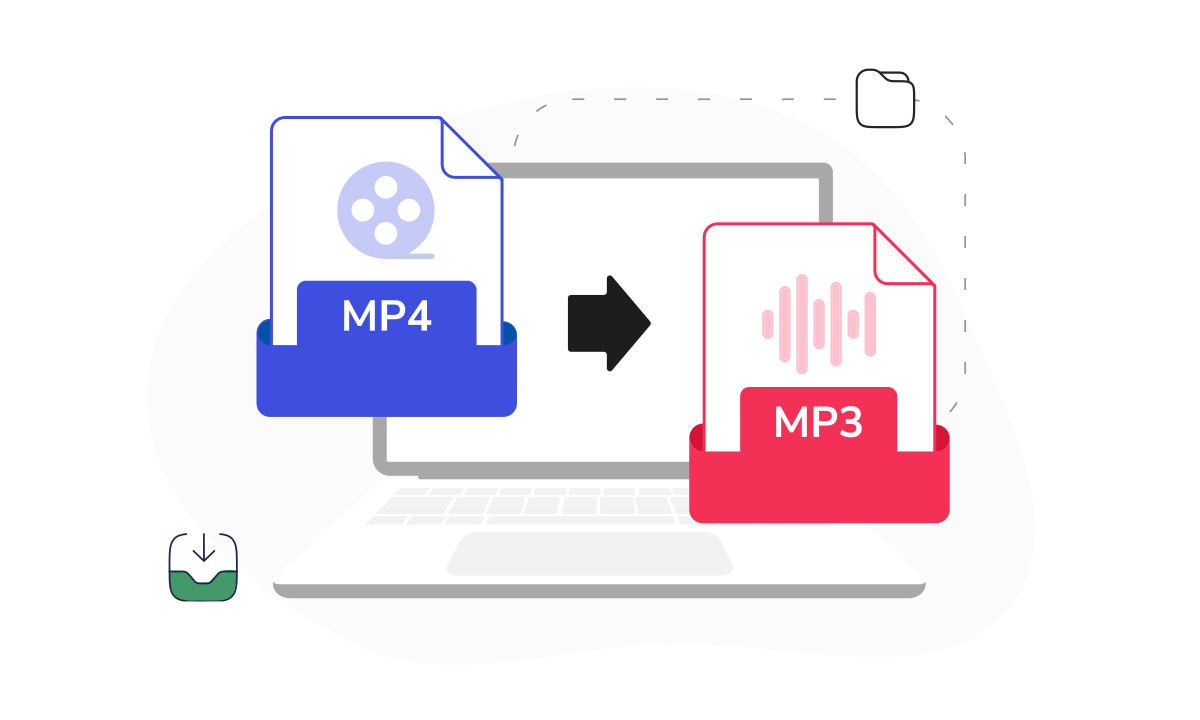
 Upload your MP4 file into the window
 Wait a few seconds while we extract the audio
 Download your MP3 file to the device.
Trusted and certified by industry leaders




Why use our MP4 to MP3 converter

High-quality results
The audio you get sounds just like the original. When you convert video to MP3, we make sure nothing is lost along the way.
Quick processing
We optimized the process so that converting MP4 files to MP3 takes seconds. Large files are ready just as quickly as small ones.
Unlimited conversions
Need to convert a whole playlist from MP4 to MP3? Go one by one, as many times as you want. No daily limits or restrictions.Cloud storage
Every MP3 goes straight to your dashboard. If anything happens to your file, you always have a backup.User-friendly interface
The layout guides you from upload to download in a straight line. Turn MP4 into MP3 with just a few clicks!Security-first approach
Privacy must always come first. Convert video to audio files with secure, industry-standard protection.
The right way to convert MP4 to MP3 online
When you only need the audio from a video, MP3 is usually the most practical format. It’s smaller in size, easier to store, and works across almost any device or media player. Our video to MP3 converter extracts the sound track quickly while keeping it as close to the original quality as possible. The process runs online, so there’s no software to install. Over time, more audio and video formats will be added, turning this into a dependable place for everyday audio conversions.
What users are saying about our online tool

Frequently asked questions
What is the MP4 format?

MP4 is one of the most common video file types. It can include the video, the audio, and sometimes subtitles, all in a single file. Because it works well across most devices and apps, it's a popular choice for streaming, downloading, and sharing videos online.
What is the MP3 format?
MP3 is a widely used audio format that keeps file sizes small without making the sound noticeably worse for most listeners. It's a go-to for music, podcasts, and recordings, and it plays on almost anything. That's why people often change MP4 to MP3 — when they only want the audio and don't need the video.
What happens to the audio layer when converting MP4 to MP3?
When you convert your MP4 files to MP3, the tool extracts the audio layer from the video file and saves it as a separate MP3 file. The video track is removed, and only the sound remains. Nothing new is added — the process simply separates the audio so you can use it on its own.
Does converting MP4 to MP3 compress the audio?
Yes, MP3 is a compressed audio format. During conversion, the audio is encoded into MP3, which reduces file size while keeping sound quality close to the original. The final result depends on the quality of the source file. If the original audio is clear, the MP3 will sound just as good for most everyday use.
Will the audio quality stay the same after converting MP4 to MP3?
We extract the audio from your video, aiming to preserve the original quality.
When you convert MP4 to audio (MP3, in your case), the result depends on the source file. If the original audio was clear, your MP3 will sound just as good. If it was low-bitrate to begin with (compressed with less data, which can make audio sound flat or muffled), we can't improve it.
What is the best converter for MP4 to MP3?
Pick a platform you can trust. Reviews on Trustpilot, functionality, support response — check all of it. That's the standard we hold ourselves to. Our audio converter is built around file security, reliable support, and a toolset that keeps expanding.
How do I cancel PDF Guru?
You can cancel your active plan from your PDF Guru account settings, or contact support and ask them to cancel the subscription for you. Account access stays in place until the billing period you already paid for comes to an end.
Choose a tool to work with PDF documents
- Edit PDF
- PDF Converter
- Compress PDF
- Merge PDF
- Split PDF
- Annotate PDF
- Fill PDF
- Rotate PDF
- Create PDF
- Organize PDF
- Sign PDF
- OCR PDF
- Extract PDF Pages
- Delete PDF Pages
- Password Protect PDF
- Remove Watermark
- Book Summarizer
- PDF Summarizer
- Translate PDF
- Crop PDF
- Unlock PDF
- Compress Images
- Merge images
- Enhance Image
- German to English Translator
- English to Spanish Translator
- Arabic to English Translator
- Japanese to English Translator
- QR Code Generator
- Transcribe Audio to Text
- Transcribe Video to Text
- Compress Video
- Ai Music Generator
- Noise Remover
- Vocal Remover
- Transcribe YouTube Video
- Video Editor
Edit & Sign
- Edit PDF
- PDF Converter
- Compress PDF
- Merge PDF
- Split PDF
- Annotate PDF
- Fill PDF
- Rotate PDF
- Create PDF
- Organize PDF
- Sign PDF
- OCR PDF
- Extract PDF Pages
- Delete PDF Pages
- Password Protect PDF
- Remove Watermark
- Book Summarizer
- PDF Summarizer
- Translate PDF
- Crop PDF
- Unlock PDF
- Compress Images
- Merge images
- Enhance Image
- German to English Translator
- English to Spanish Translator
- Arabic to English Translator
- Japanese to English Translator
- QR Code Generator
- Transcribe Audio to Text
- Transcribe Video to Text
- Compress Video
- Ai Music Generator
- Noise Remover
- Vocal Remover
- Transcribe YouTube Video
- Video Editor
- Avif to JPG
- GIF to JPG
- Heic to JPG
- JPG to PNG
- PNG to JPG
- SVG to JPG
- Heic to PNG
- PNG to WEBP
- WEBP to PNG
- Word to JPG
- CSV to Excel
- Audio Converter
- Video Converter
- Ebook Converter
- Image Converter
- MP4 to MP3
- M4A to MP3
- MP3 to WAV
- WAV to MP3
- MOV to MP4
- MKV to MP4
- WebM to MP4
- MP4 to WAV
- AVI to MP4
- MOV to MP3
- MOV to WAV
- MKV to MOV
- MP4 to AVI
- FLAC to MP3
- M4A to WAV
- OGG to MP3
- MP4 to WebM
- MKV to MP3
- Image to Text
- Text to Speech
Other Formats
- Avif to JPG
- GIF to JPG
- Heic to JPG
- JPG to PNG
- PNG to JPG
- SVG to JPG
- Heic to PNG
- PNG to WEBP
- WEBP to PNG
- Word to JPG
- CSV to Excel
- Audio Converter
- Video Converter
- Ebook Converter
- Image Converter
- MP4 to MP3
- M4A to MP3
- MP3 to WAV
- WAV to MP3
- MOV to MP4
- MKV to MP4
- WebM to MP4
- MP4 to WAV
- AVI to MP4
- MOV to MP3
- MOV to WAV
- MKV to MOV
- MP4 to AVI
- FLAC to MP3
- M4A to WAV
- OGG to MP3
- MP4 to WebM
- MKV to MP3
- Image to Text
- Text to Speech