

Compress Images Online
Size up to 100 MB
By uploading a file, you agree to our Terms of Use and acknowledge our Privacy Policy
How to compress images
 Download your first file for free. To continue using PDF Guru, choose one of our subscription plans.
- Upload your image file.
 Pick a compression level and your desired format.
 Download the optimized image to your device.
Trusted and certified by industry leaders




Why choose our image compressor

Three compression levels
Choose high, medium, or low compression, so you decide the balance between a smaller file and sharper quality.
Size control
Compress images to 50KB to meet strict upload limits, or compress images to 1MB when you need to keep more detail.
Flexible format choice
Pick your download format to match the job, whether the compressed picture is headed for the web, print, or email.Quality-safe resizing
Optimize a photo to make it lighter and easier to share, while keeping it just as sharp and clear as the original file.Editing options
Once you set the level, use the editor to customize your file with editing tools, then choose a format and download a compressed file.Quick results
Our online image compressor tool handles large files quickly, so you get compressed results without slowing down your day.
Image compression done right
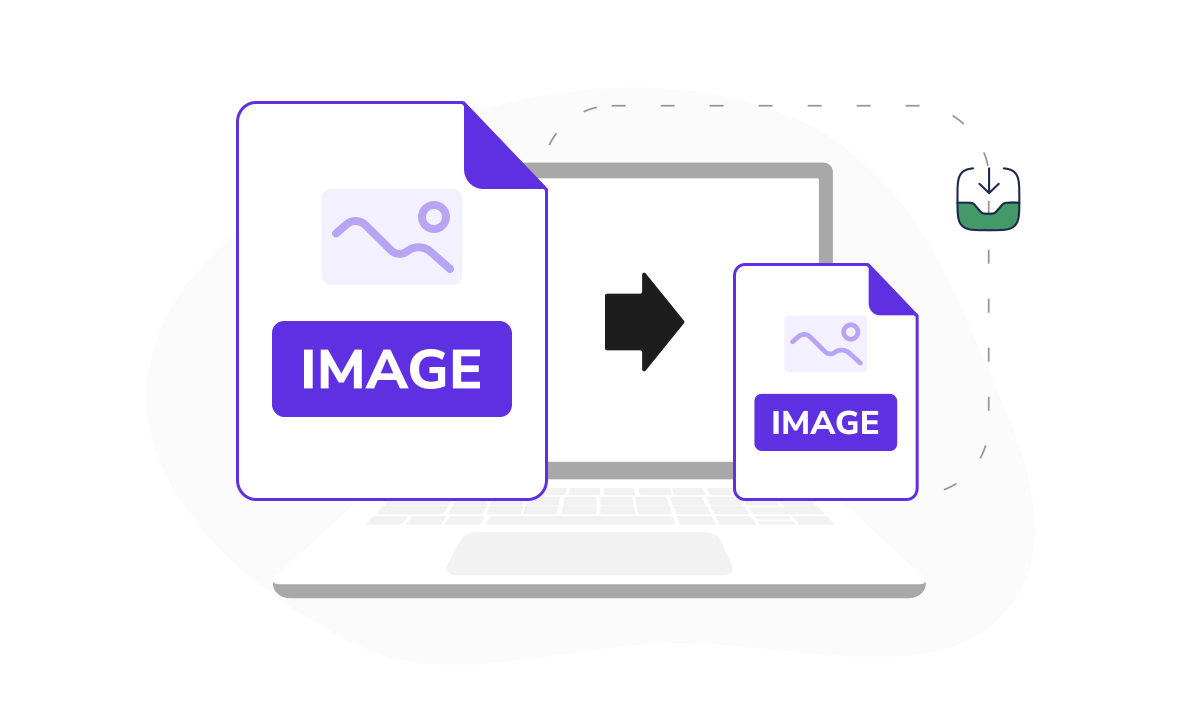
Ever hit 'your file is too big' when you're short on time, or run out of storage? We built this photo compressor to shrink file size and speed up sharing. Pick from three compression levels, each showing an estimated final size, so you can resize an image to 2MB or shrink it much smaller. And the options keep growing: our experts constantly update the toolset, rolling out new features and formats to give you more control!
Where our image compressor helps most



What users are saying about our online tool

Frequently asked questions
Why is it helpful to compress photo size?

Compressing photo size reduces file storage needs and speeds up upload or download times. That makes it especially useful if you're a photographer, student, or content creator who works with images all day. Smaller files upload faster, share without hitting size limits, and keep your storage from filling up too quickly.
Worried about quality? Find out how to reduce image file size while keeping the original look in the answer below.
How to compress images without losing quality?
To compress images without noticeable quality loss, use online compressors like PDF Guru. A few things help you keep them sharp:
Start with a high-quality file. The better your original image, the better it looks after you reduce the file size.
Choose the right compression level. PDF Guru offers three levels, each with an estimated final size, so you can trade a little sharpness for a smaller file only when you actually need to.
Don't over-compress. Running an image through compression repeatedly degrades quality, so strike a balance between size and clarity rather than pushing for the smallest file every time.
Which image formats can I compress?
You can compress common image formats like PNG and JPEG. Our tool handles both today, and we're planning to support more formats soon.
Whether it's a photo from your phone or a graphic from your computer, just upload your image, and we'll handle the rest.
Are my images safe during compression?
Whether your images are safe during compression depends entirely on where you compress them. With PDF Guru, they're protected at every step.
We use industry-standard security to keep your files safe throughout the upload, compression, and download processes, and everything is stored on trusted servers. On top of that, PDF Guru is verified by Google Safe Browsing, which checks websites for malware, phishing, and other online threats.
Can I convert my images to a different file format?
Yes, you can easily convert images to different file formats like JPG, PNG, PDF, Word, Excel, and PPTX. Just pick the format you want from the options, name your file, and save it.
We built our image file size reducer around what people and businesses actually need today. Notice something missing? Let us know, and we'll look into it.
What platforms can I use your image size compressor on?
You can use our image size compressor on any platform with a web browser, including Windows, macOS, Linux, Android, and iOS. Just open this page in your browser, upload your file, and we'll handle the rest.
Why didn't my image get any smaller after compression?
Your image didn't shrink much because it was likely already compressed, leaving little to reduce. A low compression level can have the same effect. Try a higher one and check the estimated final size before you download. Note that compressing the same image repeatedly won't help, as it reduces quality rather than file size.
How do I cancel PDF Guru?
You can cancel your active plan from your PDF Guru account settings, or contact support and ask them to cancel the subscription for you. Account access stays in place until the billing period you already paid for comes to an end.
Related Articles

Choose a tool to work with PDF documents
- Edit PDF
- PDF Converter
- Compress PDF
- Merge PDF
- Split PDF
- Annotate PDF
- Fill PDF
- Rotate PDF
- Create PDF
- Organize PDF
- Sign PDF
- OCR PDF
- Extract PDF Pages
- Delete PDF Pages
- Password Protect PDF
- Remove Watermark
- Book Summarizer
- PDF Summarizer
- Translate PDF
- Crop PDF
- Unlock PDF
- Compress Images
- Merge images
- Enhance Image
- German to English Translator
- English to Spanish Translator
- Arabic to English Translator
- Japanese to English Translator
- QR Code Generator
- Transcribe Audio to Text
- Transcribe Video to Text
- Compress Video
Edit & Sign
- Edit PDF
- PDF Converter
- Compress PDF
- Merge PDF
- Split PDF
- Annotate PDF
- Fill PDF
- Rotate PDF
- Create PDF
- Organize PDF
- Sign PDF
- OCR PDF
- Extract PDF Pages
- Delete PDF Pages
- Password Protect PDF
- Remove Watermark
- Book Summarizer
- PDF Summarizer
- Translate PDF
- Crop PDF
- Unlock PDF
- Compress Images
- Merge images
- Enhance Image
- German to English Translator
- English to Spanish Translator
- Arabic to English Translator
- Japanese to English Translator
- QR Code Generator
- Transcribe Audio to Text
- Transcribe Video to Text
- Compress Video
- Avif to JPG
- GIF to JPG
- Heic to JPG
- JPG to PNG
- PNG to JPG
- SVG to JPG
- Heic to PNG
- PNG to WEBP
- WEBP to PNG
- Word to JPG
- CSV to Excel
- Audio Converter
- Video Converter
- Ebook Converter
- Image Converter
- MP4 to MP3
- M4A to MP3
- MP3 to WAV
- WAV to MP3
- MOV to MP4
- MKV to MP4
- WebM to MP4
- MP4 to WAV
- AVI to MP4
- MOV to MP3
- MOV to WAV
- MKV to MOV
- MP4 to AVI
- FLAC to MP3
- M4A to WAV
- OGG to MP3
- MP4 to WebM
- MKV to MP3
- Image to Text
Other Formats
- Avif to JPG
- GIF to JPG
- Heic to JPG
- JPG to PNG
- PNG to JPG
- SVG to JPG
- Heic to PNG
- PNG to WEBP
- WEBP to PNG
- Word to JPG
- CSV to Excel
- Audio Converter
- Video Converter
- Ebook Converter
- Image Converter
- MP4 to MP3
- M4A to MP3
- MP3 to WAV
- WAV to MP3
- MOV to MP4
- MKV to MP4
- WebM to MP4
- MP4 to WAV
- AVI to MP4
- MOV to MP3
- MOV to WAV
- MKV to MOV
- MP4 to AVI
- FLAC to MP3
- M4A to WAV
- OGG to MP3
- MP4 to WebM
- MKV to MP3
- Image to Text