

Unlock PDFs Online
Size up to 100 MB
By uploading a file, you agree to our Terms of Use and acknowledge our Privacy Policy
How to remove passwords from PDF files
 Download your first file for free. To continue using PDF Guru, choose one of our subscription plans.
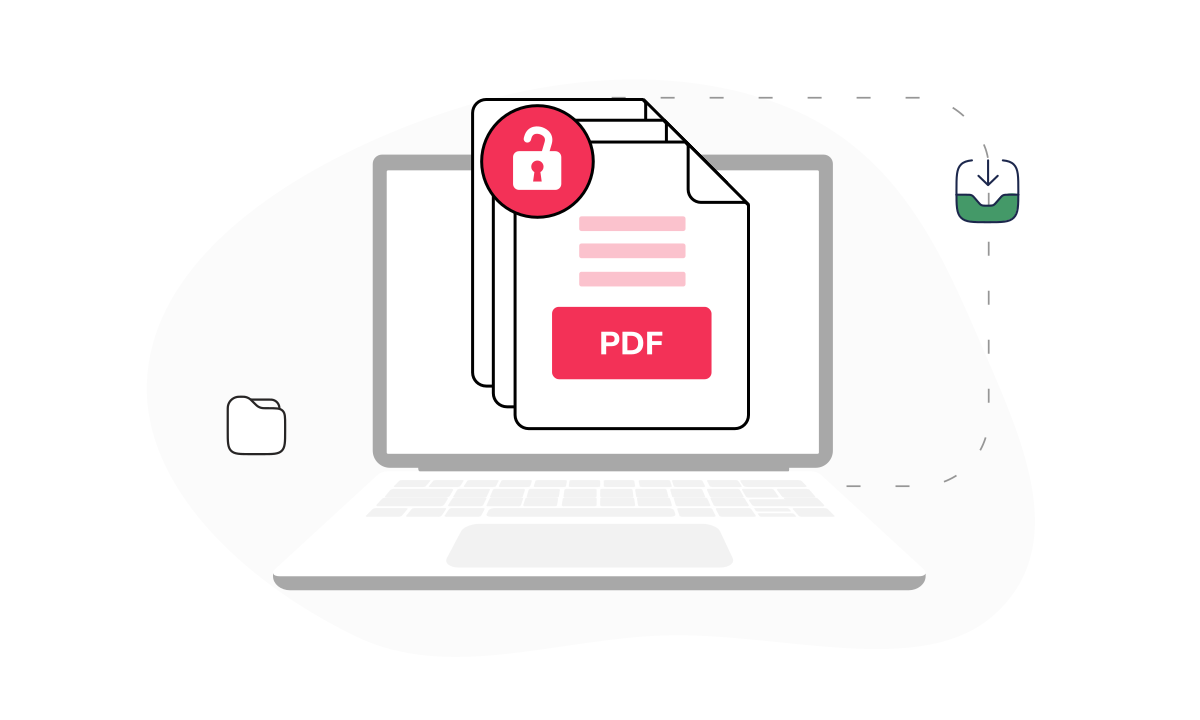
- Upload your locked PDF into the window.
 Wait a few seconds while our PDF password remover processes your file.
 Your unlocked file opens in the editor. Edit if needed, then click 'Download' in your chosen format.
Trusted and certified by industry leaders




Why unlock PDF files with us

Full file access
Remove PDF restrictions in one go, so you can edit, copy, and print the file with nothing holding you back.
Six download formats
Save a PDF without the password in whatever format fits your workflow: PDF, Word, Excel, PPTX, PNG, or JPG.
Fast processing
Upload your locked file, and our online tool takes the password off the PDF in just a few seconds, regardless of how large the document is.Ready-to-edit file
Once you remove password protection from a PDF, it opens straight in our editor for text, notes, or a signature.Online storage
Unlocked files are saved to your dashboard. Access and edit them anytime without removing the password again.Browser-based tool
Our file unlocker runs in your browser on any device, phone included, with nothing to download or install.
A trusted tool to remove PDF passwords
Types of PDF password protection

Open password
An open password, also called a user password, locks the whole file. No one can view the PDF until they enter it.
Permissions password
A permission or owner password allows anyone to open the file but blocks editing, copying, or printing until PDF protection is removed.

Every PDF, open and editable




- Sign a contract on-screen and send it back the same day
- Type directly into a form field instead of filling it by hand
- Leave comments or edits on a document before you approve it
What users are saying about our online tool

Frequently asked questions
What does it mean to unlock a PDF?

Unlocking a PDF means removing password protection that stops you from editing, copying, or printing. Once the file is open, you have full access to work with it.
How to unlock a PDF without a password?
To remove permission locks (printing or editing limits) on a PDF, you can easily use our online tool:
- Upload your file into the window.
- Wait a few seconds while we remove password protection from the PDF.
- Choose to continue editing or download the file to your device.
Just a heads-up: if the file doesn't belong to you, it's always best to let the original owner know before removing security from their document.
Why do you need a password remover?
You need a password remover to easily open files when real situations call for real solutions. Whether you forgot the password to your own file or need a document urgently and the owner isn't reachable, our PDF unlocker helps. If you unlock without the owner's permission, just be upfront about it to avoid any issues later.
Will unlocking a PDF remove all restrictions?
Yes, successfully unlocking a PDF with the correct password removes the native locks, but PDF Guru is here for when you don't have the password. Once you decrypt PDF files with our tool, all restrictions are gone. From there, you can edit, annotate, or share it as needed.
Is it safe to use a tool to unlock my PDF?
Using a tool to unlock a PDF is generally safe, provided you use a reputable online service like PDF Guru. We take it seriously. We protect your data with industry-standard security measures, and our site is verified as malware-free by Google Safe Browsing. Take passwords off PDF files without a second thought!
Do I need to install your PDF unlocker as software?
You do not need to install software because our PDF unlocker works online in your browser. You can remove restrictions directly from your device without downloading or setting up software. Just upload the file, unlock it, and download the updated version when it's ready.
How do I cancel PDF Guru?
You can cancel your active plan from your PDF Guru account settings, or contact support and ask them to cancel the subscription for you. Account access stays in place until the billing period you already paid for comes to an end.
Choose a tool to work with PDF documents
- Edit PDF
- PDF Converter
- Compress PDF
- Merge PDF
- Split PDF
- Annotate PDF
- Fill PDF
- Rotate PDF
- Create PDF
- Organize PDF
- Sign PDF
- OCR PDF
- Extract PDF Pages
- Delete PDF Pages
- Password Protect PDF
- Remove Watermark
- Book Summarizer
- PDF Summarizer
- Translate PDF
- Crop PDF
- Unlock PDF
- Compress Images
- Merge images
- Enhance Image
- German to English Translator
- English to Spanish Translator
- Arabic to English Translator
- Japanese to English Translator
- QR Code Generator
- Transcribe Audio to Text
- Transcribe Video to Text
- Compress Video
Edit & Sign
- Edit PDF
- PDF Converter
- Compress PDF
- Merge PDF
- Split PDF
- Annotate PDF
- Fill PDF
- Rotate PDF
- Create PDF
- Organize PDF
- Sign PDF
- OCR PDF
- Extract PDF Pages
- Delete PDF Pages
- Password Protect PDF
- Remove Watermark
- Book Summarizer
- PDF Summarizer
- Translate PDF
- Crop PDF
- Unlock PDF
- Compress Images
- Merge images
- Enhance Image
- German to English Translator
- English to Spanish Translator
- Arabic to English Translator
- Japanese to English Translator
- QR Code Generator
- Transcribe Audio to Text
- Transcribe Video to Text
- Compress Video
- Avif to JPG
- GIF to JPG
- Heic to JPG
- JPG to PNG
- PNG to JPG
- SVG to JPG
- Heic to PNG
- PNG to WEBP
- WEBP to PNG
- Word to JPG
- CSV to Excel
- Audio Converter
- Video Converter
- Ebook Converter
- Image Converter
- MP4 to MP3
- M4A to MP3
- MP3 to WAV
- WAV to MP3
- MOV to MP4
- MKV to MP4
- WebM to MP4
- MP4 to WAV
- AVI to MP4
- MOV to MP3
- MOV to WAV
- MKV to MOV
- MP4 to AVI
- FLAC to MP3
- M4A to WAV
- OGG to MP3
- MP4 to WebM
- MKV to MP3
- Image to Text
Other Formats
- Avif to JPG
- GIF to JPG
- Heic to JPG
- JPG to PNG
- PNG to JPG
- SVG to JPG
- Heic to PNG
- PNG to WEBP
- WEBP to PNG
- Word to JPG
- CSV to Excel
- Audio Converter
- Video Converter
- Ebook Converter
- Image Converter
- MP4 to MP3
- M4A to MP3
- MP3 to WAV
- WAV to MP3
- MOV to MP4
- MKV to MP4
- WebM to MP4
- MP4 to WAV
- AVI to MP4
- MOV to MP3
- MOV to WAV
- MKV to MOV
- MP4 to AVI
- FLAC to MP3
- M4A to WAV
- OGG to MP3
- MP4 to WebM
- MKV to MP3
- Image to Text